Interior Design · AI

Decor Try-On for Any Space

Upload your product, choose a room, and get a photorealistic interior shot — ready for ecommerce listings, lookbooks, and client presentations.

Browse templates
Browse all 400+ templates

Everything you need

Built for creators, marketers, and teams shipping AI video at scale.

01

Upload Any Product

Works with furniture, lighting, rugs, art, and decorative objects — any product photo becomes a styled room scene.

02

Choose Your Space

Select from a curated library of room styles spanning minimalist, Scandinavian, mid-century modern, rustic, and luxury interiors.

03

Photorealistic Output

AI compositing integrates your product with accurate lighting, shadow, and depth — indistinguishable from a professional staged shoot.

04

Commercial-Ready Quality

Outputs are sized and calibrated for ecommerce listings, social ads, and client-facing presentations.

05

No Staging Required

Skip expensive physical staging costs — generate dozens of room scenarios from a single product photo in minutes.

06

Iterate Fast

Renders complete in under a minute, so you can run the same product through multiple styles and find the winning composition quickly.

07

Pro Templates Included

Access curated interior design templates built by professionals and optimized for maximum visual impact across every channel.

08

Multi-Model Platform

Decor Try-On lives alongside Sora, Veo, Kling, Pika, and Flux — one workspace for every content format your brand needs.

Features

Built to ship

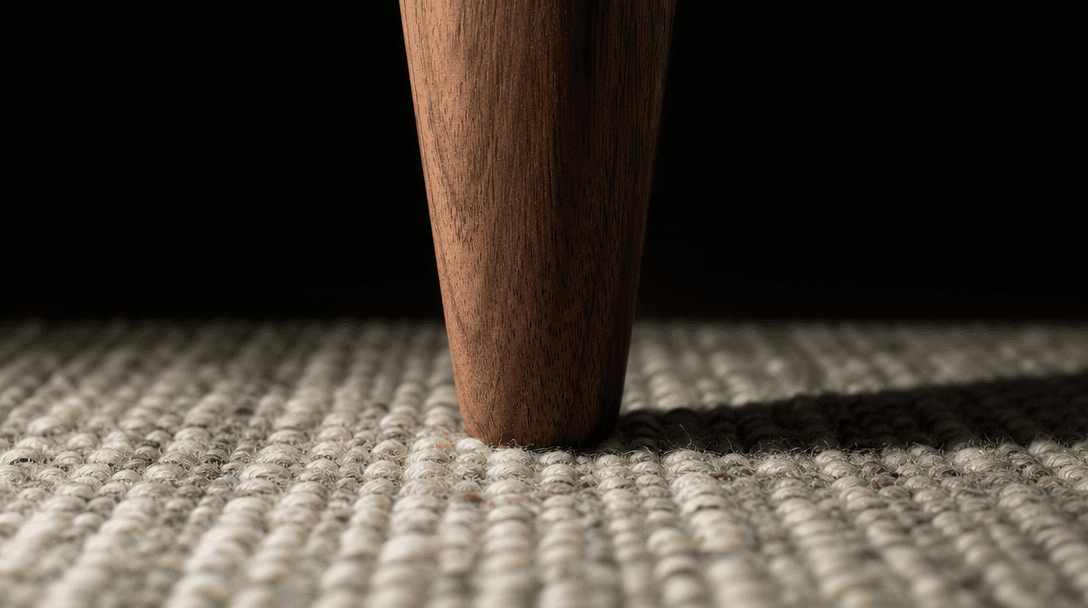
Extreme macro detail of interior compositing quality: the tapered leg of a solid walnut side table meeting a hand-knotte
F · 01

AI Product-to-Room Compositing

Nim's compositing engine analyzes your product's geometry, material texture, and color palette before placing it into the chosen scene. Shadow casting, ambient occlusion, and light bounce are calculated automatically so the product reads as physically present — not pasted in. The result holds up at full resolution and under close scrutiny, meeting the bar for commercial publication without post-production cleanup.
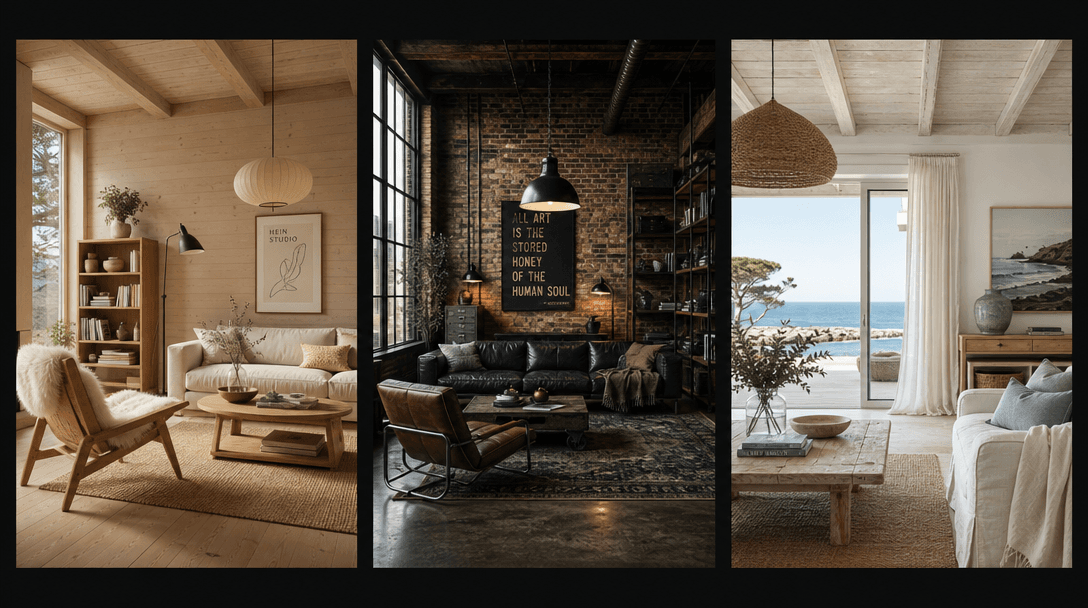
A wide editorial triptych arrangement against a near-black background showing three distinct styled room interiors side
F · 02

Curated Interior Style Library

Every room template is art-directed by professional interior designers and encoded with coherent lighting setups, material palettes, and spatial proportions. Choose from styles including warm Scandinavian, industrial loft, Japandi, coastal, and contemporary luxury. Each style preserves enough neutrality to let the product lead while providing a visually compelling lifestyle context that converts browsers into buyers.

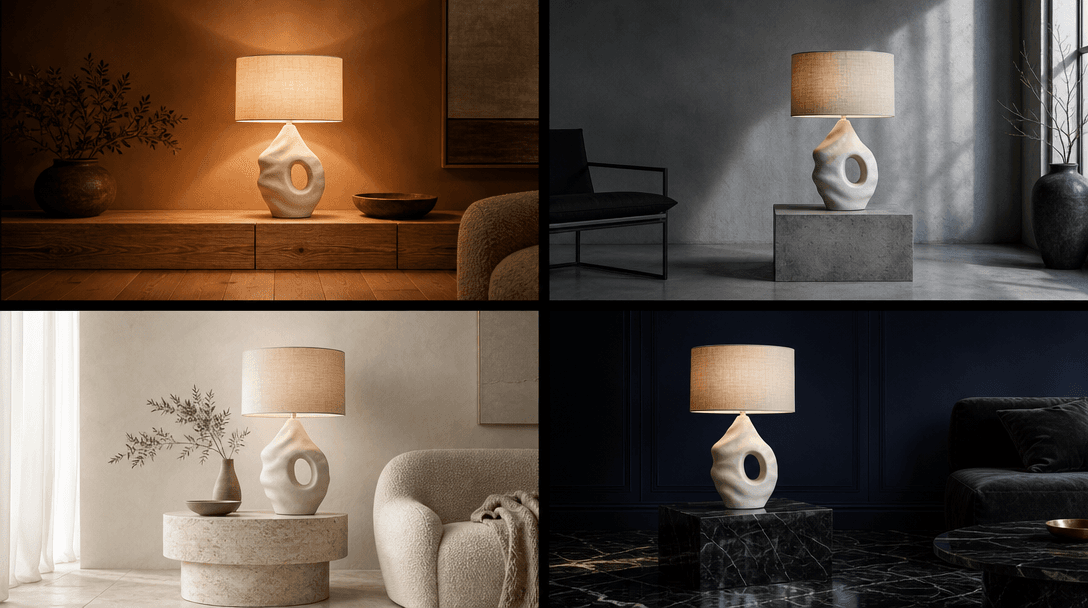
Overhead flat-lay showing the same sculptural ceramic table lamp placed into four distinct room-context vignettes arrang
F · 03

Batch Across Room Variants

Run the same product image through multiple room style templates in a single session, producing a full variant set ready for A/B testing or channel-specific campaigns. Furniture retailers can populate warm-lifestyle, editorial, and clean-white-background looks from one upload — without re-photographing the product, rescheduling a shoot, or paying a separate stylist for each setup.

Abstract representation of a multi-model AI platform: a near-black surface with clusters of luminous nodes interconnecte
F · 04

Multi-Model Platform Access

The Decor Try-On template runs on Nim's multi-model infrastructure — the same platform that hosts Sora, Veo, Kling, Pika, Flux, and more. Access every model from a single workspace, so your interior renders sit alongside video content, lifestyle imagery, and ad creatives without switching tools, managing separate subscriptions, or losing context between sessions.

Showcase

See it in action

Real outputs generated by our pipeline — no curated cherry-picks.

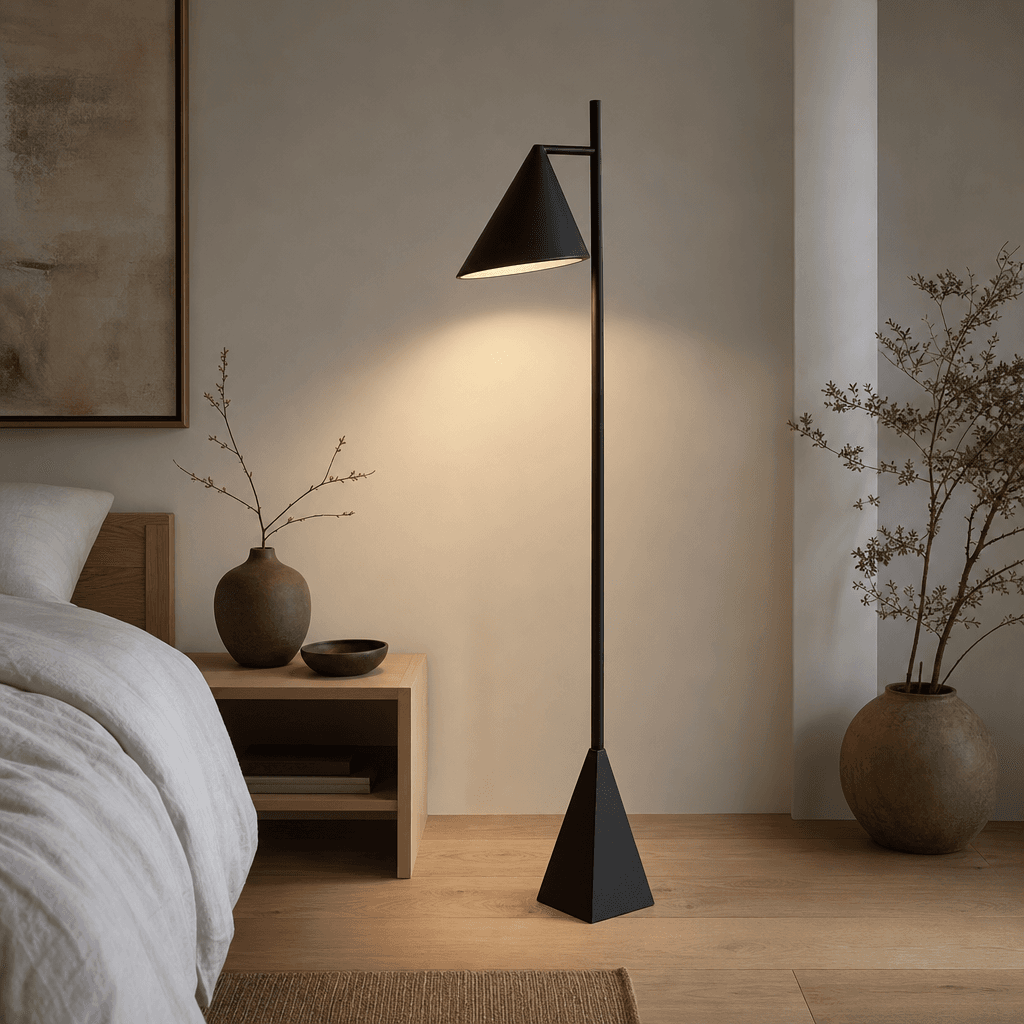
A matte black geometric floor lamp standing in a Japandi-style bedroom. Pale oak hardwood floor, white linen bedding bar
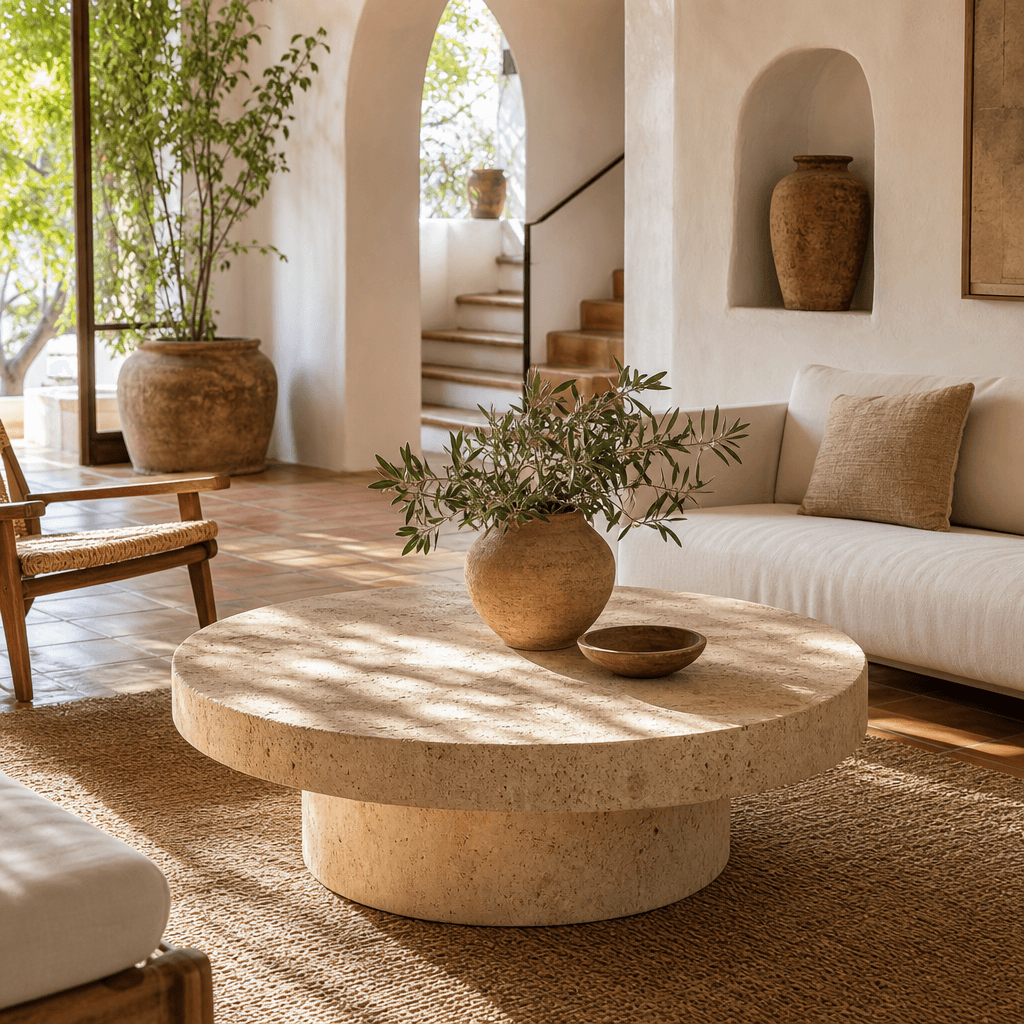
A round travertine coffee table placed in a sun-drenched Mediterranean living room. White plaster walls, terracotta floo
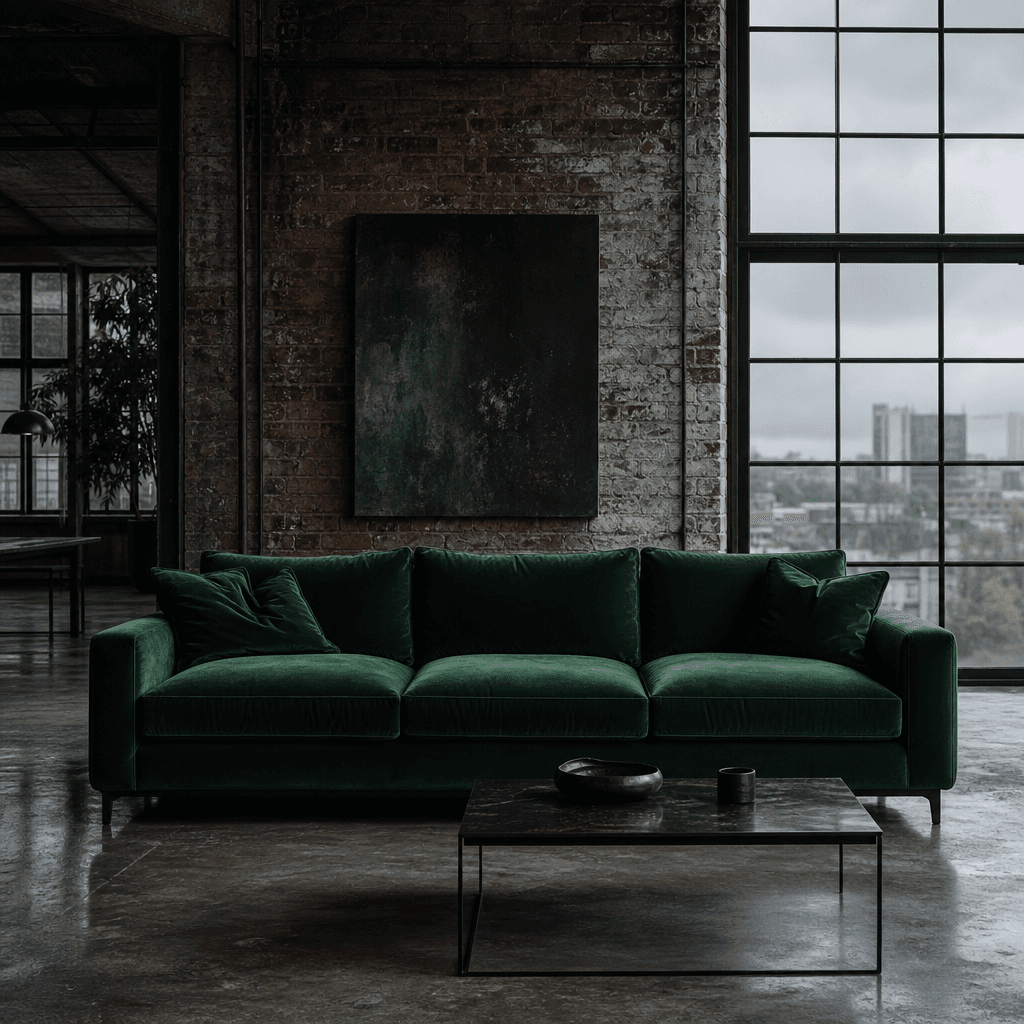
A deep forest-green velvet sofa in an industrial loft interior. Exposed brick wall behind it, polished concrete floor, l
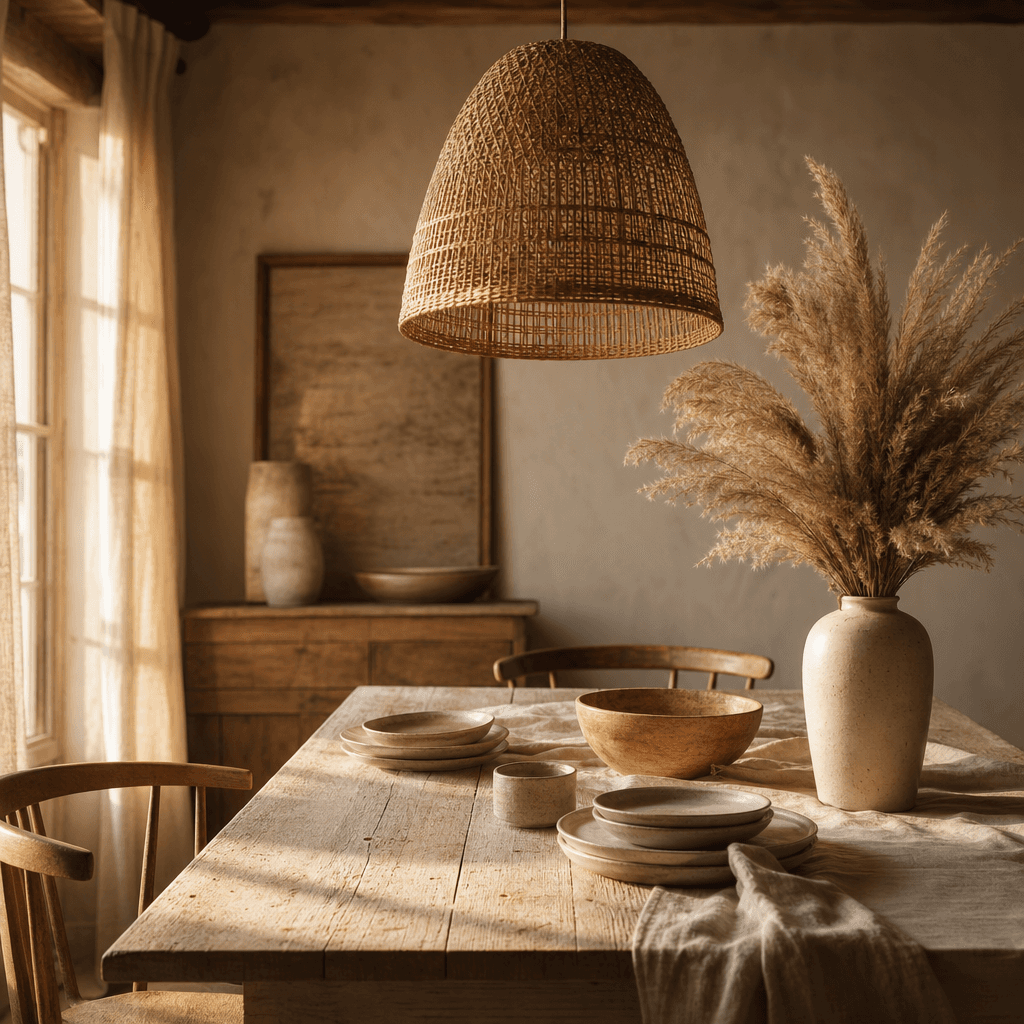
A woven rattan pendant light hanging above a rustic farmhouse dining table. Bleached wood table surface, raw linen visib
Ready to ship

Pick a template, customize, publish.

Use cases

Made for every workflow

  • Furniture Retailers

    Generate styled room scenes for every SKU in your catalog without renting a staging studio. Show each piece across three or four room styles to help shoppers visualize fit, scale, and color coordination in a real home context — proven to reduce return rates and increase conversion.

  • Home Decor Brands

    Transform product-on-white studio shots into full editorial lifestyle images that compete with luxury home brands. Create seasonal lookbook content — spring refresh, holiday warmth, summer minimal — at a fraction of traditional production cost, and publish on the same cycle as fast-moving trends.

  • Interior Designers

    Rapidly mock up client proposals by dropping specified products into room scenarios that match the project brief. Deliver photorealistic presentations before purchase orders are placed, dramatically reducing back-and-forth and client hesitation on high-ticket decisions.

  • Amazon & Marketplace Sellers

    Amazon A+ content and lifestyle images consistently outperform plain white-background listings in both conversion rate and organic search ranking. Generate compliant, high-resolution lifestyle scenes for every product variant without a photographer on retainer or a dedicated content studio.

  • Real Estate Staging

    Virtually furnish empty listing photos to help buyers connect emotionally with a space. Swap furniture styles to appeal to different demographics — contemporary for urban buyers, transitional for suburban families — all from the same empty room photo and at a fraction of physical staging costs.

  • Social Media Managers

    Maintain a consistent stream of high-quality interior content for brand accounts on Instagram, Pinterest, and TikTok. Generate platform-specific crops and aspect ratios across multiple room styles to sustain a cohesive feed aesthetic without a dedicated content studio or art director on staff.

How it works

From idea to result in seconds

  1. Step · 01

    Upload Your Product

    Drop in a photo of your furniture piece, decor object, or lighting fixture — any clean product image serves as the source material.

  2. Step · 02

    Choose a Room Style

    Select from curated interior templates spanning minimalist, rustic, contemporary, and luxury styles that best complement your product.

  3. Step · 03

    Get Your Interior Shot

    Nim composites your product into the scene with accurate lighting and shadow, delivering a photorealistic interior image ready for commercial use.

FAQ

Frequently asked questions

  • Decor Try-On is an AI template on Nim that places your furniture or decor product photo into a professionally styled room scene. You upload a product image, select a room style from the curated template library, and Nim's AI composites the two together — calculating lighting, shadows, and spatial depth to produce a photorealistic interior shot suitable for commercial use.

  • The template works best with furniture (sofas, chairs, tables, beds, shelving), lighting fixtures (floor lamps, pendants, sconces), rugs, decorative objects (vases, sculptures, ceramics), and wall art. Products photographed against neutral or white backgrounds where edges are clearly defined produce the most accurate compositing results.

  • A clean product image delivers the best compositing outcome, but the AI handles moderate backgrounds. For optimal output, use a photo taken against a white or neutral background with clearly defined product edges. Lighting reintegration — matching the product to the scene's light direction and quality — is calculated automatically regardless of how the original was shot.

  • Yes — outputs are high-resolution and calibrated for commercial publishing including Amazon A+ content sections, Shopify product pages, Etsy storefronts, and advertising placements. Many sellers specifically use Decor Try-On to generate the lifestyle and room-context images required for Amazon's enhanced brand content formats.

  • Nim operates on a credit-based system — generation requires purchased credits, and you choose the plan that fits your output volume. There is no free generation tier. Preview outputs carry a watermark; watermark-free commercial-quality images are available on paid plans.

  • Most renders complete in under a minute. Generation time depends on scene complexity and current queue load, but the template is optimized for fast turnaround so you can iterate through multiple room styles and product angles in a single working session.

  • Yes — you can run the same product image through as many room style templates as you need in a single session. This makes it efficient to build a full variant set for A/B testing paid ads, covering different ecommerce channels with distinct aesthetics, or preparing multiple concept directions for a client presentation.

  • Physical staging typically costs $500–$3,000 per setup and requires scheduling, logistics, and post-production turnaround measured in days. Decor Try-On compresses the same workflow into minutes at a fraction of the cost. Outputs are designed to meet commercial publication standards at resolutions appropriate for full-page and large-format use.

  • You retain commercial rights to the images you generate through Nim. The platform is designed for production use — generated assets can be published on ecommerce listings, in advertising campaigns, editorial content, client deliverables, and marketing materials.

  • Yes — it is one template within Nim's multi-model platform, which also hosts video generation models including Sora, Veo, Kling, and Pika, image generation via Flux, and a full library of templates for creators, marketers, and ecommerce brands. All models and templates are accessible from a single workspace under one subscription.

Get started

See what you can make

Explore more

Discover more AI tools