

Floral Product Shot

Wooden Stool Bouquet Display Template

Place your bouquet on a minimalist wooden stool and create a polished floral product image with production-ready detail and refined styling.

Create bouquet shot
Browse all 400+ templates

Everything you need

Built for creators, marketers, and teams shipping AI video at scale.

01

Minimalist Wood Styling

Present flowers on a clean wooden stool that adds warmth without distracting from the bouquet.

02

Bouquet-First Composition

The template keeps the floral arrangement prominent with a balanced catalog-ready composition.

03

Natural Material Contrast

Wood grain, delicate petals, and soft foliage create an appealing mix of organic textures.

04

Studio-Lit Finish

Controlled editorial lighting gives the bouquet dimension while preserving natural color and detail.

05

Commercial-Ready Look

Create polished imagery for product pages, campaigns, menus, and social media promotions.

06

Fast Creative Direction

Begin with a curated visual concept instead of building a floral product scene from scratch.

07

Multi-Model Generation

Use Nim's selection of leading image models to explore different interpretations of the same display.

08

Flexible Floral Subjects

Adapt the scene to romantic bouquets, seasonal arrangements, dried flowers, or contemporary floral designs.

Features

Built to ship

An abstract editorial study of layered flower petals, curved stems, and warm wood planes forming a balanced still-life c
F · 01

Turn Bouquets Into Editorial Products

The Wooden stool template frames a bouquet as a designed product rather than a casual snapshot. Its restrained wooden pedestal, considered negative space, and directional studio lighting help flowers look intentional, premium, and ready for commercial presentation.

Close study of walnut grain beside soft cream petals and translucent green leaves, arranged as a minimalist material lan
F · 02

Build Warm, Minimalist Brand Imagery

Natural wood introduces warmth while the uncluttered setting keeps attention on the arrangement. The result fits flower shops, independent florists, wedding studios, and lifestyle brands that need sophisticated visuals without an elaborate physical set.

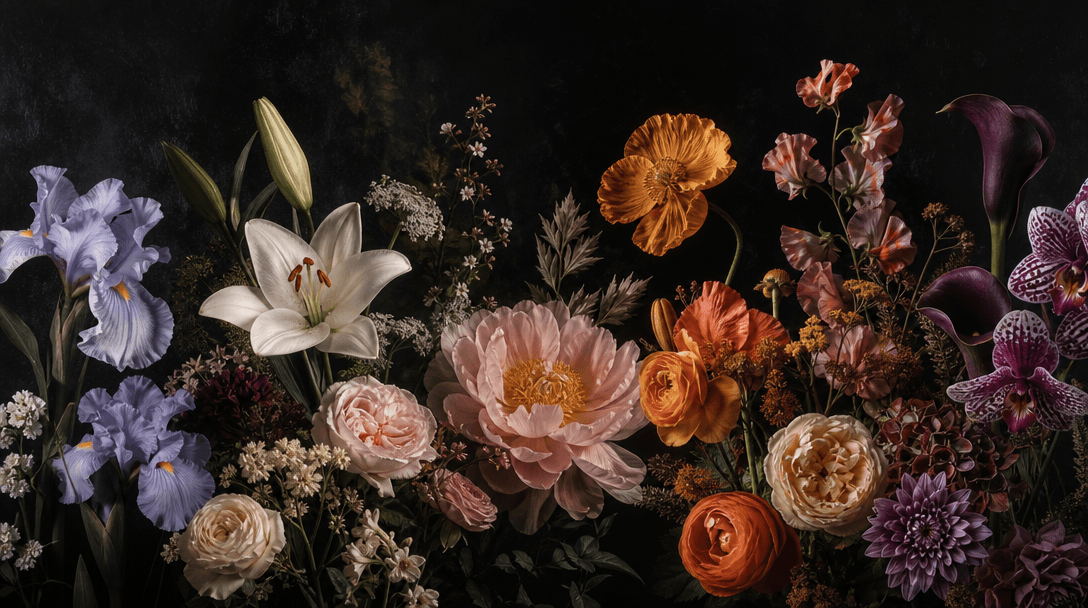
Four distinct interpretations of one floral still life blended into a seamless editorial panorama: realistic petals, pai
F · 03

Explore Results Across Leading Models

Nim brings multiple image-generation models into one creative platform, including Flux and other production-focused options. Compare how models interpret petals, foliage, wood grain, shadows, and atmosphere, then choose the output that best matches your campaign.

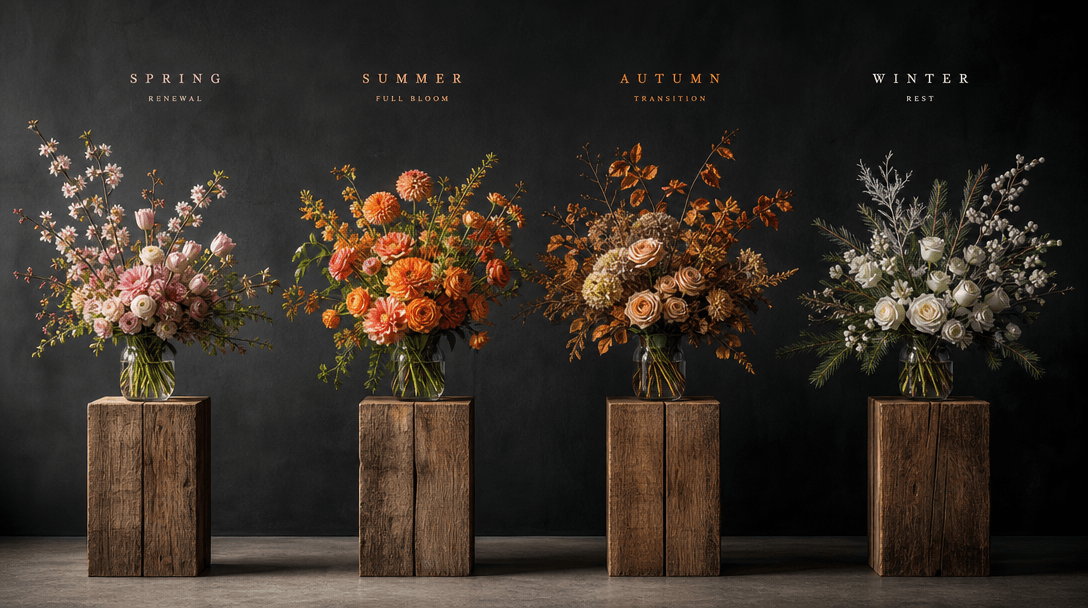
A coordinated sequence of bouquets in changing seasonal palettes arranged across repeating wooden plinths, deep charcoal
F · 04

Create Consistent Campaign Assets

Use the same curated concept for product launches, seasonal collections, social posts, and ecommerce merchandising. By retaining the wooden-stool visual language across generations, you can develop a recognizable series while changing bouquet colors, varieties, and styling.

Showcase

See it in action

Real outputs generated by our pipeline — no curated cherry-picks.

A romantic garden bouquet of pale pink peonies and trailing greenery arranged on a simple oak stool, dark editorial phot
A bold contemporary bouquet of orange anthuriums, red tulips, and sculptural tropical leaves placed on a blackened woode
A restrained dried-flower arrangement with pampas grass, seed pods, beige hydrangea, and twisted branches displayed on a
A seasonal winter bouquet of white roses, pine branches, silver foliage, and deep red berries on a rustic walnut stool,
Ready to ship

Pick a template, customize, publish.

Use cases

Made for every workflow

  • Flower Shops

    Turn signature bouquets into polished promotional images for storefront campaigns, delivery menus, and seasonal launches.

  • Wedding Florists

    Present bridal and event arrangements with an understated editorial setting that highlights shape, palette, and floral detail.

  • Ecommerce Sellers

    Create clean bouquet imagery for product listings, collection pages, marketplaces, and campaign banners without constructing a full studio set.

  • Social Marketers

    Produce cohesive floral posts for launches, holidays, limited editions, and behind-the-brand storytelling.

  • Floral Designers

    Visualize new arrangement directions and create portfolio-ready concepts that communicate a distinct aesthetic to clients.

  • Creative Agencies

    Develop floral campaign concepts quickly, then compare variations before committing to a broader production direction.

How it works

From idea to result in seconds

  1. Step · 01

    Add Your Bouquet

    Upload or select a clear bouquet image that shows the arrangement's flowers, foliage, silhouette, and defining colors.

  2. Step · 02

    Shape The Scene

    Refine the creative direction by describing the desired atmosphere, lighting, background, and floral campaign style.

  3. Step · 03

    Generate Your Display

    Create a polished result featuring the bouquet arranged on a minimalist wooden stool, then choose the strongest output.

FAQ

Frequently asked questions

  • Wooden stool is a curated Nim image template for placing a bouquet on a minimalist wooden stool. It creates a warm, restrained product-display concept suited to floral marketing, ecommerce, portfolios, and social content.

  • You provide a bouquet reference and guide the desired visual direction, then Nim uses an available image-generation model to produce the styled scene. The template supplies the core composition so you can focus on the bouquet, mood, and brand aesthetic.

  • Yes. You must sign up and use purchased credits to run a generation in Nim; there are no free generation credits.

  • Generation uses purchased credits, and the amount can vary by the selected model and generation settings. Current plan and credit details are available on Nim's subscription page.

  • Nim is a multi-model platform that provides access to leading image and video models, including options from families such as Flux, Sora, Veo, Kling, and Pika where applicable. Available choices can vary by workflow and model availability.

  • It creates a styled image of a bouquet displayed on a simple wooden stool, typically with controlled lighting and an uncluttered editorial environment. Results can vary according to the source bouquet, prompt, model, aspect ratio, and generation settings.

  • Nim templates are designed for commercial creative workflows, but usage rights can depend on your plan, source assets, selected model, and applicable terms. You should only upload content you have permission to use and review the current terms before publishing.

  • Preview output may include a watermark. Watermark removal is available on paid plans according to the current subscription terms.

  • A generic generator requires you to design the composition, materials, lighting, and visual hierarchy through prompting alone. Wooden stool starts with a curated floral merchandising concept, while Nim lets you access multiple models and production-oriented templates in one platform.

  • Many generations complete in seconds or under a minute, though latency depends on the selected model, settings, demand, and processing conditions. More complex or high-quality runs may take longer.

Get started

See what you can make

Explore more

Discover more AI tools