
Interior Design · AI

Add Natural Sunlight to Any Interior

Upload a room photo and watch it transform into a warmly lit, sun-drenched scene — golden rays, soft shadows, and natural ambiance applied by AI.

Create your scene
Browse all 400+ templates

Everything you need

Built for creators, marketers, and teams shipping AI video at scale.

01

Instant Sunlight Effect

Apply warm, directional natural sunlight to any interior photo in a single pass — no manual light painting or masking required.

02

Photorealistic Sun Rays

Window-cast beams are rendered with volumetric accuracy, including dust-mote scatter and soft penumbra edges that feel physically real.

03

Golden Hour Warmth

Amber colour grading evokes late-afternoon magic-hour quality, transforming sterile room shots into aspirational lifestyle imagery.

04

Directional Shadow Depth

Furniture and architectural features cast accurate directional shadows that reinforce the illusion of a real, single-source natural light.

05

Works on Any Room Type

Living rooms, bedrooms, kitchens, home offices — the model adapts light direction and intensity to each room's unique geometry.

06

Architecture Stays Intact

Walls, flooring proportions, furniture, and surface finishes remain pixel-accurate — only the lighting is transformed, never the structure.

07

Commercial-Grade Output

Full-resolution exports ready for real estate listings, interior-design portfolios, print brochures, and social media campaigns.

08

Curated Pro Template

Built and validated by the Nim team for professional interior and real estate workflows — not a generic photo brightness filter.

Features

Built to ship

Abstract cinematic image of golden volumetric light rays breaking dramatically through a dark atmospheric interior space
F · 01

Photorealistic Natural Light Simulation

The Sunlight template uses a trained diffusion model that understands a room's geometry and surface materials to place directional light convincingly. Rays stream through implied window openings, bounce off reflective floors, and scatter through sheer fabrics — all without any manual masking or prompting. The result is indistinguishable from a reshoot in peak golden-hour conditions.


Extreme close-up of warm raking sunlight across a rough white plaster wall surface, grazing light revealing deep tactile
F · 02

Architectural Integrity at Every Pass

Unlike generic brightness or exposure adjustments, the model distinguishes between illuminated and shadowed zones while keeping wall textures, furniture silhouettes, and surface finishes pixel-accurate. Artwork, tile patterns, and upholstery details survive the transformation intact. You get a lighting change — not a structural hallucination.

Abstract editorial photograph of a warm luminous sphere of golden-amber light against a deep dark gradient background, s
F · 03

Golden Hour Mood & Atmosphere

Sunlight dials in the warmest, most aspirational end of the natural-light spectrum — the magic-hour quality that makes rooms feel liveable and desirable. Warm amber and soft diffuse fills replace flat artificial lighting, while cooler shadow tones add visual depth. The tonal calibration is tuned specifically for real estate and interior-design contexts where emotional impact drives purchasing decisions.

Ultra-close editorial photograph of warm afternoon sunlight playing across polished oak wood grain, golden specular high
F · 04

Production-Ready Export Quality

Outputs are delivered at full resolution, suitable for print-quality brochures, MLS listing portals, and high-resolution social content. Nim processes images through a multi-model pipeline optimised for fine detail retention at every scale — from thumbnail previews to large-format print. All exports carry a commercial-use licence from the moment you download.

Showcase

See it in action

Real outputs generated by our pipeline — no curated cherry-picks.

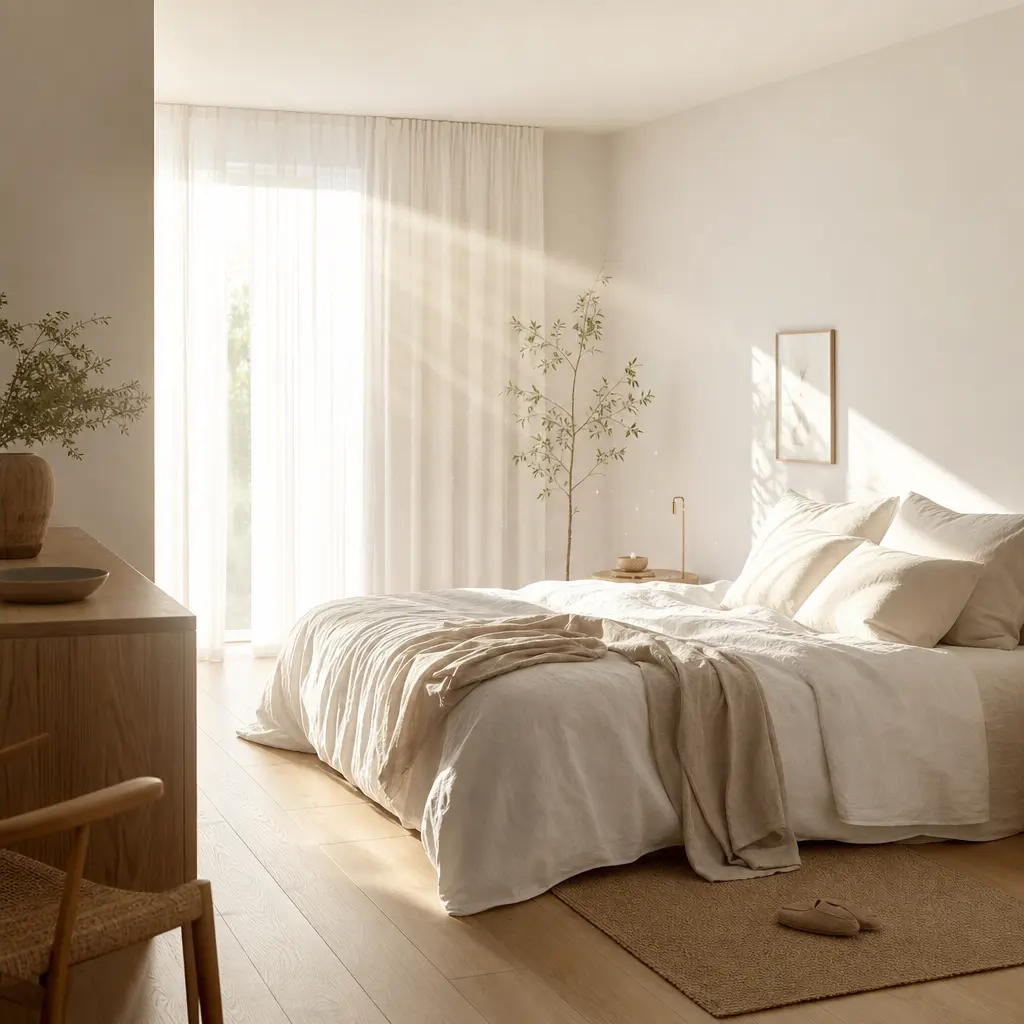
A minimalist Scandinavian bedroom bathed in soft morning sunlight, sheer white curtains glowing from backlight, warm sun
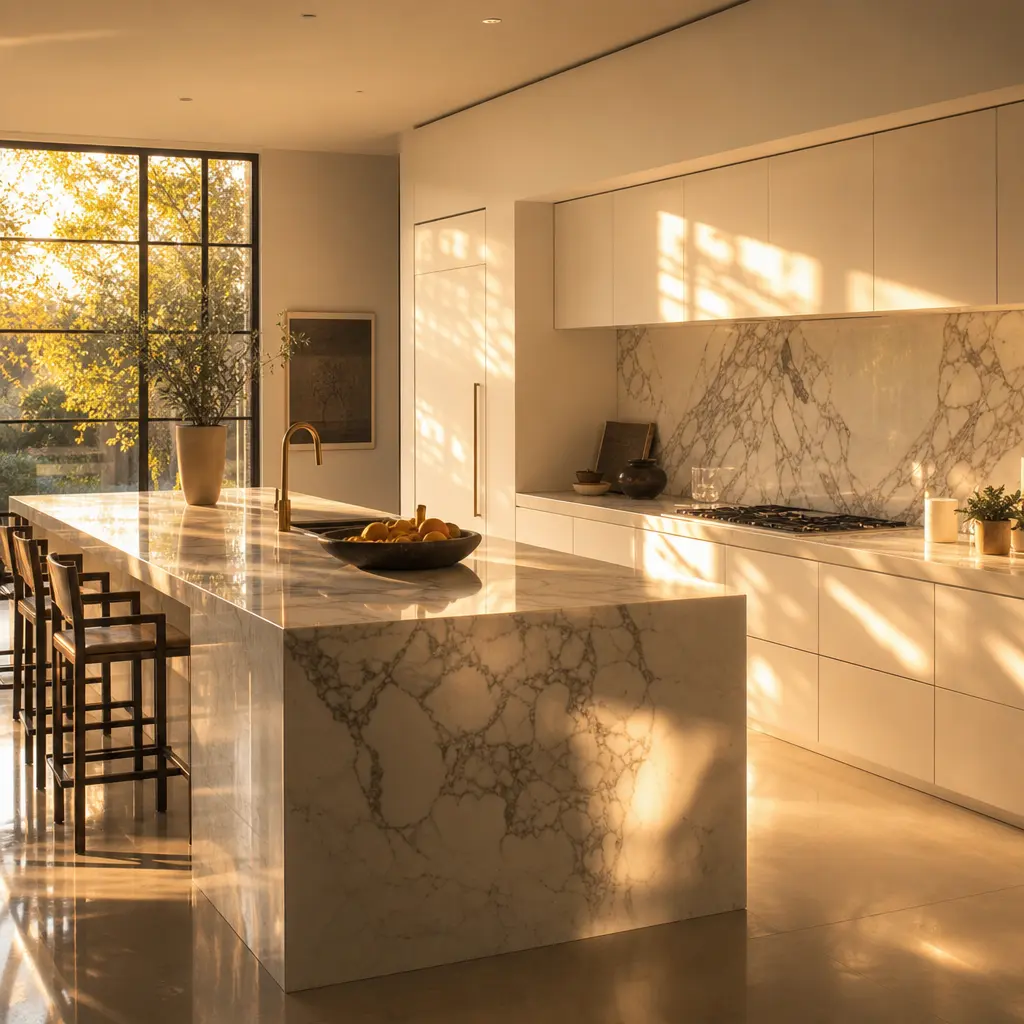
A contemporary open-plan kitchen with golden afternoon sunlight washing across white marble countertops, warm amber refl
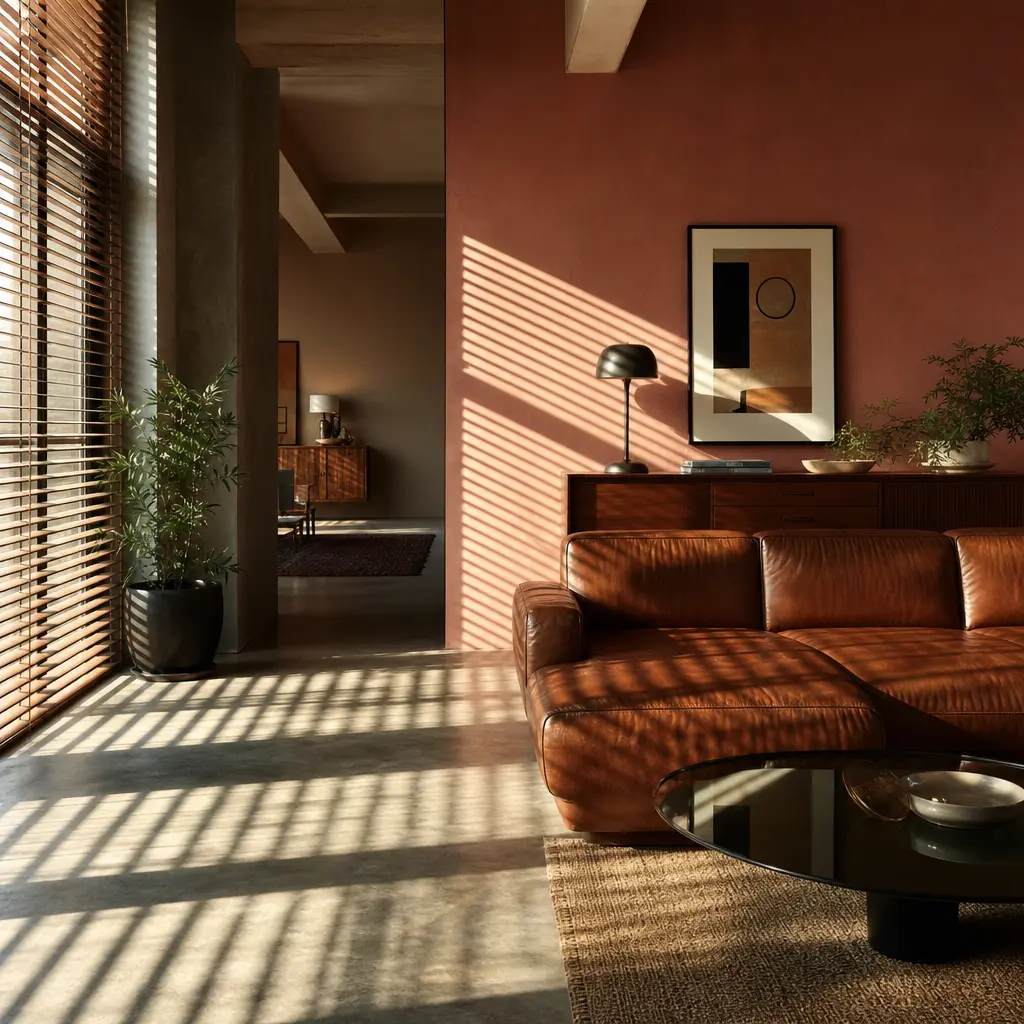
A mid-century modern living room with sun rays streaming through wooden venetian blinds creating bold striped shadow pat
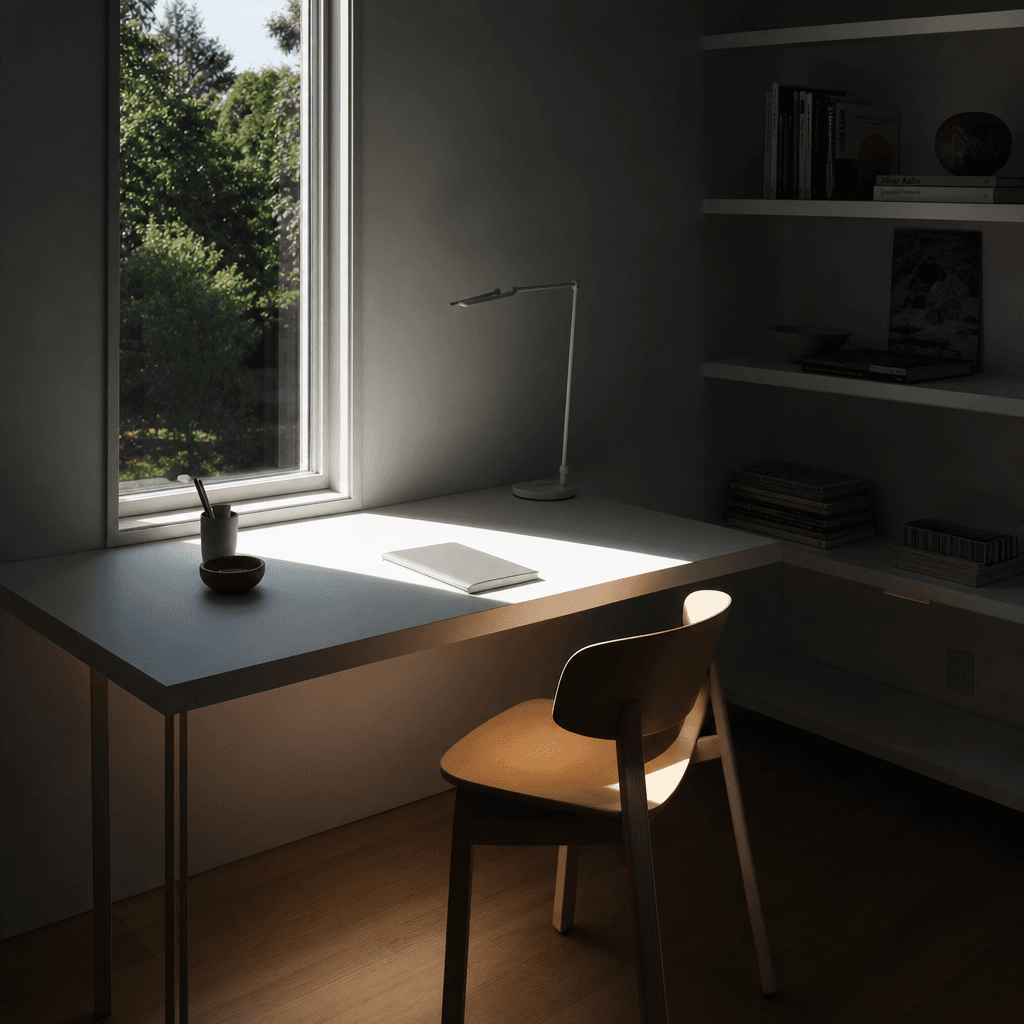
A serene minimalist home office with a single large window casting a precise rectangle of bright sunlight across a clean
Ready to ship

Pick a template, customize, publish.

Use cases

Made for every workflow

  • Real Estate Agents

    Turn flat, artificially lit listing photos into sun-drenched hero images that drive more clicks on property portals. Warmly lit interiors consistently outperform cold or overexposed shots in listing A/B tests.

  • Interior Designers

    Present client mood boards and completed project photos in their most aspirational light. The Sunlight template bridges the gap between a finished room and the perfect photoshoot that not every budget allows.

  • Home Staging Professionals

    Add the warmth and vitality of natural sunlight to vacant or sparsely furnished rooms before they reach the market, helping buyers visualise the space at its best without a dedicated photography session.

  • Ecommerce Home Decor Brands

    Lifestyle context converts better than plain product shots. Drop furniture, rugs, or lighting products into a naturally sunlit interior scene and build scroll-stopping catalogue imagery at a fraction of studio photography costs.

  • Architecture Studios

    Breathe life into CGI render outputs or early-stage construction photography by overlaying photorealistic daylighting. Present concept spaces with the atmospheric quality of final, professionally lit photography.

  • Social Media Content Creators

    Home tours, interior inspiration posts, and before-and-after content perform dramatically better with warm editorial light. The Sunlight template delivers that polished aesthetic without a studio setup or post-production workflow.

How it works

From idea to result in seconds

  1. Step · 01

    Upload your room photo

    Select any interior image — a smartphone snapshot, professional shoot, or CGI render — and upload it directly to the Sunlight template on Nim.

  2. Step · 02

    Apply the Sunlight effect

    The AI model analyses your room's geometry, surfaces, and existing light conditions, then renders directional sunlight with photorealistic rays, warm colour grading, and accurate cast shadows.

  3. Step · 03

    Download your sunlit scene

    Receive a full-resolution, commercially licensed image of your interior transformed into a naturally sunlit, golden-hour environment — ready to publish immediately.

FAQ

Frequently asked questions

  • The Sunlight template takes any interior photograph and adds photorealistic natural sunlight — including directional rays, warm golden-hour colour tones, and realistic cast shadows. It transforms flat or artificially lit room images into aspirational, sun-drenched scenes without requiring a reshoot or manual editing.

  • The template performs best on living rooms, bedrooms, open-plan kitchen-diners, and home offices — any interior with visible wall and floor surfaces for the light to interact with. Windowless rooms and very dark basement spaces may yield less dramatic results, as the model has less architectural context to infer light direction from.

  • No. The model infers a natural light source direction automatically based on the room's geometry and existing tonal distribution. There are no settings to configure and no text prompts to write — just upload your photo and generate.

  • Most Sunlight template generations complete in under a minute. Exact timing depends on image resolution and current platform load, but the pipeline is optimised for fast turnaround on high-resolution interior imagery.

  • Yes. All images generated on Nim are licensed for commercial use. You can publish outputs in real estate listings, client-facing presentations, social media campaigns, and print materials without any additional licensing arrangement.

  • Watermarks are applied to preview outputs on unpaid accounts. Watermark-free, full-resolution exports for commercial use require an active Nim subscription and generation credits.

  • Nim accepts standard formats including JPEG and PNG. For best results, upload the highest-resolution version of your interior photo — the model preserves fine architectural detail, material texture, and surface finish more accurately at higher input resolutions.

  • Exposure and brightness adjustments lift the entire image uniformly, washing out shadows and making scenes look flat. The Sunlight template simulates a real directional light source — generating cast shadows, specular highlights on surfaces, volumetric rays, and physically accurate warm colour temperature shifts that make the lighting feel present and believable rather than filtered.

  • Yes. The model works effectively on photorealistic renders and visualisations, not only real photographs. Adding photorealistic daylighting to a CGI interior is a common workflow for architecture and design studios looking to present concept spaces with the atmospheric quality of final photography.

  • Yes — an account and generation credits are required to produce output. You can browse the template and preview example results without signing in, but generating your own sunlit interior images requires registration and credits.

Get started

See what you can make

Explore more

Discover more AI tools