Product Images AI: Practical Guide for E-Commerce Visuals
Learn how to use product images AI tools to enhance photos, replace backgrounds, and upscale visuals for e-commerce listings that convert.
By Nim
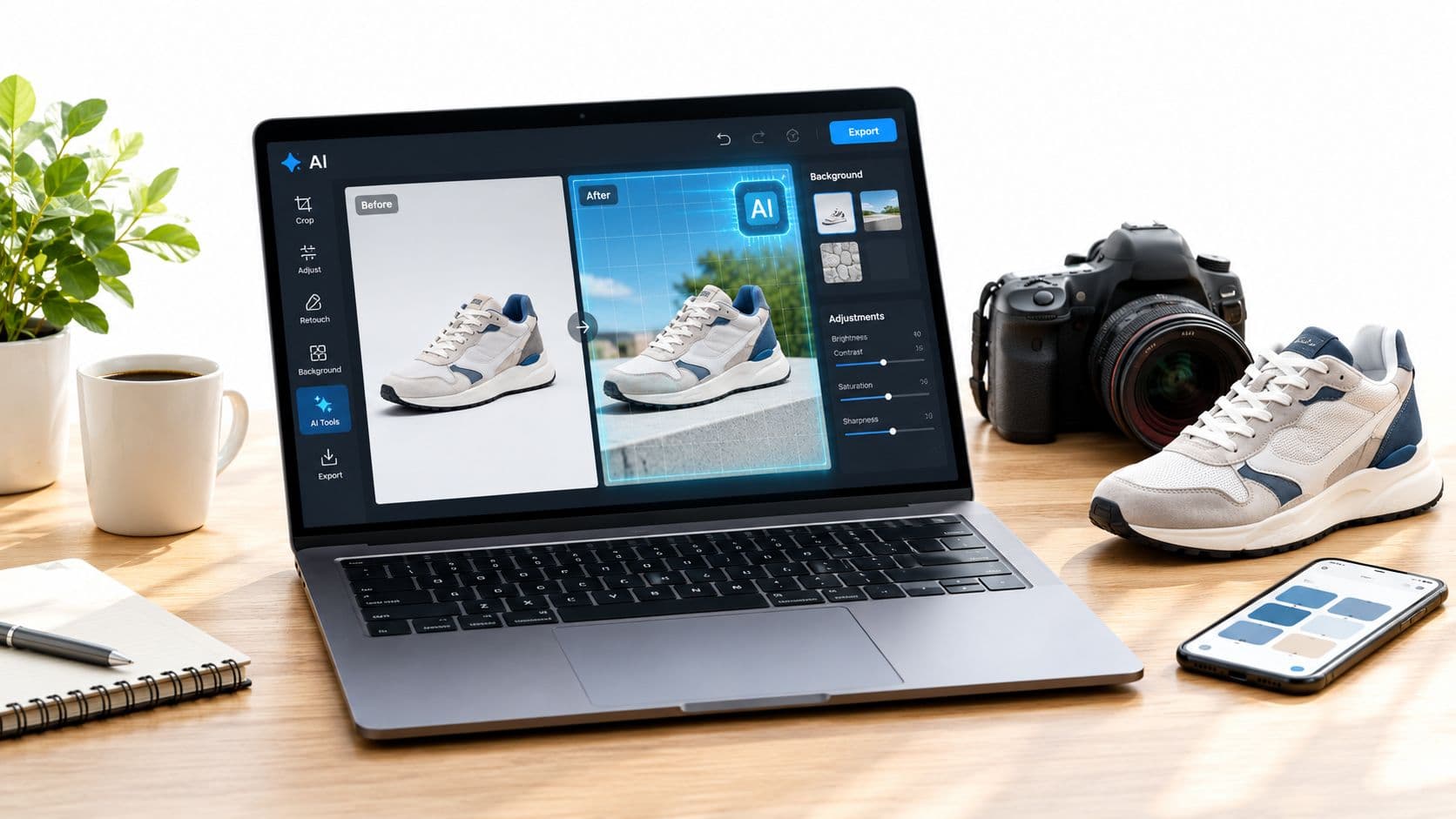
A seller can spend an afternoon generating polished product scenes, only to discover that the package text is wrong, the color has shifted, or the image violates a marketplace's main-image rules. That's the central risk with product images created using AI. Attractive output is easy to produce. Accurate, publishable output requires a verification process.
The practical workflow is simple: start with a clean product photograph, use AI to improve or contextualize the image, compare every commercially important detail against the original, then validate the exported file for its destination. AI helps most with lighting, backgrounds, composition, and controlled variations. It hurts when sellers treat photorealism as proof that the product itself is accurate.
Why Product Images Matter More Than Your Description
A product page can contain carefully written specifications, persuasive copy, and useful reviews. Yet shoppers often form their first impression from the image before they read any of it. Baymard Institute research reported that 56% of online shoppers first examine product images on a product page, before reading the title, description, or other content, as summarized by Let's Enhance's product image quality research.
That behavior changes the role of AI-assisted imagery. Product photography isn't a decorative layer added after merchandising is complete. It's part of how a buyer decides whether the item appears relevant, credible, and worth investigating. If the image shows an inaccurate color, altered shape, or misleading accessory, the description has to fight against the first impression.
The useful boundary for AI
AI product imagery works well when the seller gives it a trustworthy source and limits the requested change. Enhancing an existing photograph can improve the presentation of a mug, garment, cosmetic package, or household item without requiring a new shoot. Background replacement can create a seasonal campaign scene or a more useful lifestyle context.
The same workflow becomes risky when the generated image invents a feature. A synthetic scene shouldn't make a bottle appear larger, change the material of a chair, add a closure to a bag, or show accessories that aren't included in the purchase. Better visual polish can't compensate for a false product representation.
Research summarized by Let's Enhance also cites eBay data showing that listings with better photo quality were 4.5% more likely to sell, with “better quality” defined using criteria that included an image at least 500 pixels on its longest side, no added text or graphics, and direct upload through eBay's picture service. Those criteria point to two practical requirements: the image must be clear enough to inspect, and the primary visual must remain focused on the actual item.
Practical rule: Use AI to improve how the product is seen, not to change what the customer is buying.
A reliable workflow starts with a clean source photograph, continues through controlled enhancement, and ends with a manual comparison. The Enhance product photo workflow in Nim fits the first part of that process when a seller needs to improve an existing product image. The seller still owns the final inspection, especially when the output will become a listing image rather than an advertising concept.
Enhancing Product Photos Without Losing Authenticity
A brighter, cleaner product image can still fail if the label changes or a distinctive part disappears. Treat enhancement as a controlled editing step: preserve the product's identity, improve its presentation, and retain an untouched reference for comparison.
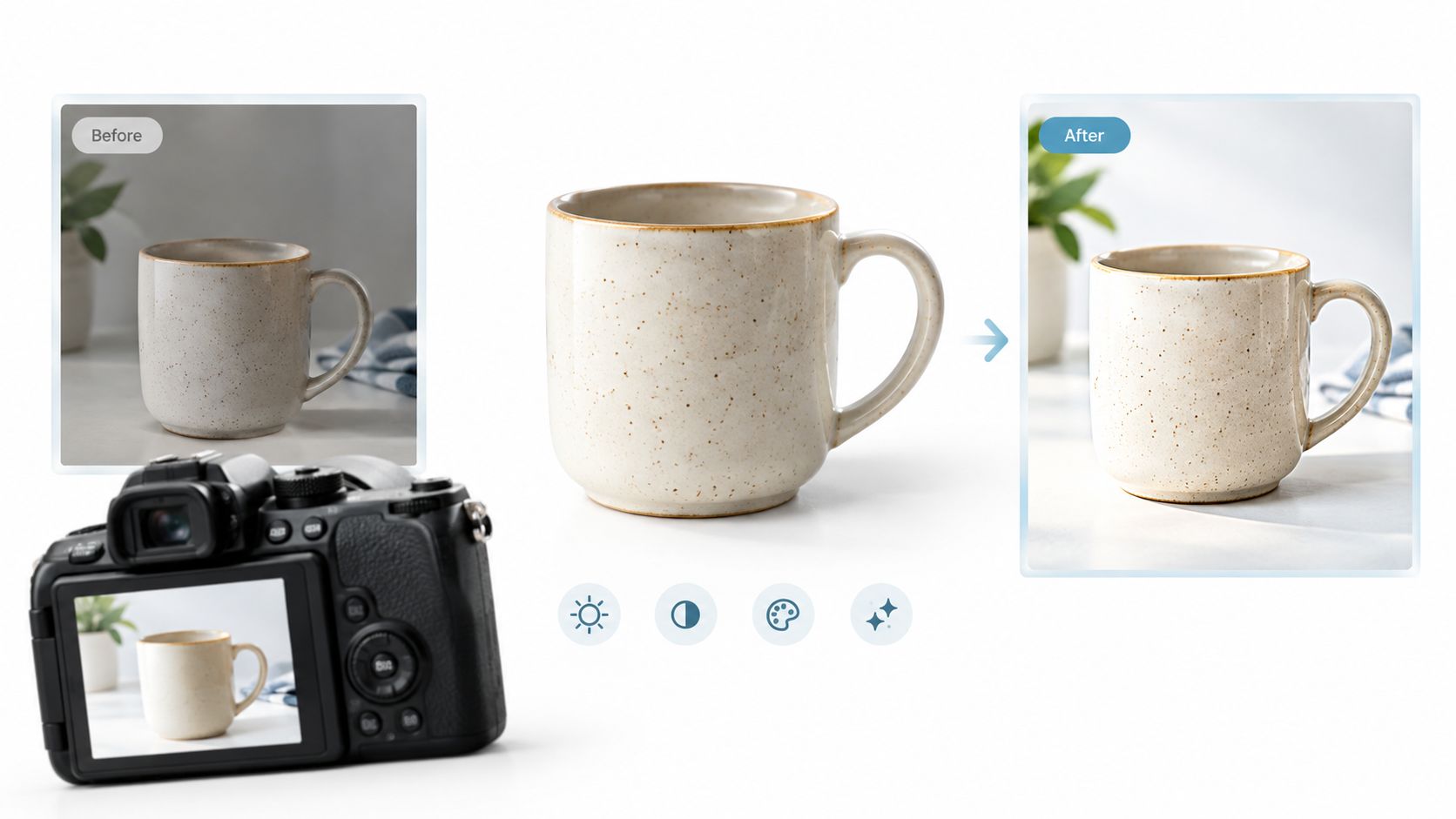
Prepare the reference before enhancement
Keep the original file unchanged. It becomes the authority for checking whether the generated version still represents the item accurately. The source photograph should show:
- Shape and geometry: Include the full silhouette, handles, closures, edges, and proportions.
- Color: Use lighting that does not cast a strong color over the product.
- Branding: Keep logos, labels, and packaging text readable.
- Surface detail: Show fabric weave, gloss, grain, seams, or other material cues.
- Included contents: Make accessories and package quantity clear when they affect the purchase.
Good input reduces guesswork, but it does not remove the need for inspection. In Nim, request presentation improvements such as cleaner lighting, stronger separation from the background, or a more polished commercial finish. Do not ask the system to redesign the item or fill in details that the photograph does not establish.
Inspect the result for identity failures
Generate more than one treatment when practical, then compare each output with the untouched reference. Choose based on accuracy first and visual appeal second.
Inspect failure points that can look acceptable at normal viewing size:
- Text and symbols: Compare the label letter by letter, including numerals, ingredients, measurements, and regulatory marks. OCR errors can make a listing inaccurate even when the image appears photorealistic.
- Closures and joins: Zoom into zippers, caps, handles, buttons, seams, rims, and connection points. AI edits often soften or reshape these small structures.
- Material signals: Check whether gloss, grain, weave, reflections, or shadows now suggest a different surface.
- Proportions: Compare width, height, thickness, and the relationship between attached parts.
- Edges: Review corners, straps, openings, and the outer silhouette for warping or melting details.
- Quantity and inclusions: Confirm that the result has not multiplied the item or added an accessory that customers will not receive.
Review at high magnification, including 200% where necessary, before accepting the file. Marketplace images must remain truthful as well as attractive, so reject any output that changes a commercially meaningful detail. A realistic-looking image is not proof of product consistency.
The ProductConsistency Benchmark evaluates this problem using 174 product images across eight categories, five edit instructions per image, and 870 evaluation samples, as described in its published benchmark. Its evaluation combines product identity, perceptual similarity, OCR character error, text fidelity, consistency, and aesthetics. The benchmark authors report that one fine-tuned model achieved a fivefold reduction in character error rate, but human review remains necessary for a seller's own catalogue images.
For a deeper walkthrough of the enhancement step, see our guide to the AI product photo generator.
Replacing Backgrounds for Marketing Creatives
Background replacement is a creative decision, not evidence that the physical product was photographed in the generated environment. A seller can use a kitchen, studio, desk, bathroom, or seasonal setting to show how an item might fit into a customer's life. That scene becomes misleading when it implies a product feature, size, material, or included component that doesn't exist.
The safest approach keeps two files together: the unaltered product reference and the generated campaign version. The reference answers, “What is the item?” The generated image answers, “How might the item appear in a marketing context?”
Separate fixed product details from flexible scene details
The product itself should remain stable while the surrounding presentation changes. The following split gives a practical boundary:
| Preserve from the source | Change only when the result remains truthful |
|---|---|
| Logos and packaging text | Background setting |
| Shape and dimensions | Lighting direction and mood |
| Color and surface texture | Camera composition |
| Seams, closures, and distinctive parts | Decorative environment |
| Quantity and included accessories | Supporting props that don't imply inclusion |
A lifestyle setting can show a mug on a breakfast table, but it shouldn't add a second mug if the listing sells one. A skincare product can appear beside bathroom accessories, but the scene shouldn't imply that those accessories come with the product. A garment can be placed in a seasonal environment, but its fabric, fit, color, and construction must remain consistent with the item customers receive.
Treat synthetic scenes as advertising assets
Consumer research summarized by Stylitics and Aha Studio questioned 411 shoppers across web and social contexts. In that study, 71% said a real product image and an AI-generated reference image looked the same or differed only slightly, while 55% felt very or somewhat comfortable buying from AI-generated imagery when returns were allowed, according to the study summary.
The same source reports that shoppers quickly lost confidence when generated buttons, wrinkles, or fabric texture looked wrong. That makes detail control more important than visual novelty. Sellers should disclose synthetic imagery where applicable, but disclosure can't repair an image that misrepresents the product.
For background-led creative work, the AI video background remover workflow in Nim is a relevant reference for separating subject presentation from its surrounding scene. Whatever workflow is used, the final image should be labeled internally by purpose: primary listing image, secondary lifestyle image, advertisement, or concept. A generated background may be suitable for one category and unsuitable for another.
Upscaling for Marketplace Compliance
Marketplace approval starts with the destination, not the enhancement tool. Before enlarging a file, identify the channel's rules for composition, dimensions, overlays, file format, variant accuracy, and synthetic-image metadata. Upscaling can improve resolution, but it cannot repair a misleading product view or make a noncompliant composition acceptable.
For Amazon, the main image must show the product's real scale, quantity, and color on a pure white background with RGB values of 255, 255, 255. The product should fill roughly 85% of the frame, remain fully visible without cropping, and use a file whose longest side measures between 500 and 10,000 pixels. Accepted formats include JPEG, TIFF, PNG, and non-animated GIF, with JPEG recommended. Text, logos, borders, watermarks, and other graphics over the product or background are prohibited under Amazon's product-image requirements.
A lifestyle image may work in an advertisement and still fail as an Amazon main image. Keep a separate white-background export instead of forcing one creative file across every placement.
Treat each channel's specification as a separate export target rather than one universal file. Google Merchant Center prohibits promotional text, watermarks, borders, thumbnails, placeholders, and generic images. Image URLs must use HTTP or HTTPS and remain crawlable by Googlebot and Googlebot-Image. Generative AI images must also include metadata identifying synthetic origin, such as the IPTC DigitalSourceType value TrainedAlgorithmicMedia, according to Google Merchant Center's product-data specification.
Google's image guidance recommends that the product occupy no less than 75% and no more than 90% of the full image. Its troubleshooting guidance caps files at 64 megapixels and 16 MB, with category-specific minimums of 250 by 250 pixels for apparel and 100 by 100 pixels for other products, as detailed in Google's image-size guidance. Google has announced that a 500 by 500 pixel minimum for product images will begin enforcement on January 31, 2027. Confirm the current requirement before publishing.
Run a destination check after export
Use an image upscaling workflow to meet a technical threshold, then inspect the final hosted file rather than relying on the editor preview. Compare the enlarged image with the source at high magnification. Look for softened labels, altered edges, invented texture, or a changed product silhouette.
The final review should confirm:
- Dimensions and file size: The export meets the destination's current specification.
- Composition: The product is prominent, complete, and uncropped.
- Overlays: No prohibited text, watermark, logo, border, or decorative graphic remains.
- Metadata: Synthetic-origin metadata is preserved or added where required.
- Variant accuracy: The image shows the exact size, color, quantity, and included parts being sold.
- Purpose: The file is assigned to a listing, advertisement, lifestyle slot, or concept, rather than reused indiscriminately.
Building a Pre-Publication Quality Control Checklist
The final review should be treated like a release gate. A product image passes only when it is visually appealing, factually faithful, and appropriate for its destination. A generated image that fails any one of those tests shouldn't move into the live catalog.
Verify the product before judging the polish
The first comparison should be against the original reference, not against another generated variation. Open both at high magnification and inspect identity-critical regions before evaluating lighting or composition.
- Variant: Confirm that the color, size, model, quantity, and configuration match the SKU.
- Structure: Check geometry, proportions, seams, closures, handles, buttons, and distinctive components.
- Branding: Compare logos, labels, packaging copy, numerals, ingredients, dimensions, and regulatory marks.
- Material: Look for altered texture, artificial gloss, incorrect wrinkles, or a finish the physical product doesn't have.
- Accessories: Confirm that every visible item is included or clearly presented as a separate prop.
Text needs its own review because image generators often produce convincing but incorrect lettering. The STRICT benchmark specifically stress-tests readable text length, correctness, legibility, and instruction following, and identifies persistent limitations in long-range consistency and instruction adherence, as described in its research paper. Exact packaging text should therefore remain under manual control.
Decide what the image is allowed to claim
A simple classification prevents many publishing mistakes:
| Asset type | Suitable use | Required caution |
|---|---|---|
| Primary listing image | Showing the purchased item clearly | Follow channel rules and preserve exact identity |
| Secondary lifestyle image | Adding context and atmosphere | Don't imply nonexistent features or included props |
| Advertisement | Testing composition and campaign ideas | Disclose synthetic scenes where required |
| Concept image | Internal exploration or creative direction | Don't use as evidence of the actual product |
The European Commission says providers must apply a machine-readable mark to content generated or manipulated by AI and enable detection, unless the system performs only assistive editing or doesn't substantially alter the input data or semantics. For deployers, images or videos constituting a deepfake must be disclosed as artificially generated or manipulated, according to the European Commission's AI transparency guidance.
A compliant image isn't necessarily a trustworthy image. Compliance checks the channel rules. Identity checks whether the customer is seeing the thing being sold.
Before publication, the seller should record the source image, generated version, final export, destination, review date, and rejection reason if an asset fails. Useful rejection reasons include misspelled brand names, altered numerals, changed proportions, wrong color, warped logos, prohibited overlays, or missing metadata. That record turns subjective approval into a repeatable operating process.
Next Steps for Implementing AI Product Imagery
A controlled rollout should begin with one product, not an entire catalog. Choose an item with clear packaging or distinctive construction, prepare a clean reference photograph, create one enhanced listing candidate and one lifestyle variation, then run both through the identity and destination checks.
For a primary product image, use Nim's Enhance product photo workflow and preserve the original alongside the result. For campaign work, choose a relevant background or e-commerce workflow from Nim's e-commerce template collection, then classify the output before publishing. A seller evaluating a broader retail workflow can also review using generative AI on Shopify for additional operational context, while keeping marketplace validation specific to each channel.
The first test should answer practical questions: Did the product retain its exact identity? Is the text readable and correct? Does the composition suit the intended placement? Does the exported file meet the destination's technical and disclosure requirements? If the answer is yes, the same checklist can be adapted for additional SKUs.
Choose the Nim workflow that matches the first product task, create a controlled visual, and complete the verification checklist before uploading it to a live listing or campaign.
Nim provides workflows for enhancing supplied product photos, creating e-commerce visuals, replacing backgrounds, and upscaling image assets. Visit Nim to choose a suitable product-image workflow, then compare every generated result with the original before publishing.
- product images ai
- AI product photos
- e-commerce visuals
- image enhancement
- background replacement