Product Images for Ecommerce: A Nim Workflow Guide
Learn how to create and optimize product images for ecommerce with Nim's practical workflow. Step-by-step guidance for better conversions.
By Nim
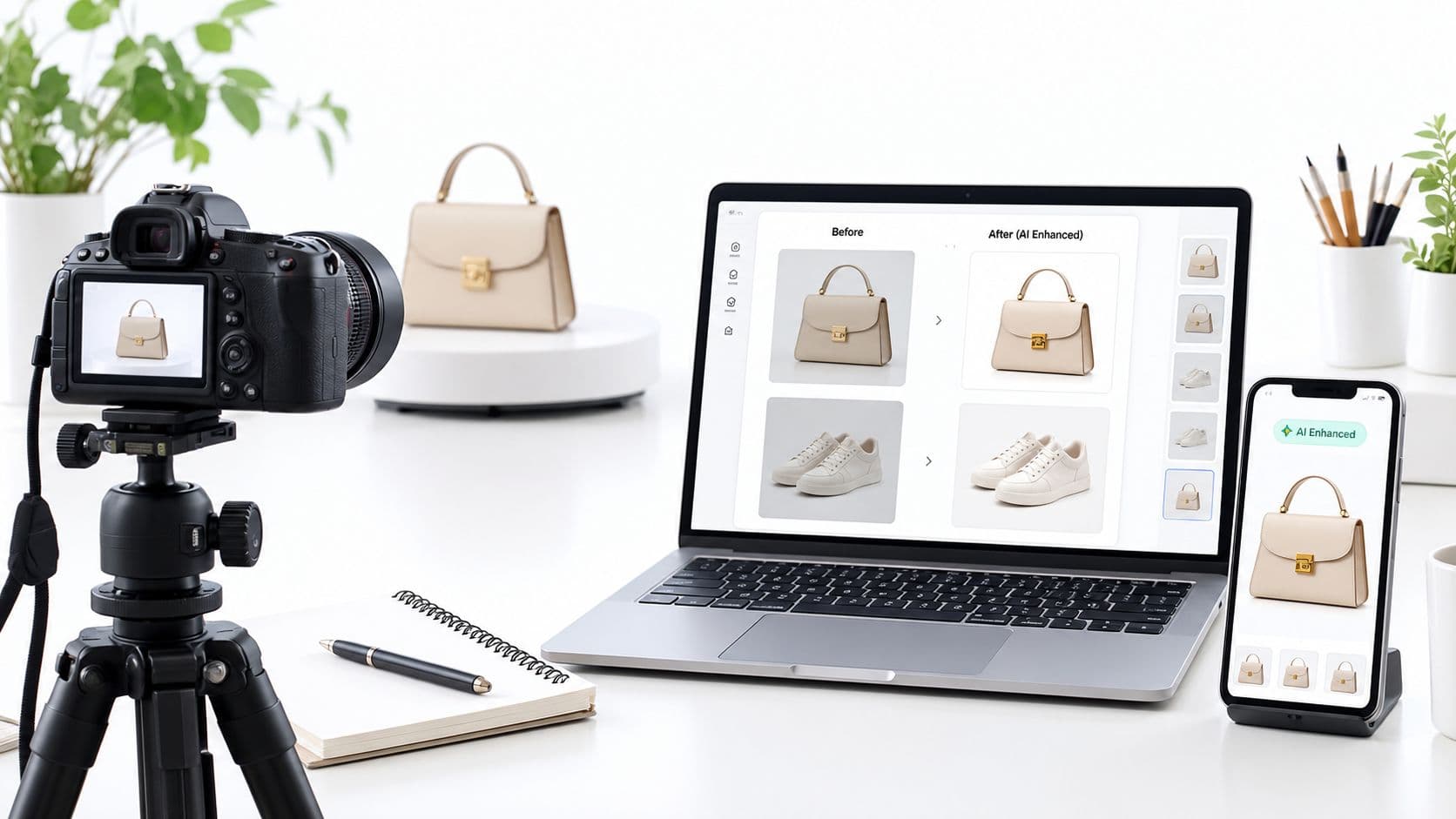
Product images are often the first evidence a shopper uses to judge an item online. In Baymard Institute usability testing, 56% of participants immediately explored product images after arriving on a product-details page, while 25% of ecommerce sites provided imagery that was insufficient for visual evaluation. Baymard's research on image resolution and zoom shows why a polished hero shot alone isn't enough: shoppers need clear visual proof of appearance, construction, scale, features, and use.
A reliable workflow treats each image as part of the product information, not as decoration. The process starts with an accurate source photograph, expands it into purposeful views, checks every generated detail against the physical item, and then validates the files against each selling channel's rules. Nim's image workflows can support that production process, but generated creativity must never replace product truth.
Why Product Images Make or Break Sales
Baymard found that 25% of ecommerce sites supplied product images inadequate for visual exploration, including 14% with insufficient resolution and 11% without adequate zoom functionality. The benchmark's finding points to a practical sales problem: online shoppers cannot pick up an item, turn it over, feel its surface, or judge its size against something familiar. Your image set must provide that evidence clearly.
Images answer practical buying questions
A product page should resolve uncertainty before it becomes hesitation:
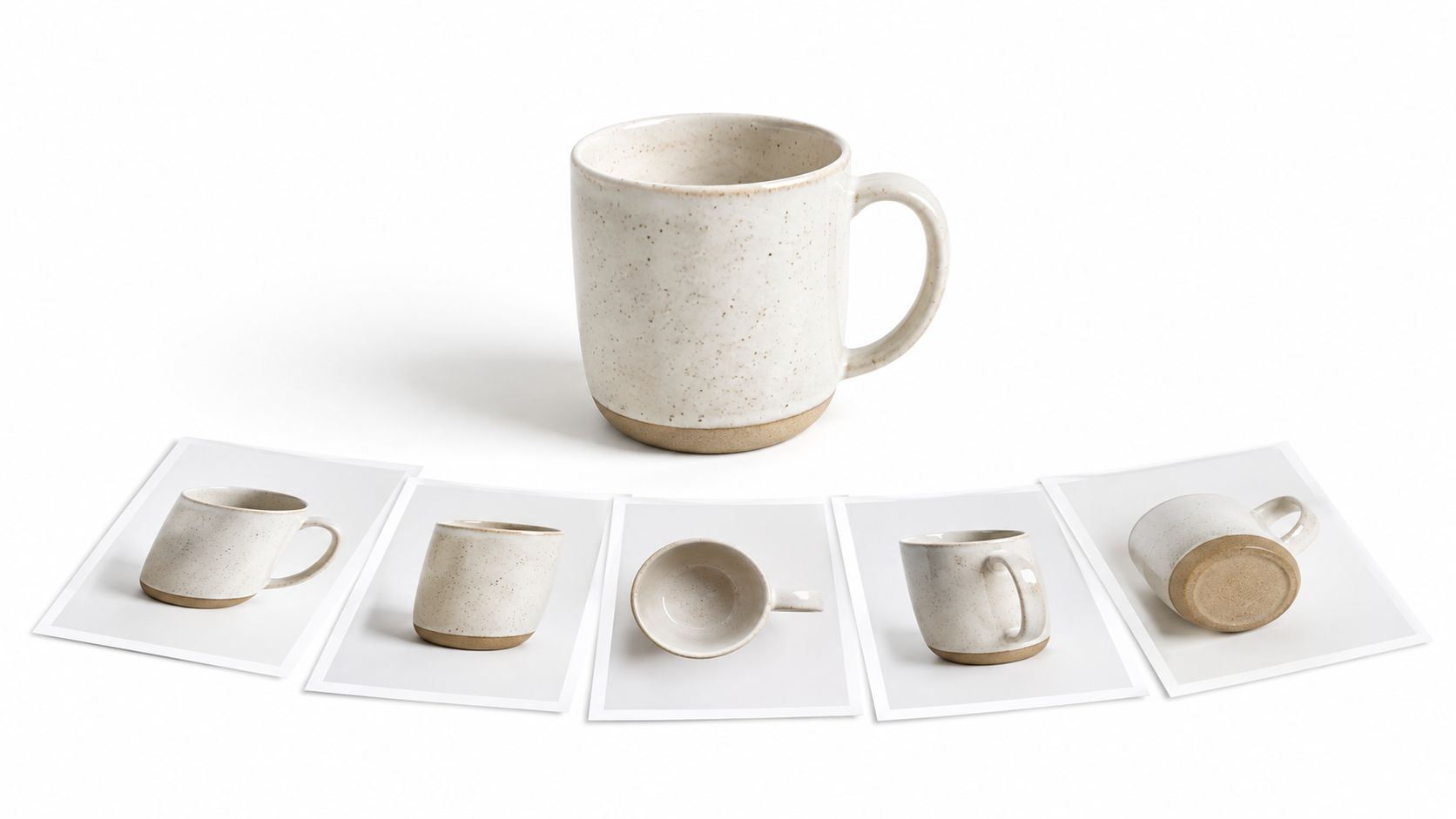
- What does the item look like? Front, back, side, and top views reveal its shape, finish, and proportions.
- How is it made? Close-ups show texture, stitching, controls, seams, glazing, and other construction details.
- What comes in the package? Packaging and bundle images clarify which accessories are included.
- How large is it? In-context imagery communicates proportions that product copy often leaves unclear.
- How will it be used? A restrained lifestyle scene can demonstrate function without claiming to document an exact physical environment.
A single hero image rarely answers all of these questions. It may attract attention, but it cannot show every surface, component, use case, or scale cue a customer needs before buying. Product images for ecommerce perform better as a coordinated set, with each view assigned a specific job.
Baymard's broader 2025 product-page benchmark found that only 49% of ecommerce sites achieved a “decent” or “good” overall user-experience performance, while 51% were rated mediocre or worse. The product-page benchmark treats imagery as part of the page's information architecture. Improving visual coverage therefore improves how shoppers inspect and understand the offer, not just how polished the brand appears.
AI can help create varied scenes and faster concept options, but creative output introduces a verification burden. A generated image may change a product's color, dimensions, materials, controls, or included parts while still looking convincing. Use generated creativity for presentation, then check every visible product fact against the actual item.
Practical rule: Every image should prove a product fact or clarify its use. If it does neither, remove it from the listing.
Teams choosing between static views, interactive spins, and rendered scenes can use 3D rendering for higher conversions as context for dimensional presentation. Richer visuals help only when the product representation remains accurate.
The Complete Nim Product Image Workflow
A dependable production sequence begins with the source asset, not with an imaginative prompt. The source photo should be sharp, well lit, unobstructed, and show the complete product clearly. Logos, labels, distinctive materials, color, proportions, and included components need to be visible before any enhancement or scene creation begins.
Start with source accuracy
-
Prepare the original photograph. Use a clean image that shows the actual item. Remove temporary clutter from the shooting area, but don't digitally alter product characteristics before the workflow begins.
-
Open Nim's Enhance product photo workflow. Use the enhancement stage to improve clarity and inspection readiness. The purpose is to make existing information easier to see, not to invent stitching, texture, hardware, text, or other features that aren't present in the source.
-
Check the enhanced result against the item. Compare edges, labels, surface texture, color, proportions, and small components. Enhancement can make an image look more finished while still introducing details that aren't physically verified, so approval must happen against the actual product.
Build clean listing views
A clean background is usually the safest foundation for a marketplace primary image. Use Nim's background replacement workflow when a source photo needs a simpler presentation, then inspect the edge around handles, straps, transparent parts, reflective surfaces, and fine details. A background can be changed creatively, but the product itself must remain unchanged.
For supporting assets, open the relevant E-commerce templates collection and provide the input requested by the selected template. Templates can help create catalogue-style compositions, contextual scenes, or other ecommerce-oriented visuals, but the result should be treated as illustrative until it passes a product-fidelity review.
The Nim guide to AI product photo generation provides additional workflow context for turning a source product image into ecommerce-ready creative. The exact input requirements can vary by template, so the selected template should be checked before production begins.
Review before download
A final review should compare every generated view with the physical item:
- Identity: Is it the same shape, model, color, and finish?
- Markings: Are logos, labels, packaging text, and symbols unchanged?
- Components: Are accessories present only when they're included in the sale?
- Proportion: Has the product become taller, wider, thinner, or smaller?
- Presentation: Does the background support the channel's rules?
- File readiness: Is the chosen format and file size suitable for the destination?
Only after those checks should the approved asset be downloaded and mapped to its intended listing role. A lifestyle image may be useful for an advertisement, while the primary marketplace image may need a plain background and an unambiguous view of the actual item.
Platform Requirements You Must Meet
A polished product image can still fail a feed or listing review. Set the destination before exporting. Google Merchant Center, Amazon, and Shopify accept different combinations of file formats, dimensions, backgrounds, and metadata, so one master export rarely works unchanged across every channel.
| Channel | Main requirements | Practical production check |
|---|---|---|
| Google Merchant Center | The image_link must use HTTP or HTTPS, point directly to a crawlable image file, and allow Googlebot and Googlebot-Image access. Supported formats include JPEG, WebP, PNG, non-animated GIF, BMP, and TIFF. Files can be up to 64 megapixels and 16 MB. | Keep the product accurate. Remove promotional text, borders, watermarks, placeholders, thumbnails, and artificial upscaling. Synthetic images must retain AI metadata such as IPTC DigitalSourceType=TrainedAlgorithmicMedia. |
| Amazon | The main image must be a high-quality photograph of the actual product, show the complete item once, and represent scale, quantity, and color accurately. The background must be pure white, RGB 255, 255, 255. | Exclude text, logos, watermarks, inset images, confusing props, and accessories not included in the sale. Amazon recommends at least 1,000 pixels on the height or width, with the longest side between 500 pixels and 10,000 pixels. |
| Shopify | Product media supports PNG, JPEG, TIFF, BMP, GIF, SVG, HEIC, and WebP, including animated GIF and WebP. Shopify states that product and collection images can reach 5,000 × 5,000 pixels, or 25 megapixels, with each file below 20 MB. | Use a sharp master image and verify the implementation limit. Shopify's developer documentation specifies a MediaImage ceiling of 4,472 × 4,472 pixels, 20 megapixels, and 20 MB, with 2,048 × 2,048 pixels recommended for responsive product media. |
Google separates the primary image from supporting views. Submit one URL through image_link, then use additional_image_link for further angles, detail shots, packaging, or in-use images. Google's product image guidance recommends the largest full-size image available, a product filling roughly 75–90% of the image area, and a solid white, gray, or light background for the main view.
Google has announced that, beginning January 31, 2027, product images will be required to measure at least 500 × 500 pixels. Check The current Merchant Center specification during each export review, since requirements can change before publication.
Amazon listings need a separate review pass because strict main-image rules can conflict with the richer views shoppers need to inspect materials, components, and use. A performance-driven guide to Amazon image guidelines provides operational context. Keep a channel checklist beside the final asset folder, and approve each image for its specific listing role rather than assuming one export satisfies every destination.
Building a Multi-View Image System
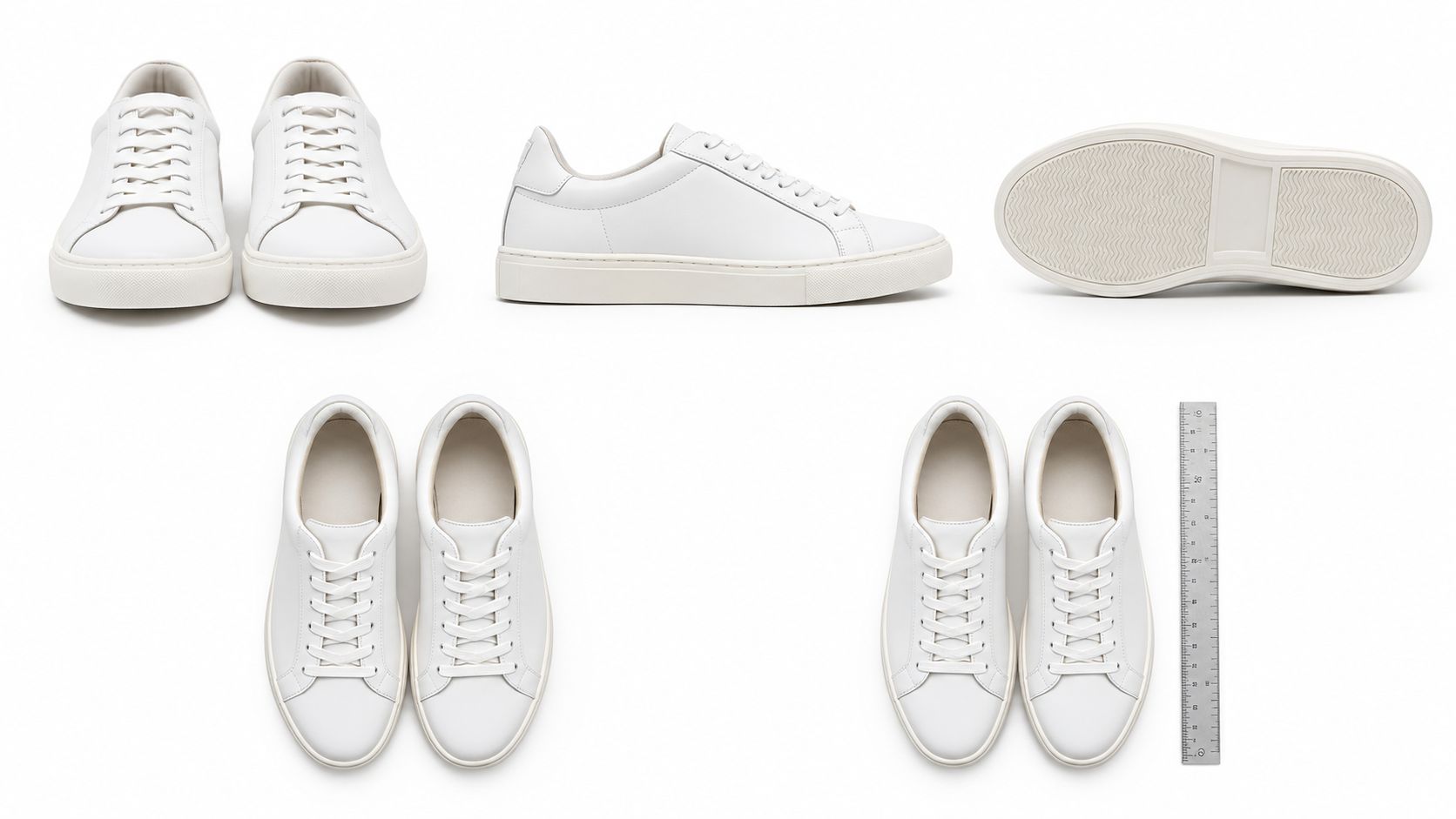
A complete image set starts with the questions customers ask, not with a fixed number of pictures. A mug might need a front view, handle-side view, interior view, base marking, glaze close-up, and a hand-held scale reference. A shoe may need side, top, heel, sole, material, fastening, and on-foot views.
Separate proof from presentation
The most important distinction is between factual evidence and creative context.
| Keep factual | Creative enhancement can support |
|---|---|
| Product shape and proportions | Background color and setting |
| True color and material texture | Lighting mood, when color remains accurate |
| Logos, labels, and markings | Seasonal or campaign environment |
| Included components and quantity | Contextual placement that doesn't imply false dimensions |
| Functional parts and construction | Ad composition and visual storytelling |
The original, carefully enhanced product photo belongs wherever a shopper needs proof. AI-generated context belongs in secondary listing content or advertising only when it doesn't disguise an altered product as a documented one. A generated scene shouldn't be used to establish exact dimensions, physical construction, or the contents of a package.
Baymard reports that 76% of mobile sites fail to use thumbnails effectively for additional product images, while 25% of ecommerce sites provide insufficient resolution or zoom. Baymard's current product-page UX research supports two simple checks: thumbnails must make alternate views recognizable, and every important image must remain inspectable on a small screen.
Use a repeatable view list
A practical sequence looks like this:
- Primary view: The complete product, clearly framed for the main listing position.
- Alternate angle: A view that reveals depth, back construction, or an important side feature.
- Detail view: A close-up of the material, mechanism, finish, or label that influences purchase confidence.
- Package view: The actual contents and presentation, with no unincluded props.
- Scale or use view: Context that helps shoppers understand proportion or function.
- Optional spin sequence: Additional views for products where shape and movement matter.
Nim's product three-sixty workflow is relevant when shoppers benefit from a sequence of views around the item. Each frame still needs cross-image comparison. A spin that changes the logo, sole shape, color, or included accessory creates more uncertainty than a smaller but consistent image set.
On mobile, open the listing and test each thumbnail, zoom gesture, crop, and loading state. Check that the product remains identifiable in the thumbnail and that close inspection doesn't reveal synthetic distortions. Visual variety is valuable only when all views describe the same physical product.
When and How to Disclose AI-Generated Imagery
Disclosure is important, but disclosure doesn't make an inaccurate image safe. A survey cited by Clutch's 2025 AI imagery findings reported that 57% of consumers incorrectly identified AI-generated photos in testing, 84% said disclosure was important, and nearly 40% said undisclosed AI imagery would reduce their trust. The same evidence found that only 18% opposed brands using AI visuals altogether.
The practical conclusion is narrower than “never use AI.” Consumers can accept creative imagery when sellers distinguish an illustration from product evidence and keep the underlying item honest.
Assign each image a truth level
Use the original or enhanced source photo for identity-critical details:
- logos and printed labels
- material texture and finish
- product color
- fit and silhouette
- packaging and included components
- proportions and functional construction
Use generated scenes for campaign concepts, seasonal environments, or motion-oriented advertising where the setting carries the creative idea. Nim's virtual staging AI guide is a relevant reference for thinking about generated context as a visual composition rather than a physical record.
Before publishing an AI-assisted asset, apply this review:
- Compare the product outline with the original.
- Check the color under the new lighting.
- Inspect labels, text, logos, and seams at full size.
- Confirm that accessories and quantities match the offer.
- Check whether the scene creates a false impression of scale.
- Add disclosure when local rules, platform policies, or the image's role require it.
- Keep required synthetic-image metadata for channels that mandate it.
Disclosure answers “How was this image made?” It doesn't answer “Does this image accurately represent what the customer will receive?”
That distinction matters for product images for ecommerce. A clearly labeled lifestyle image can still cause returns if it makes a bag look larger, changes a garment's fit, or adds hardware that the delivered item doesn't contain. The safer boundary is to let AI expand the setting while the source image controls the product's identity.
Preventing Returns Through Scale Representation
Scale is one of the most neglected jobs in product photography. Baymard research found that 42% of users try to determine a product's size from its images, while 37% of ecommerce sites provide no in-scale image. The product-photography research summarized by Snappr also reports that 60.4% of surveyed online shoppers cited discrepancies between a product and its images as a return reason.
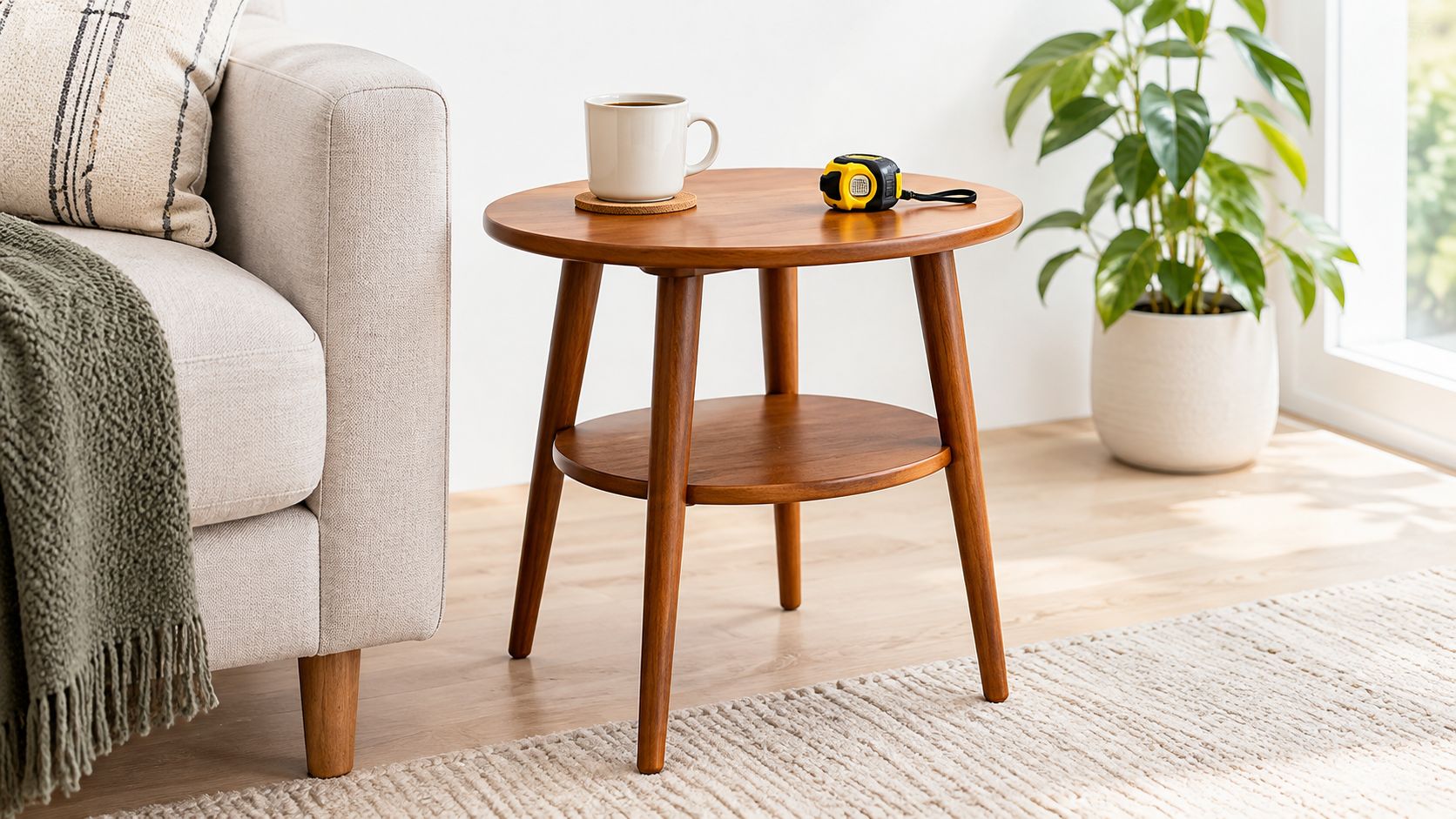
A dimension chart helps, but dimensions become easier to understand when the image gives them a visual reference. A small side table can look substantial when photographed alone, yet appear appropriately compact beside a sofa and measuring tape.
Choose the right scale cue
Different products need different evidence:
- Hand-held reference: Useful for mugs, cosmetics, tools, and small electronics when the hand doesn't obscure important features.
- Familiar object: A book, chair, phone, plate, or other recognizable item can clarify proportions.
- Model or body reference: Useful for apparel, footwear, bags, and wearable products, provided the styling doesn't hide fit or shape.
- Packaging dimensions: Helpful for boxed goods, furniture components, and products where shipping size matters.
- Measurement overlay: Suitable when exact height, width, depth, or diameter is central to the purchase decision.
The source product must determine the dimensions. Nim's E-commerce templates can help create contextual product visuals, but the seller should plan the reference before generating the scene and compare the result with the actual measurements afterward. A generated room, hand, model, or prop may introduce misleading proportions if the product is resized for composition.
Build scale into the shot list
For a small homeware item, the set might include a clean primary view, a hand-held view, a view beside a familiar object, and a close-up of the finish. For furniture, a room context can show placement, while a measurement view communicates exact dimensions. For clothing, an on-model image should supplement, not replace, a flat or clean product view that shows the garment's actual cut.
The most useful scale image often looks less polished than the hero image. That's an advantage. A deliberately ordinary, in-context photograph can communicate size more clearly than a dramatic scene that removes every familiar reference.
A beautiful image earns attention. A believable scale reference prevents the wrong expectation.
Teams should publish the scale view wherever size uncertainty is likely, then check it on mobile for crop quality and legibility. The image should make the reference object easy to recognize and keep the product unobstructed. Better visual evidence won't eliminate every return, but it gives shoppers a more accurate basis for deciding.
Nim provides workflows for enhancing product photos, replacing backgrounds, and creating ecommerce-oriented visual assets from product inputs. Sellers can use Nim to build a clearer, multi-view image set, then review every result against the physical product and the requirements of each marketplace before publishing.
- product images
- ecommerce
- Nim AI
- product photography
- image optimization