Sunlight for Home Photos and Videos in Nim
Learn how to add or simulate sunlight for home photos and videos in Nim using the Sunlight or Day and night template, from source prep to review.
By Nim
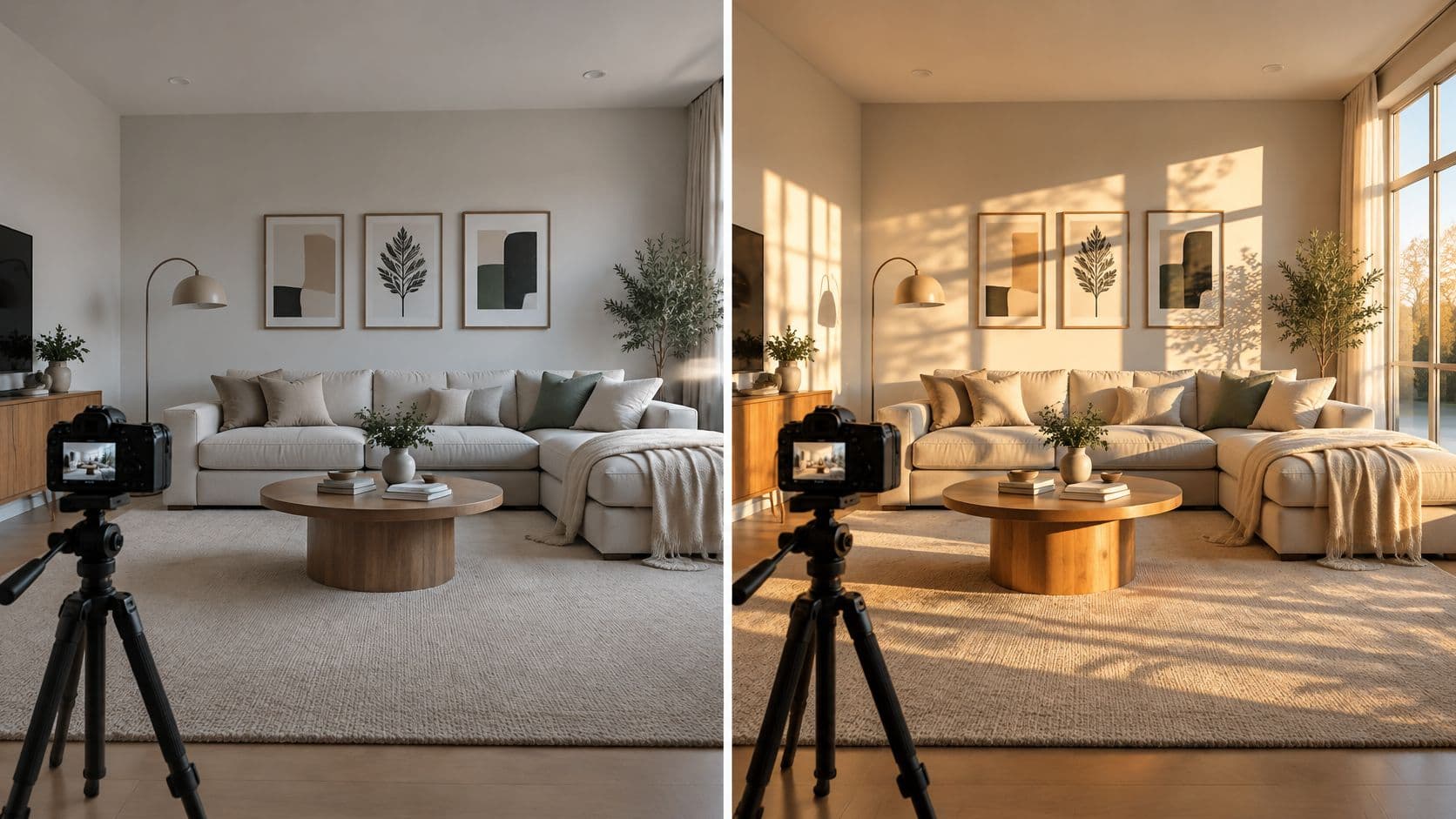
To add or simulate sunlight for home photos and videos in Nim, choose the Sunlight template for a single sunlit look or the Day and night template for a lighting transition. Start with the visual brief: does the room need added warmth, directional sunlight, or a day-to-night narrative?
For example, a listing may need a warmer living-room image, while a design presentation may show afternoon light falling across a dining area. These templates create illustrative visuals, not measured daylight or thermal assessments.
Choose the Right Lighting Effect
A living-room listing may need warmer-looking daylight, while a dining-room concept may call for a clear band of directional light across the table. The Sunlight template treats one image; the Day and night template communicates a change of state.
Before opening a template, define what the image should convey and what must stay consistent. For example, specify soft warmth across a seating area or directional light on a dining table while preserving the room's layout and furnishings. This gives the visual treatment a clear purpose.
A sunlight image can suggest a plausible atmosphere. It cannot establish a room's actual sun exposure.
For practical context on presenting property interiors, the Edinhart Realty and Property Management guide to home-staging photography discusses clear room presentation. The audience also shapes the visual choice: buyers may need to understand a listing's atmosphere, while design clients may be evaluating a specific lighting concept.
Match Your Goal to the Right Template
Once the visual story is clear, match it to a workflow.
| Visual goal | Nim workflow | Source preparation |
|---|---|---|
| Warm a living-room concept | Sunlight template | Use a clear living-room image with the windows and key furniture visible. |
| Show directional light across a dining area | Sunlight template | Choose a view where the table, nearby surfaces, and likely light-entry point can be seen. |
| Present a room's daytime atmosphere before an evening concept | Day and night template | Start with an image that clearly communicates the room's layout and intended setting. |
| Build an exterior-to-evening property narrative | Day and night template | Select a property view that supports the intended shift in atmosphere. |
Write the brief around a visible result and a constraint. For a living room, “soft daylight across the seating area, with the room's layout preserved” gives the workflow a specific target. For a dining area, name the surfaces that should catch directional light and shadows.
For a day-to-night sequence, specify what should remain consistent between views, such as the camera angle or furnishings. This helps keep attention on the lighting change rather than differences in the scene. Follow the inputs shown by the selected template.
Prepare a Clear Source Image
The source image sets the context for the lighting concept. Choose a room where the main subject is easy to identify and the architecture remains visible. If a window matters to the visual story, include it in the frame rather than cropping it out.
A tidy composition helps viewers focus on the intended change. Remove distractions from the frame where practical, but don't make the room so empty that its scale or use becomes hard to read. A comparable room photograph is generally a better starting point for a lighting concept than a heavily stylized render, especially when the audience needs to recognize a real property.
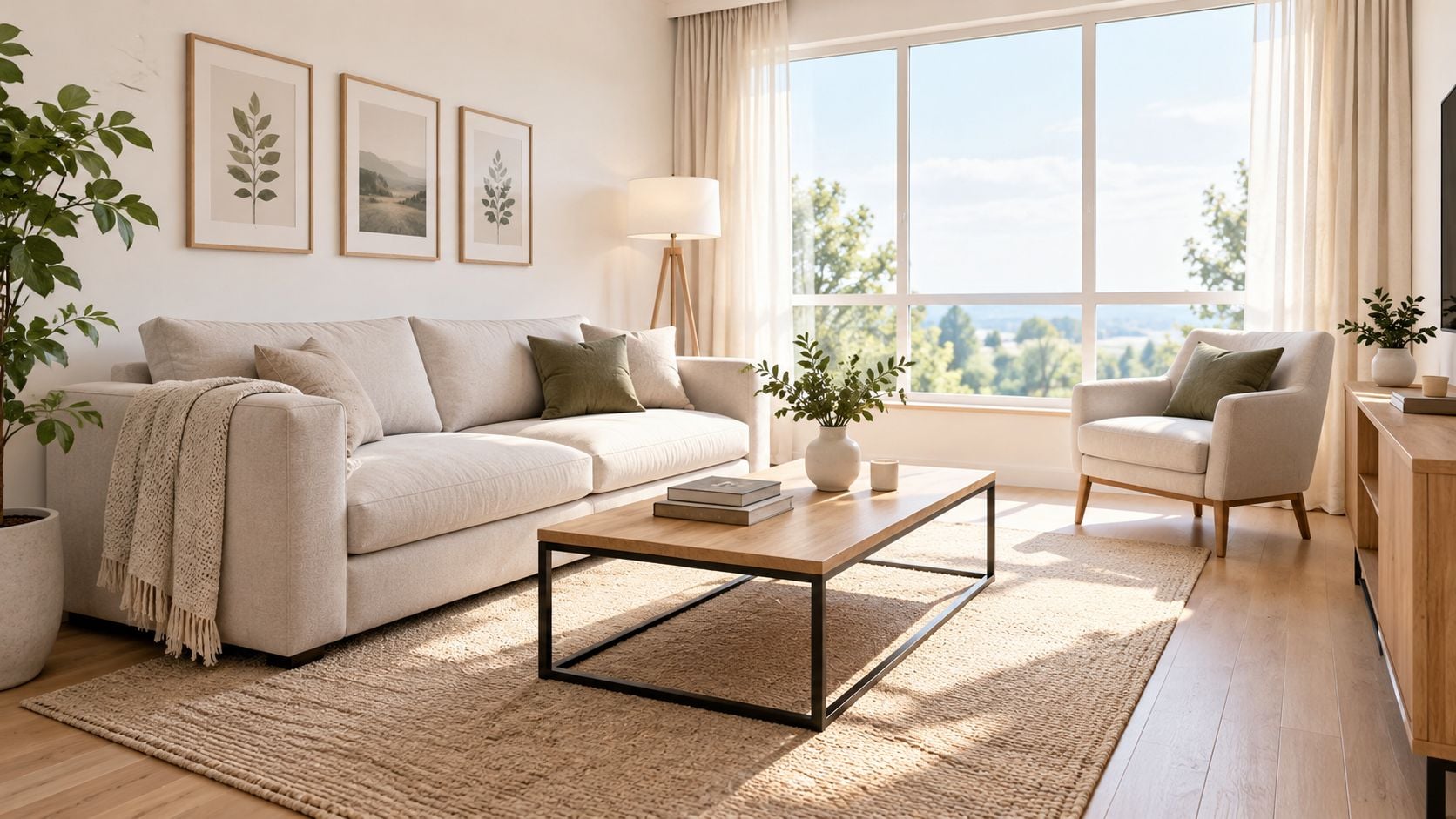
For a before-and-after comparison, consistency matters. Keep the camera position, furnishings, framing, and exposure as alike as possible, so the viewer can read the difference as a lighting concept rather than a new scene. This approach also pairs well with broader home-staging tips when the image needs to communicate the room as a usable space.
Keep the light believable
Notice what could affect a plausible impression of light: window frames, room depth, nearby buildings, and trees. These details don't turn image preparation into a technical survey, but they do help prevent a visual brief from ignoring obvious features of the scene.
The window's orientation can also inform the intended look. The U.S. Department of Energy's passive-solar guidance recommends orienting primary passive-solar windows within 30° of true south and keeping them unshaded from approximately 9 a.m. to 3 p.m. during winter; that's design guidance, not a rule for editing every room image (Department of Energy passive-solar design guidance). For a visualization, it's enough to record the room's known orientation and intended season if those details are relevant to the brief.
Add Sunlight With the Sunlight Template
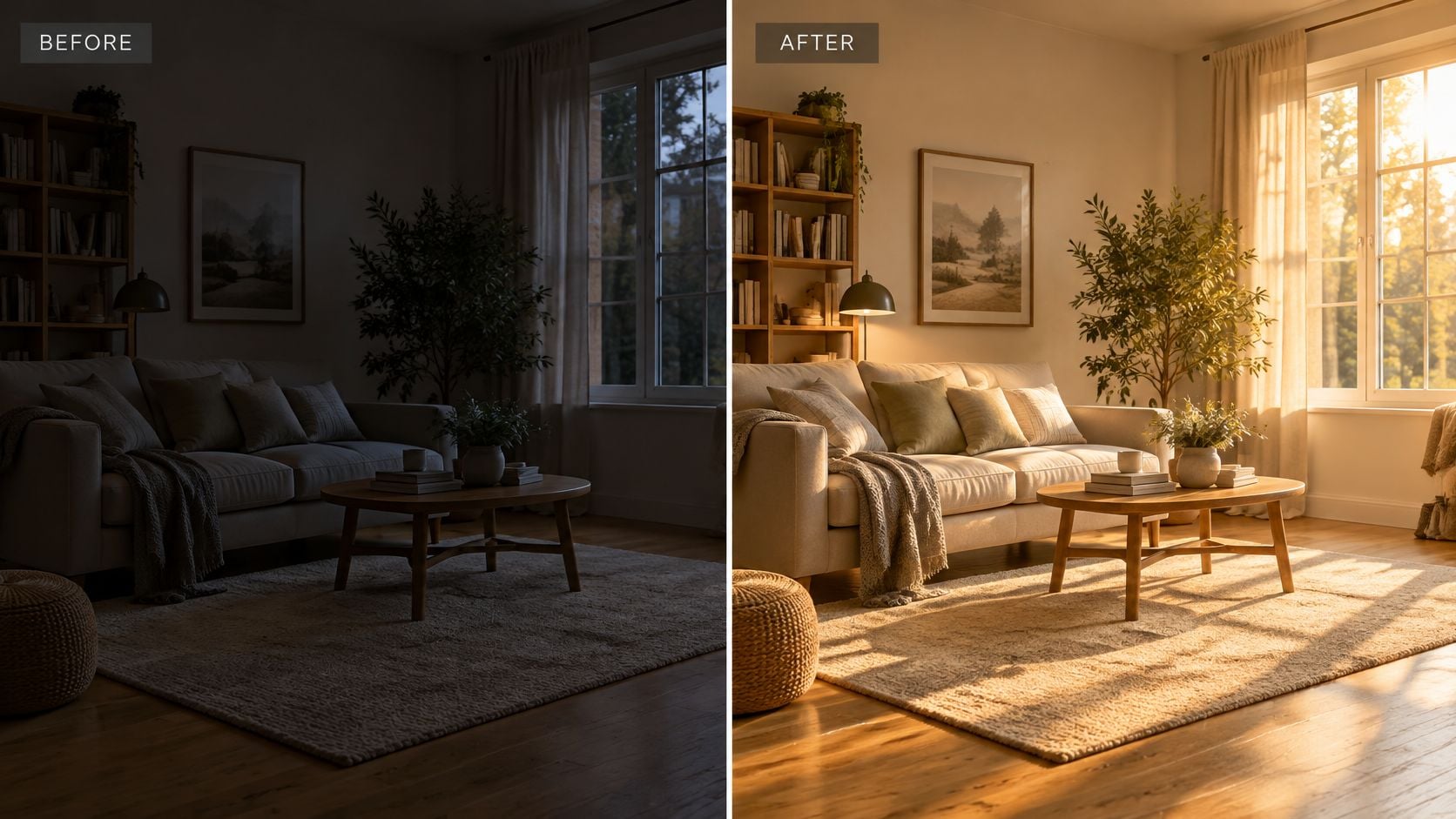
Start from the visual brief: decide what “sunlight” needs to do before you touch the controls. Soft overall brightening reads as a gentle exposure lift, while directional sun creates visible highlights, edge shadows, and a clear sense of where the light enters. In Nim, open the Sunlight template linked earlier and give it the room or property image it requests.
Use only the inputs the template shows. If a prompt field is present, describe the light in plain terms, such as warm afternoon sun across the seating area or a low beam reaching the dining table. If no prompt field appears, work with the available controls and do not invent settings that are not in the form.
Concrete room scenarios help. A listing image can ask for an inviting daytime lift that keeps the sofa, rug, and window positions recognizable. A design concept can ask for a narrower effect: sunlight on the tabletop, calmer light elsewhere, and enough shadow to show depth. The result should read as a plausible lighting idea for that room, not as proof of real sun exposure.
Keep the request specific
Good wording names the light's character and the surface it should touch. “Warm directional sun on the oak table” gives the template a clearer target than “make it brighter,” and “soft daylight near the window seat” describes a different job than a hard late-day beam. Keep requests tied to the visible openings and fixed features so the effect has somewhere logical to come from.
Generate, then inspect the image as a visualization. If furniture warps, window geometry changes, or shadows point away from the only plausible source, revise the input image or simplify the request. Treat the output as an illustrative visualization: useful for selling a mood, limited for anything that requires measured illuminance or verified exposure.
Create a Day and Night Lighting Narrative
A single sunlight treatment is the wrong fit when viewers need to understand how a property's appearance changes between daytime and evening. A day-to-night pair gives the presentation a broader lighting story, covering a room's shift in atmosphere or an exterior that takes on a different evening character.
Decide what the transition should emphasize: a warming color shift, interior lights coming on at dusk, or the exterior taking on evening character. That decision determines the source image. For a room, keep the important architecture and furnishings visible so both states share a stable frame. For an exterior, the property itself should stay easy to recognize. Then open the Day and night template introduced earlier and follow the inputs its current form confirms.
Make the transition communicate something
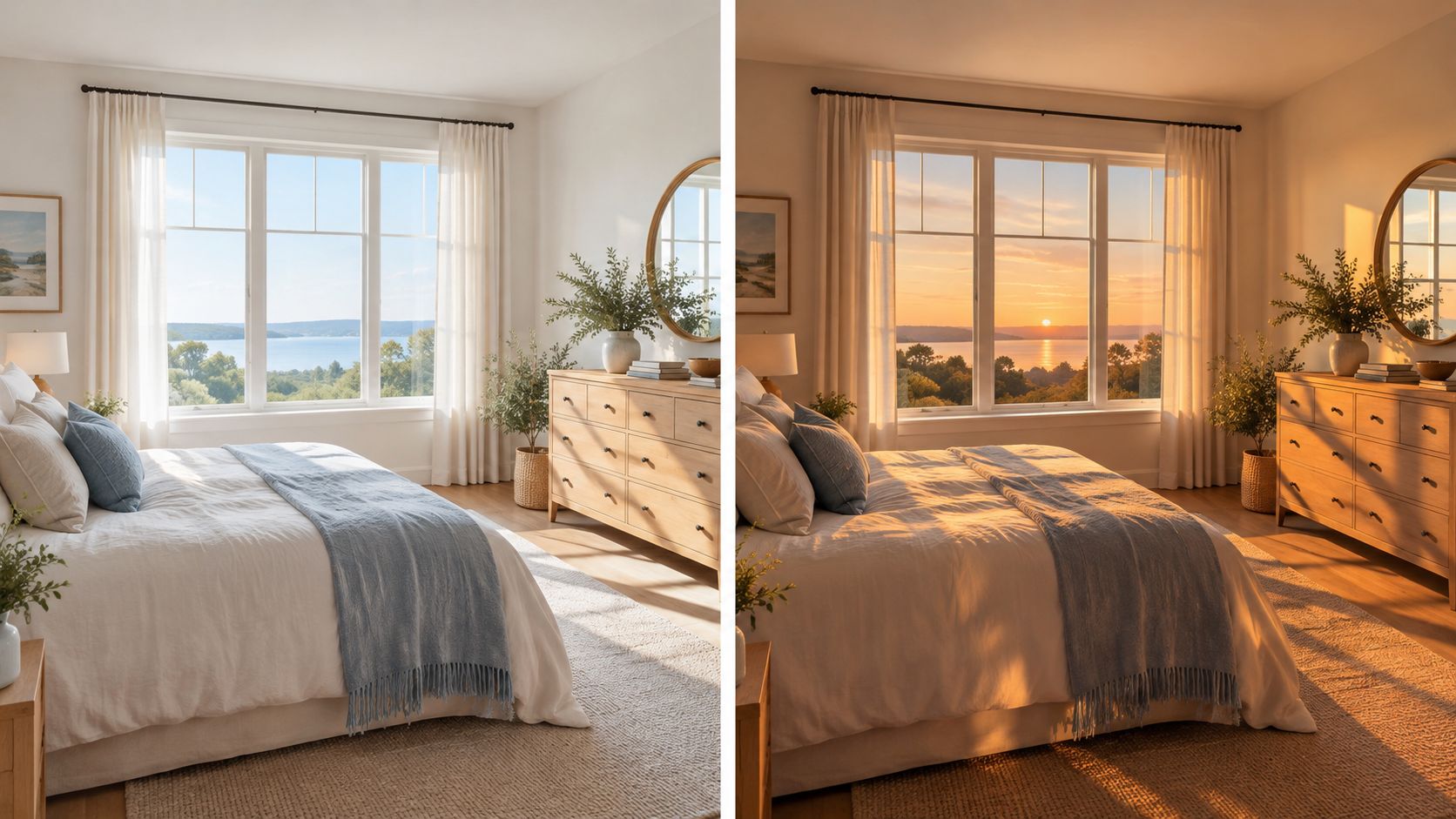
A bedroom presentation could contrast a naturally lit daytime mood with a warmer evening concept. A property presentation might use an exterior view to show how the home feels at different times of day. Neither example depends on treating one image as a technical record of actual conditions.
The prompt discipline from the single-effect workflow carries over, with one addition: name both lighting states, not just the brighter one. “Cool daylight across the bed, then warm lamp light with darker corners” gives the transition a direction. A bare “day to night” request leaves the evening half undefined, and results tend to default to a generic orange wash.
Work with the template's confirmed inputs. Do not assume it offers a timeline, automatic time detection, audio, or a particular export format. When the pair goes to clients, buyers, or a design team, present it as a concept image rather than a record of actual daylight conditions.
Review Results Without Overclaiming
A bright image isn't automatically a convincing daylight image. Check whether the room remains recognizable, whether the apparent light has a plausible relationship to visible openings, and whether its direction and softness match the brief. Also look for unwanted glare, lost detail, or changes to furniture and architecture that distract from the intended lighting idea.
Review rule: Judge the result against the brief, not by brightness alone.
A photograph can communicate a design direction, but it can't establish exact illuminance, seasonal sun angles, thermal performance, glare control, or legal compliance. Technical evaluation uses different methods: daylighting guidance describes an average daylight factor of 2% as a predominantly daylit appearance, while 5% or more can often eliminate the need for electric lighting during daytime when light is sufficiently uniform (daylight standards research). Those benchmarks belong to daylight assessment, not visual proof from an edited image.
For further technical review, building-daylight guidance gives example illuminance benchmarks of approximately 200 lux for bedrooms, 100 lux for lounges and bathrooms, and 300 lux for offices. These are evaluation references, not universal residential code requirements (building daylight use case). When construction, overheating, comfort, or compliance depends on the answer, use a daylight simulator, calibrated lux meter, or professional analysis. For image consistency rather than technical assessment, color-correcting photos can be a useful separate consideration.
Move From Preview to the Right Next Step
For a brighter or more directional room concept, open the Sunlight template with a prepared source image. For a presentation built around changing lighting states, use the Day and night template when its confirmed inputs fit the project.
Define the lighting story before generating, then label the result accurately when sharing it. Start with the template that matches the single visual outcome the audience needs to understand, and use separate technical assessment when actual sunlight performance matters.
Nim offers templates for creating illustrative sunlight concepts and day-to-night visual narratives from property and interior images. Prepare a clear source image, choose the template that matches the lighting story, and visit Nim to get started.
- sunlight for home
- AI interior design
- home video lighting
- Nim templates
- property visualization