Beauty Product Video

In the Pocket Product Showcase

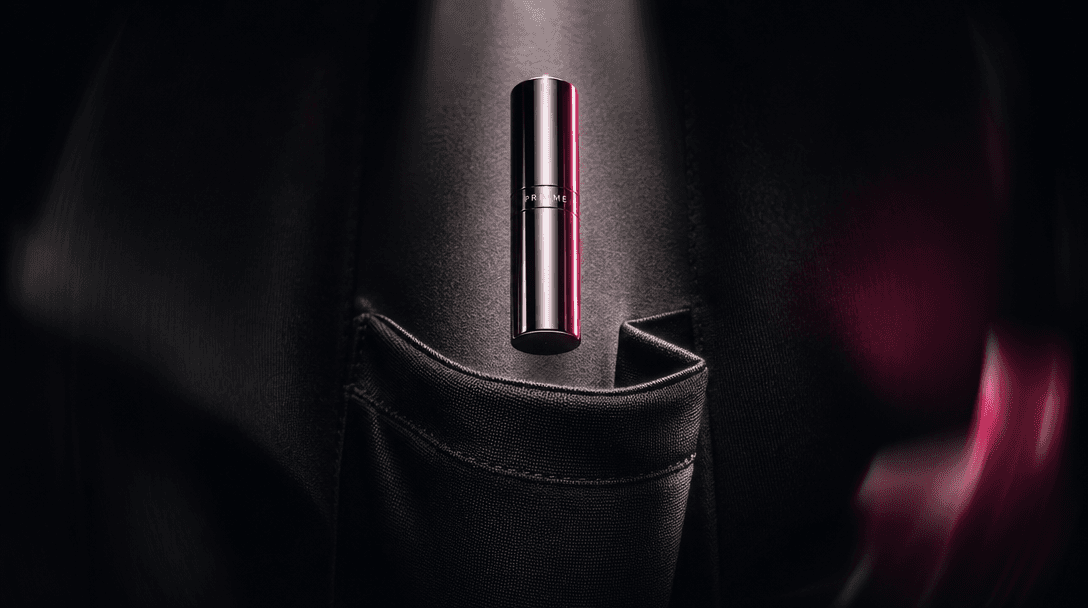
Place your beauty product in a relatable pocket setting, then reveal its key features through a polished, production-ready visual sequence.

Create your showcase
Browse all 400+ templates

Everything you need

Built for creators, marketers, and teams shipping AI video at scale.

01

Real-Life Product Context

Present your product inside a familiar pocket scene that gives viewers an immediate sense of scale, portability, and everyday use.

02

Feature-Led Storytelling

Build a clear visual breakdown around the product details customers care about, from packaging and texture to applicator and finish.

03

Beauty-Ready Direction

Use a composition designed for cosmetics, skincare, fragrance, and other compact products that benefit from tactile close-up presentation.

04

Polished Close-Ups

Highlight materials, labels, edges, and reflective surfaces with controlled framing that makes small product details feel premium.

05

Curated Template Structure

Start with established creative direction instead of developing the concept, shot sequence, and visual rhythm from scratch.

06

Multi-Model Creation

Create through Nim's multi-model platform, which brings leading video and image generation options into one production workflow.

07

Fast Campaign Iteration

Develop new visual variations in seconds or under a minute when testing products, settings, colors, and campaign directions.

08

Commercial Creative Focus

Produce campaign-ready concepts for product pages, paid social, launch posts, and organic beauty content.

Features

Built to ship

An abstract still life expressing portability: a small polished cosmetic cylinder suspended above folded black fabric sh
F · 01

Turn Portability Into a Story

The In the Pocket template does more than place a product beside clothing: it turns compact size and everyday convenience into the visual idea. Use it for lip products, travel fragrance, hand care, pocket skincare, or any beauty item whose portability is central to the buying decision.

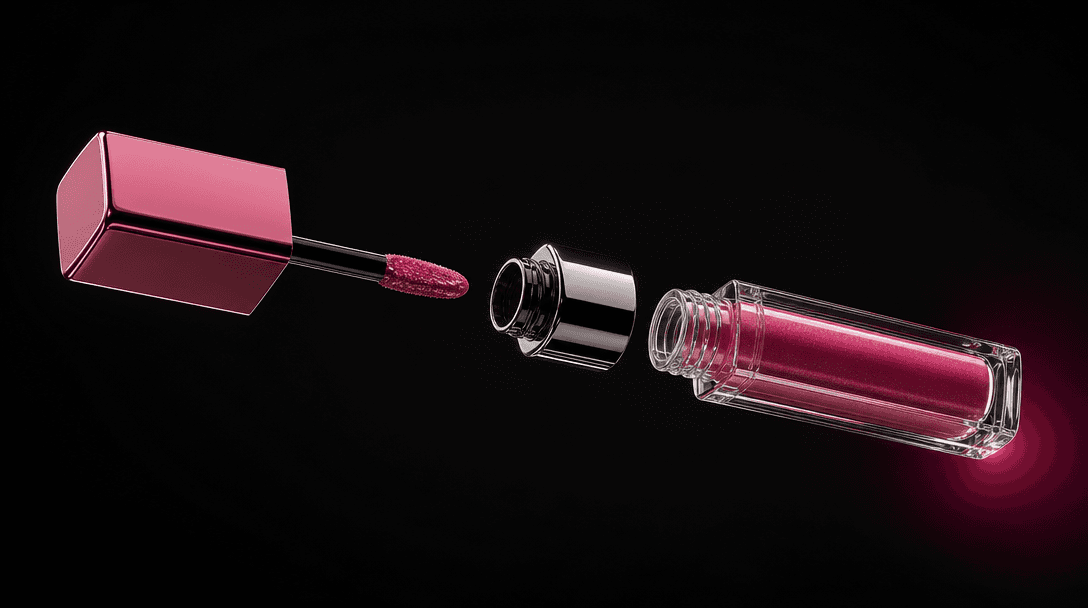
An exploded beauty product composition with cap, applicator, glass body, and reflective collar arranged in a precise flo
F · 02

Break Down Product Details Visually

Guide attention from the complete product to the small details that create perceived value, such as a precise cap, metallic accent, applicator, embossed mark, or distinctive finish. The structured sequence helps viewers understand the object without relying on a dense block of promotional copy.

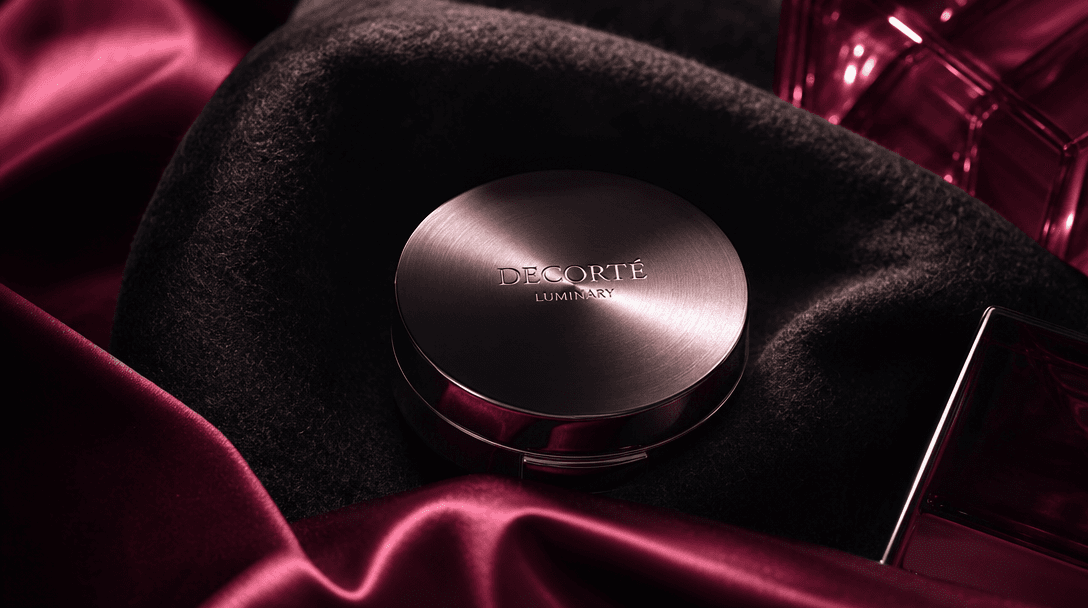
Layers of black wool, burgundy satin, brushed metal, and translucent cosmetic glass forming an atmospheric product stage
F · 03

Build a Premium Real-Life Setting

Combine an editorial product treatment with fabrics and personal accessories that suggest how the item fits into a customer's routine. Controlled studio lighting, tactile materials, and selective close-ups make the scene feel aspirational while preserving a believable everyday context.

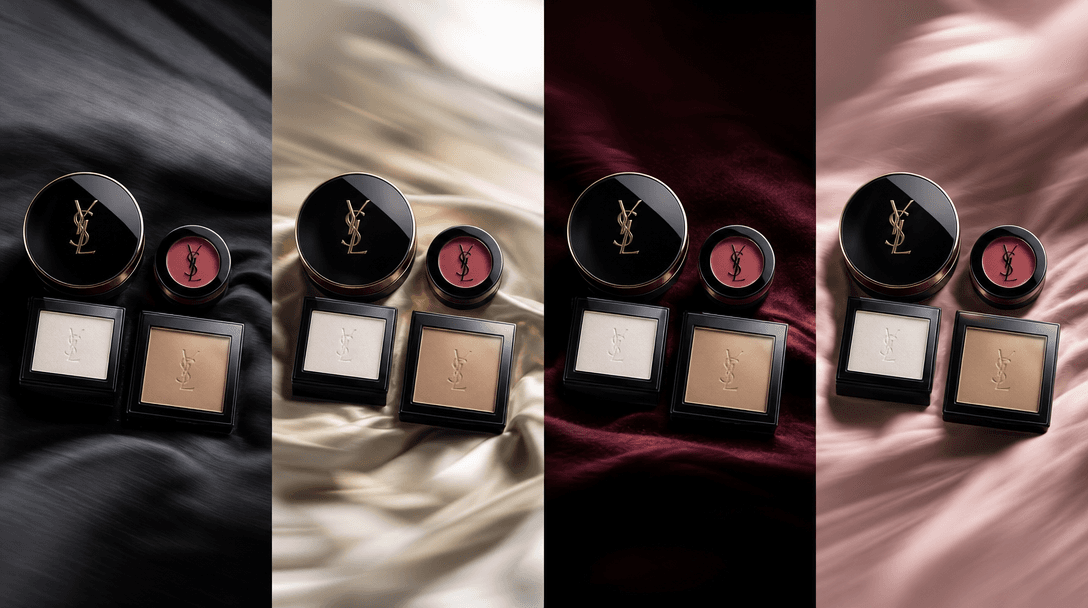
Four coordinated compact beauty products arranged across changing fabric textures while preserving one consistent campai
F · 04

Adapt One Concept Across Campaigns

Reuse the pocket-based creative direction for launches, seasonal colorways, product families, and audience-specific variations. Nim's curated template workflow and multi-model access help creators, marketers, and ecommerce teams explore alternatives while keeping the core campaign idea recognizable.

Showcase

See it in action

Real outputs generated by our pipeline — no curated cherry-picks.

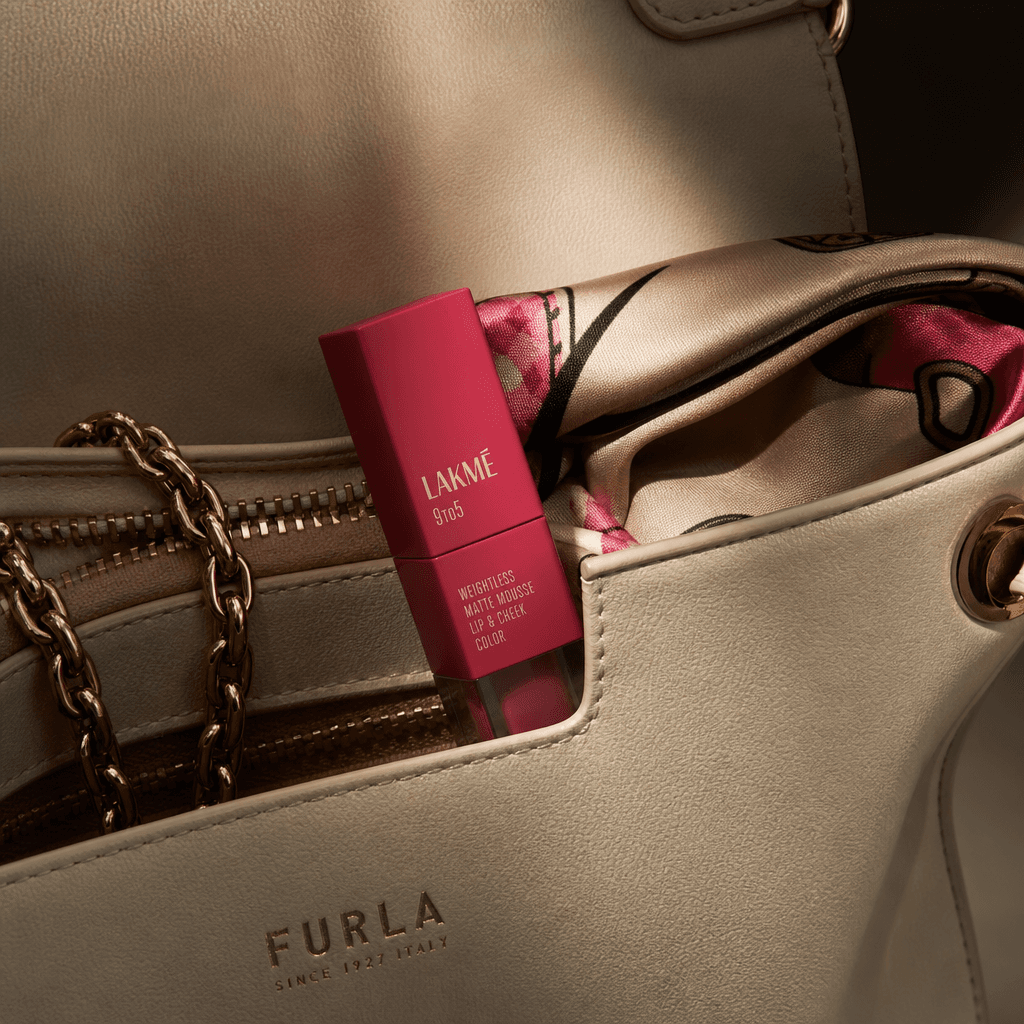
A compact matte lipstick resting inside the pocket of a cream leather handbag, partially revealed beside a fine chain an
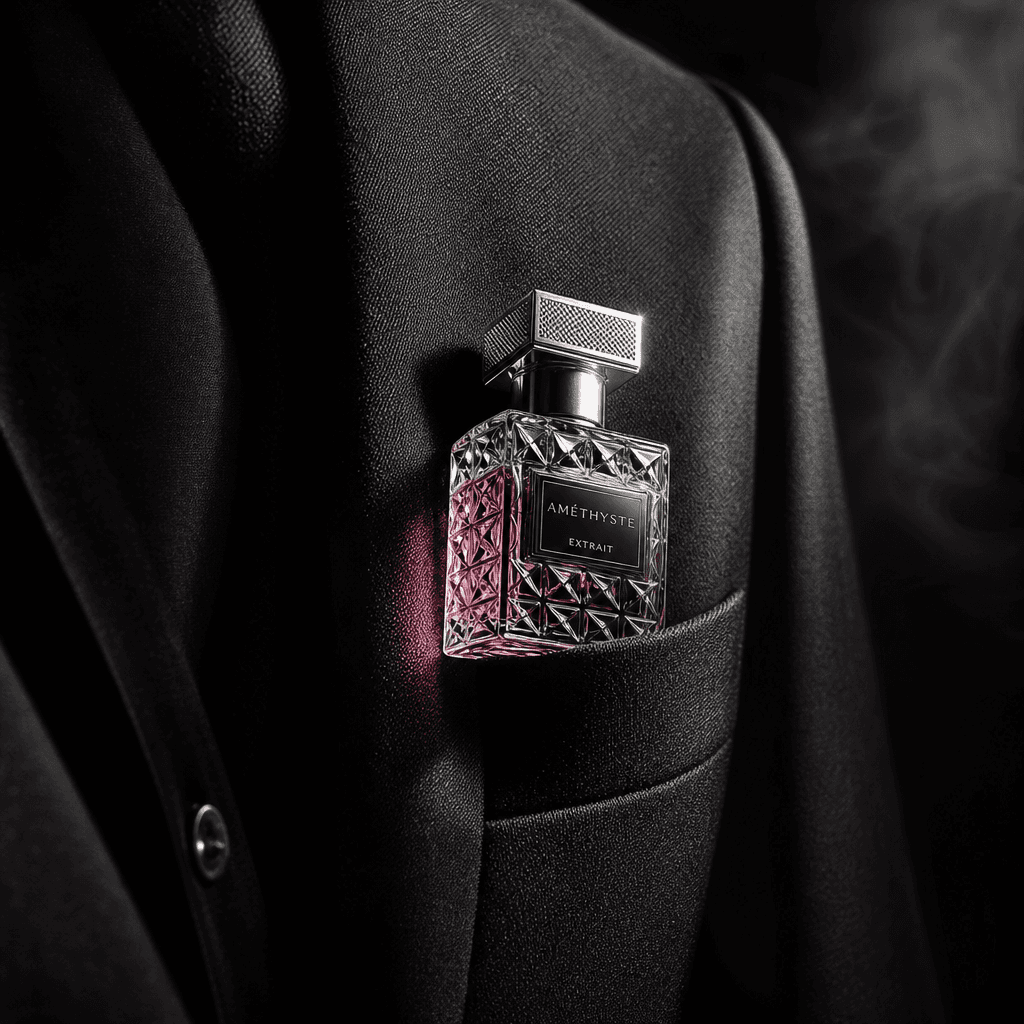
A miniature perfume bottle tucked into the breast pocket of a charcoal blazer, cut crystal glass catching a narrow beam
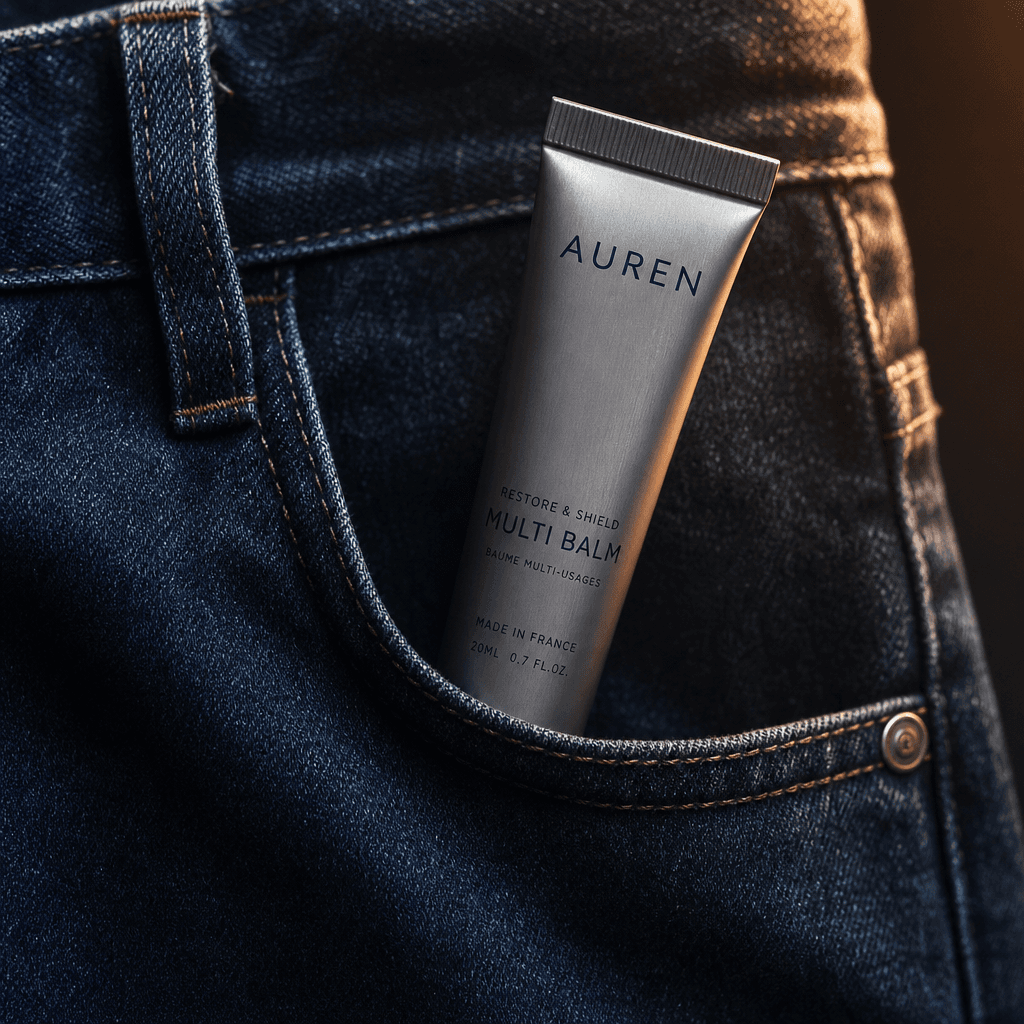
A sleek skincare balm in a metallic tube emerging from a denim pocket, natural creases and stitching rendered in precise
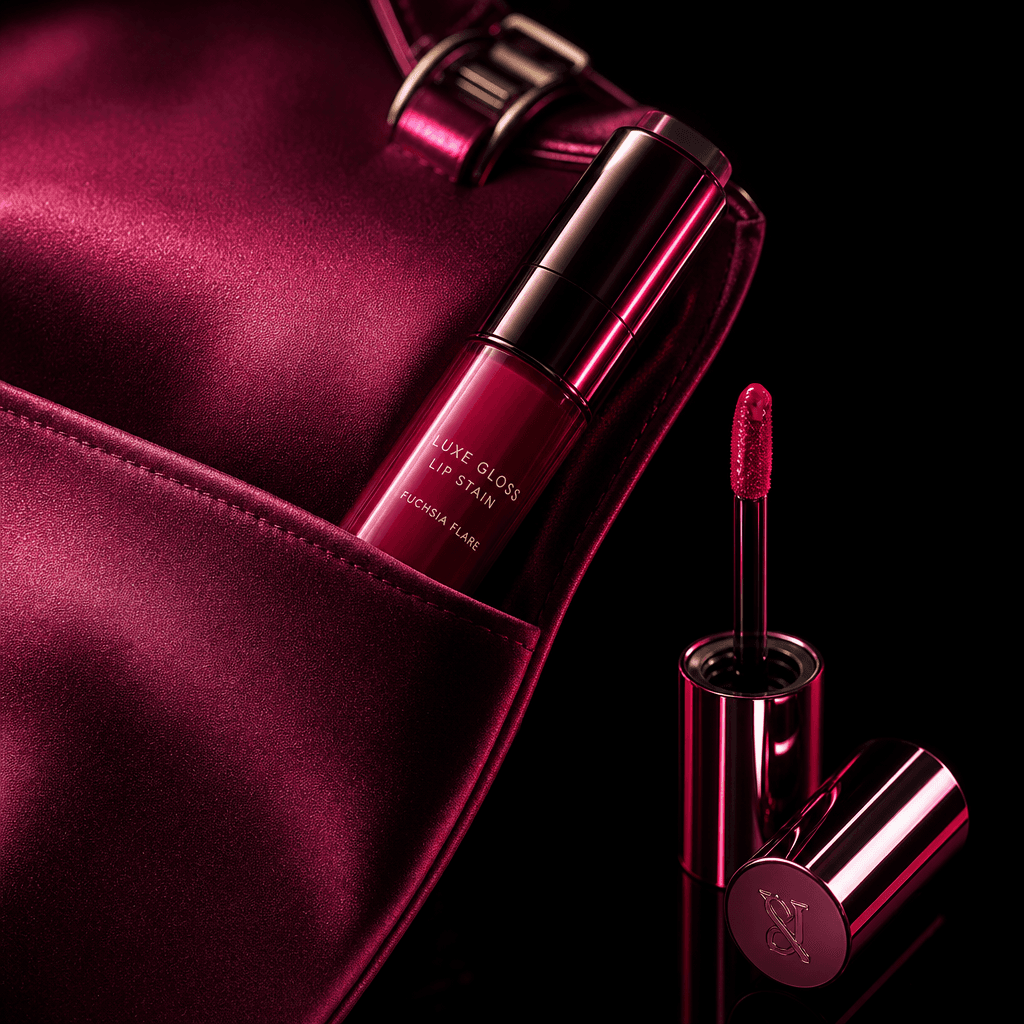
A glossy lip stain nested in the pocket of a satin evening bag, applicator and reflective cap arranged beside it as a re
Ready to ship

Pick a template, customize, publish.

Use cases

Made for every workflow

  • Beauty Brands

    Introduce compact cosmetics and skincare through a polished lifestyle concept that connects product design with real-world use. The pocket setting works especially well when convenience, portability, or touch-up moments are part of the positioning.

  • Ecommerce Sellers

    Add a contextual product visual alongside standard packshots to help shoppers understand scale, materials, and use. Create variations for product detail pages, marketplace listings, and promotional placements.

  • Social Marketers

    Develop a concise visual hook for paid and organic campaigns without coordinating a complete location shoot. The recognizable pocket reveal gives viewers a fast entry point before the sequence moves into feature details.

  • Creative Agencies

    Use the template to prototype campaign directions for beauty clients and present a more concrete concept than a static moodboard. Teams can test wardrobe textures, lighting treatments, product colors, and framing before committing to a larger production.

  • Product Launches

    Reveal a new beauty item through controlled glimpses and detailed close-ups rather than showing everything in the opening frame. This structure supports teaser content, launch-day assets, and follow-up feature-focused edits.

  • Content Creators

    Transform a product image into elevated beauty content suited to reviews, routine videos, recommendation posts, and aesthetic product showcases. The template provides a strong creative premise while leaving room for a creator's preferred styling.

How it works

From idea to result in seconds

  1. Step · 01

    Add Your Product

    Upload a clear product reference that preserves the packaging, proportions, color, and important design details.

  2. Step · 02

    Shape the Setting

    Choose the product presentation and guide the pocket scene with materials, styling, lighting, and campaign context.

  3. Step · 03

    Generate Your Showcase

    Create the sequence, review the resulting details and motion, then generate variations for your campaign.

FAQ

Frequently asked questions

  • In the Pocket is a Nim beauty template for showcasing a compact product in a realistic pocket setting. It combines lifestyle context with a detailed visual breakdown of features such as packaging, materials, applicators, and finish.

  • You provide a product reference and shape the visual direction for the scene. Nim uses the template's curated composition and a supported generation model to create a polished product-focused result that can be refined through additional variations.

  • The concept is strongest for portable beauty and personal-care products, including lipstick, lip stain, balm, compact fragrance, hand cream, travel skincare, and small accessories. Products with recognizable packaging and clear design details are easier to present consistently.

  • Yes, the template is designed for commercial creative workflows such as product launches, paid social, organic posts, and ecommerce product storytelling. Confirm that your source assets, generated output, and chosen model comply with Nim's current terms and any marketplace or advertising requirements.

  • Generation requires purchased credits, and the credit cost can vary by model and output settings. Review the current subscription and credit information before generating; paid plans also remove the watermark from eligible output.

  • Yes, signup is required to generate content in Nim. After signing in and obtaining credits, you can open the template, add your product reference, and create the result.

  • Nim is a multi-model platform that brings together leading video and image generation options, including model families such as Sora, Veo, Kling, Pika, and Flux. Model availability and suitability can vary by workflow, output type, and current platform support.

  • It creates a product-led visual sequence built around a pocket reveal, real-life context, and detailed feature views. Exact motion, duration, resolution, framing, and fidelity depend on the selected model, source image, and generation settings.

  • Usage and ownership rights depend on Nim's current terms, your plan, the selected model's policies, and the rights attached to your uploaded materials. Only upload products, logos, images, and other assets you are authorized to use.

  • A generic generator starts with an open prompt, while In the Pocket provides curated creative direction for a specific beauty-product story. Nim also gives creators access to multiple generation models, making it easier to compare approaches without rebuilding the concept across separate platforms.

  • Many renders complete in seconds or under a minute, although timing varies with the selected model, requested output, and platform demand. More complex or higher-quality generations may take longer.

Get started

See what you can make

Explore more

Discover more AI tools