How to Make an Architectural Animated Render
Learn how to produce a professional architectural animated render using Nim. Follow this practical workflow to turn static plans into cinematic motion.
By Nim
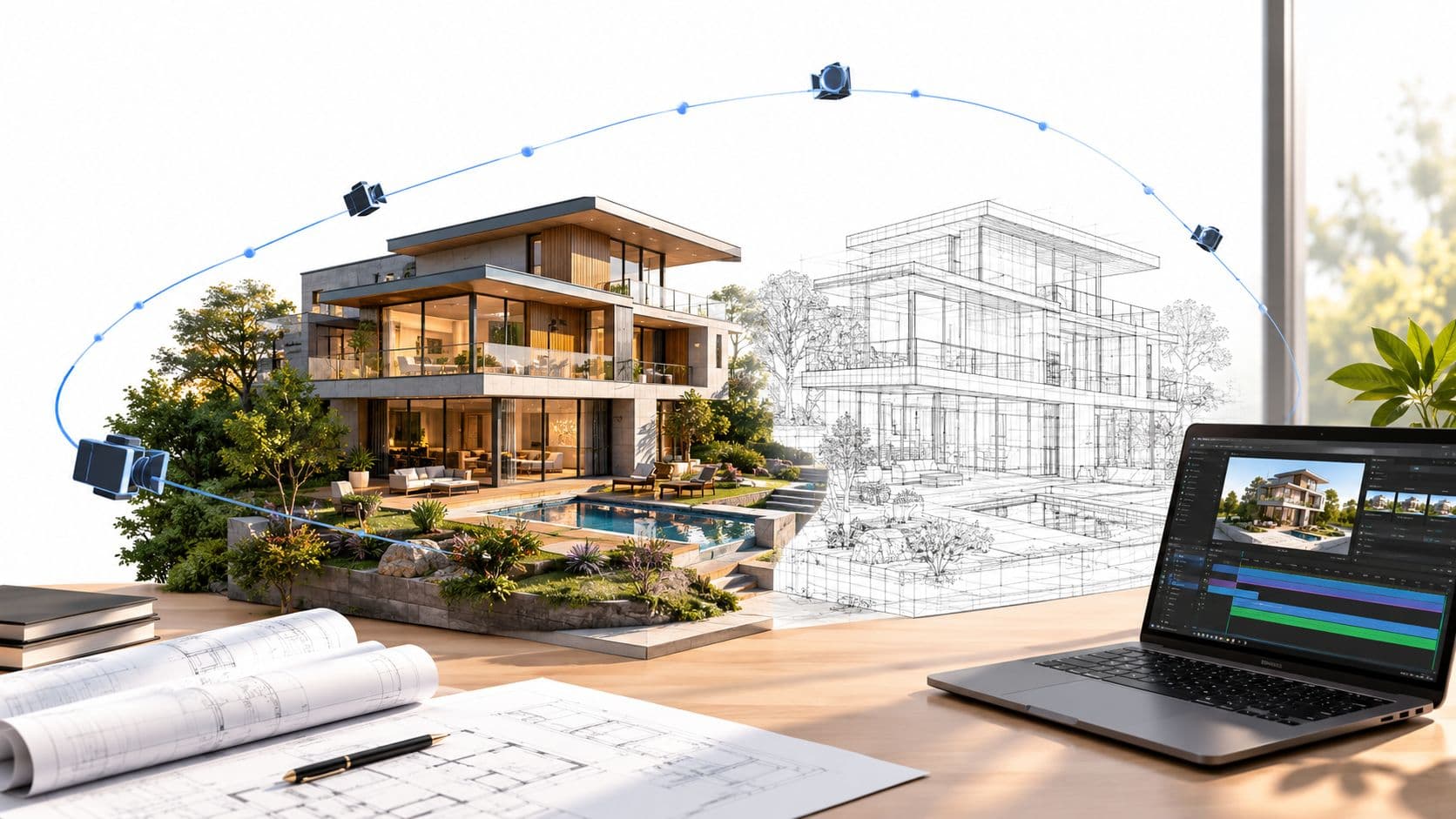
A project can have a finished model, approved materials, and a convincing still render, yet stall as soon as the client asks for motion. The bottleneck usually isn't the camera idea. It's the number of frames, the cost of revising them, and the risk of discovering too late that the sequence doesn't communicate the design.
An architectural animated render works best when it answers a focused visual question. A short sequence that shows how a viewer enters a lobby, understands a site plan, or experiences a change in light can be more useful than a long flythrough attempting to explain the entire project. The practical workflow is to prepare a clean source image, choose a tightly scoped motion direction, generate the sequence, review its logic, and download the result for the wider presentation.
Rethinking the Archviz Animation Pipeline
A client can approve the model and still hesitate when the proposal becomes a moving image. The hidden production bottleneck is rarely the first camera idea. It is the render time behind every revision. A minor change to pacing, lighting, or camera direction can force the team to regenerate a long sequence and review it again.
Traditional walkthroughs combine modeling, camera development, lighting, animation, rendering, compositing, review, and revision. That process can stretch across multiple weeks because each camera change affects a large set of frames. A two-minute clip contains thousands of rendered frames, so every added shot multiplies the cost of testing an idea.
The practical response is to narrow the communication job before production. Use AI templates to test a focused, single-message sequence first. A short generation can reveal whether the movement supports the design before the team commits to a full manual animation pipeline.
Practical rule: Motion should earn its render time by adding information that a still image cannot communicate as clearly.
Motion is still a selective format
Animation has a place in architectural communication, but it should not automatically become the default deliverable. A linear sequence works when movement explains something a still image leaves ambiguous, such as spatial progression, changing light, a relationship to the site, or the order in which a viewer encounters the project.
Static visualization remains useful for detail, comparison, and approval. Animation introduces timing, continuity, and rendering overhead. The production choice should follow the communication task, not the assumption that a project feels unfinished without motion.
A focused AI-assisted template supports this decision at lower iteration cost. Start with one source image, one movement direction, and one message. Review the generated motion for spatial logic, visual stability, and whether the intended subject remains clear. If the idea works, develop it further. If it does not, changing a narrow template is less expensive than rebuilding a multi-week sequence.
For practitioners refining the wider presentation process, 8 expert visualization tips provide useful context on clarity, composition, and audience understanding. The same principle applies to an architectural animated render: a shorter, legible motion piece is often easier to approve and deploy than an ambitious sequence carrying several messages.
Nim fits this efficient approach by letting the team test a defined motion concept before committing extensive render time. The goal is not to replace judgment or asset preparation. It is to reduce the number of expensive iterations between a client brief and a client-ready motion piece.
Storyboarding for a Single Clear Message
A useful storyboard starts with a question, not a camera move. “How does the viewer enter the building?” is actionable. “Show the whole project beautifully” isn't. The first question gives the camera a job, while the second invites decorative movement, unnecessary detail, and difficult review conversations.
A single sequence should normally prioritize one subject. That might be the transition from a public plaza into a lobby, the relationship between a building and its surroundings, or the way a façade catches changing light. Zoning, phasing, sustainability, property value, and interior design may all matter, but combining them into one continuous animation weakens each message.
Build the shot around the viewer's next decision
Before production, the visualizer can write a short shot brief:
- Define the message. State what the viewer should understand after watching the sequence.
- Remove competing information. Hide or crop elements that don't support that message.
- Choose the visual evidence. Decide whether the viewer needs a plan, a façade, an interior, a material detail, or a spatial transition.
- Lock the camera logic. Every movement should direct attention toward the next relevant area.
- Split the project when necessary. Create separate short pieces for separate selling points instead of extending one overloaded video.
This approach also helps the client review the right thing. The client can assess whether the sequence explains the intended relationship, rather than commenting only on atmosphere, speed, or personal preference.
A camera move isn't successful because it looks cinematic. It's successful when the viewer knows where to look and why.
The storyboard should also distinguish between explanation and atmosphere. A plan-based sequence may need clean movement across a drawing, while an exterior render may benefit from depth, light, and material change. If the visualizer can't describe the purpose of a movement in plain language, the movement probably isn't ready for production.
Preparing Source Assets for AI Generation
AI generation doesn't remove the need for visual preparation. A clean source image gives the system a clearer spatial and stylistic reference, while a cluttered source makes it harder to preserve the intended hierarchy. The architectural animated render template is most useful when the input already communicates the project clearly.
Start with the source that best represents the message. A polished exterior or interior render is appropriate when the sequence should emphasize materials, light, atmosphere, or a spatial experience. A clean plan or diagram is more suitable when the purpose is to explain arrangement, circulation, or site relationships. A raw CAD export can contain useful geometry information, but line weights, layers, annotations, and construction references may make it a weaker visual starting point than a deliberately prepared image.

Clean the image before opening the template
A practical preparation pass includes:
- Remove irrelevant annotations. Delete dimensions, layer labels, revision clouds, and notes that aren't part of the intended visual explanation.
- Simplify the composition. Crop empty margins and keep the building or plan large enough to establish a clear subject.
- Check visual continuity. Make sure walls, openings, furniture, landscaping, and major edges are readable rather than hidden by overlapping graphics.
- Clarify the lighting direction. A still render with a coherent light source gives the generated motion a stronger atmospheric reference.
- Use a resolved still when realism matters. Materials and textures are easier to communicate from a finished render than from an unfinished viewport capture.
A source image doesn't need to show every project detail. It needs to show the detail that supports the chosen message. For related preparation ideas, the sketch-to-render AI workflow is relevant when the starting point is an early drawing rather than a finished architectural image.
The linked architectural animated render template provides the focused route for turning a prepared plan or render into motion. The input should be treated as a communication asset, not merely as a file passed into a generator. If the source is visually ambiguous, changing the motion direction won't fully solve the problem.
Generating and Reviewing Motion in Nim
With the source prepared, the workflow is deliberately short. Open the architecture template, provide the clean plan or render requested on the template page, generate the result, and review the motion before downloading it. The value of this process is not just generation speed. It is the ability to test a focused visual idea without committing immediately to a long, manually rendered sequence.

Review the sequence as a communication piece
The first review should happen without obsessing over minor surface details. A useful evaluation asks:
- Does the opening establish the subject? The viewer should understand what building, room, or plan is being shown.
- Does the movement lead somewhere? The camera should guide attention toward a façade, entrance, circulation route, or spatial relationship.
- Does the pace support the message? A rapid move can obscure a plan, while a slow move can make a simple idea feel unnecessarily drawn out.
- Does the spatial logic remain credible? Check whether edges, openings, furniture, and major forms remain consistent enough for the intended presentation.
- Does the atmosphere support the design? Lighting and material character should reinforce the architecture rather than compete with it.
If the result feels decorative, the source image may be too busy or the message may be too broad. If the motion loses the intended spatial relationship, the visualizer should first reconsider the input and the scope of the sequence. Iteration is most productive when it changes one variable at a time, such as the source image, the message, or the desired movement.
The output should be judged against its purpose. A concept presentation can tolerate a more interpretive result than a technical coordination review. An investor or property presentation may prioritize atmosphere, while a planning discussion may need a clear relationship between massing and context.
Choosing Between 2D and 3D Motion Styles
The right motion style depends on what the viewer needs to understand. 2D motion is often the stronger choice for plans, diagrams, phasing, and explanation-heavy content because it preserves graphic clarity. 3D motion is more useful when depth, lighting, materials, textures, or atmosphere carry the argument.
A site plan with labels and circulation routes can become harder to read when a virtual camera dives through it as though it were a building. Subtle movement across a clean drawing can preserve orientation while giving the presentation more energy. By contrast, an interior concept may need a spatial transition to show how rooms connect, how daylight enters, or how surfaces relate at different depths.
Match the format to the communication job
| Communication need | More suitable motion direction | Reason |
|---|---|---|
| Site organization or zoning | 2D movement | Keeps relationships and labels legible |
| Phasing or diagram explanation | 2D movement | Prioritizes sequence and hierarchy |
| Material and lighting presentation | 3D movement | Shows depth, texture, and atmosphere |
| Interior circulation | 3D movement | Helps the viewer experience spatial connection |
| Early concept storytelling | Either, depending on the source | Supports clarity without overcommitting to detail |
A common failure is forcing a full 3D flythrough onto a project that only needs explanation. That adds production complexity without necessarily improving comprehension. The reverse mistake also occurs when a carefully modeled interior is reduced to flat movement that hides the qualities the model was created to show.
Teams that need a deeper perspective on motion language can consult a motion graphics agency in New York for broader principles of pacing and visual communication. For architecture-specific work, the floor plan to 3D model AI workflow can help practitioners think about whether the starting point should remain diagrammatic or become a spatial scene.
The decision should be made during storyboarding, not after rendering. A 2D sequence is not an inferior version of 3D. It is often the more disciplined format when the viewer needs to read information rather than inhabit an atmosphere.
Exporting and Integrating the Final Render
A downloaded architectural animated render is rarely the entire presentation. It usually works alongside static views, plans, diagrams, and written project information. Motion can establish a spatial idea quickly, while still images remain better for close inspection of materials, junctions, furniture, and façade details.
Before downloading the approved result, the visualizer should complete a final review:
- Message check: The sequence communicates one primary idea without requiring a spoken explanation.
- Spatial check: Major architectural forms remain coherent throughout the movement.
- Pacing check: The viewer has enough time to understand the important areas.
- Presentation check: The opening and closing frames work when placed in a deck, property presentation, or marketing sequence.
- Revision check: Any visible issue is classified as a source problem, a motion problem, or an expectation problem before another generation is requested.
Use short motion beside detailed stills
A property campaign might use motion to introduce the arrival experience, then use still images to show the kitchen, façade materials, or floor plan in greater detail. A design presentation might open with a short exterior movement, follow with a static section, and finish with a focused interior view. The animation creates orientation, while the stills support scrutiny.
For a plan-led presentation, a 3D floor plan walkthrough can sit alongside the architectural animated render when the audience needs both a top-down understanding and a more spatial reading. The two formats shouldn't repeat the same information. Each should handle the part of the explanation it communicates most efficiently.
The main production advantage comes from keeping the sequence narrow. A short motion piece built around one selling point is easier to review, replace, and combine with other campaign assets than a single long film that tries to cover every unit type, phase, and design decision. AI templates can reduce the commitment required to test that idea, but they don't remove the need for disciplined source preparation or editorial judgment.
Nim provides an architecture template for turning a prepared plan or architectural render into a focused motion piece through an input, generate, review, and download workflow. Visit Nim to open the relevant architecture template and test a single-message sequence before committing the project to a longer animation pipeline.
- architectural animated render
- archviz animation
- AI video workflow
- Nim templates
- 3D rendering