How to Make AI CCTV Video with Nim
Learn how to make AI CCTV video using Nim's CCTV camera template. Practical steps for source images, prompts, and post-processing tips.
By Nim
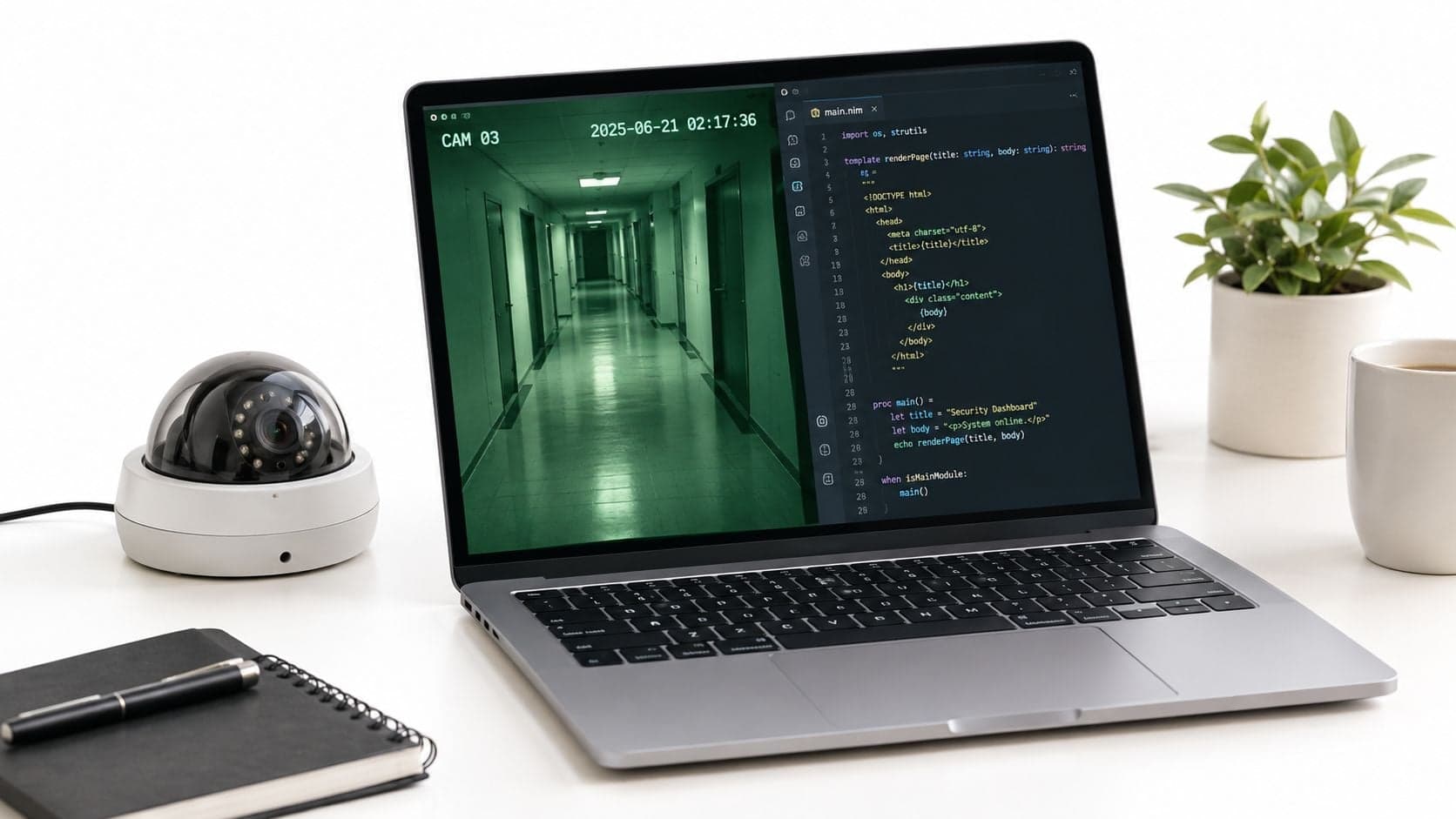
If the goal is to make a short clip that reads like security footage from a single still image, the best approach is to start with an image that already looks like a camera frame, keep the motion minimal, and let the surveillance effect do the work. That's the core of how to make AI CCTV video well. The fixed viewpoint matters more than the prompt.
Most failed CCTV-style clips have the same problem. The input image looks staged, cinematic, or too busy, so the final result feels like an effect layered on top of the wrong scene. A convincing result usually starts with an ordinary frame: a hallway, checkout counter, office corner, lobby entrance, parking area, or closed door with a reason to be watched.
When a CCTV-Style AI Video Is the Right Choice
A reader usually lands here with one very specific need. There's one image, maybe for a skit, fictional news insert, training mockup, ARG scene, or music-video cutaway, and it needs to look like it came from a mounted security camera rather than a directed shoot.
That's the right use case for the CCTV camera template. It fits clips where the frame itself carries the story and the motion only confirms that the image is “live.” An empty reception desk, a dim corridor, a parked car at night, or a person standing near a doorway all translate better than action-heavy scenes.
What this style does well
CCTV footage works when viewers are supposed to feel like they're observing, not being guided. The camera shouldn't feel expressive. It should feel indifferent.
Good fits include:
- Fiction inserts: surveillance cutaways in short films, mock documentaries, or found-footage edits
- Training visuals: synthetic examples for workplace safety, security awareness, or incident walkthroughs
- Promo scenes: product demos or explainers that need a monitoring-room aesthetic
- Narrative transitions: short inserts between more cinematic shots
What usually fails
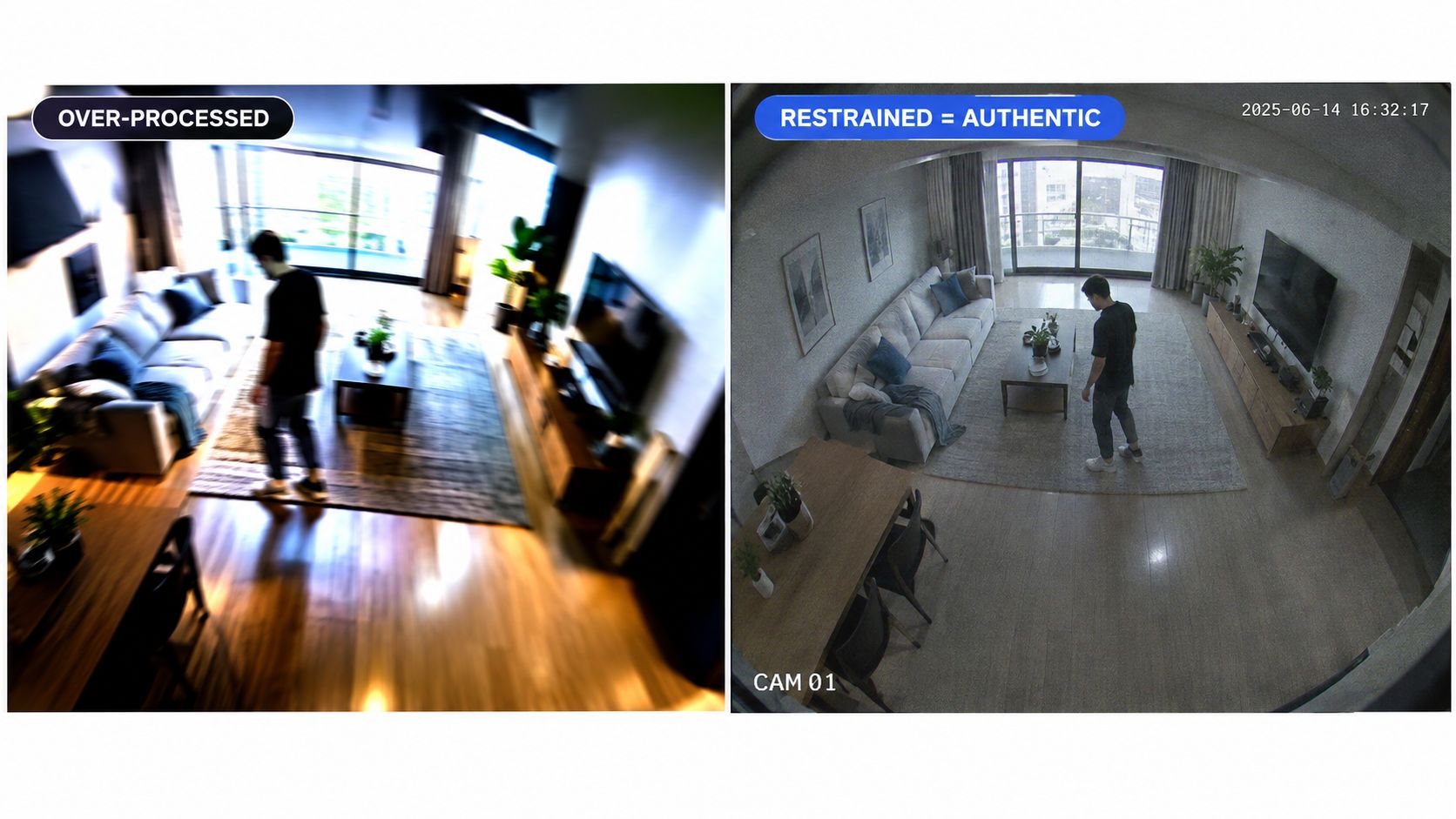
This style is the wrong choice when the scene depends on camera movement, dramatic pacing, or clear action choreography. If the source image already shows motion blur, a dramatic angle, or a posed subject looking into the lens, the output tends to fight the format instead of supporting it.
Practical rule: The less the shot seems to “perform,” the more believable the CCTV effect becomes.
For readers planning a more realistic surveillance composition from scratch, this guide by Overton Security is useful because it shows how real camera placement affects angle, coverage, and blind spots. That matters even for synthetic footage, since a believable surveillance frame usually borrows real-world camera logic.
Preparing Your Source Image for the Template
The input image does most of the heavy lifting. If the frame already looks like something a ceiling-mounted or wall-mounted camera would capture, the generated clip has a much better chance of reading as authentic.
A strong source image is locked off, plain, and slightly impersonal. It doesn't need to be ugly, but it shouldn't look designed.
What to look for in the image
Use one still image with these traits:
- Fixed-feeling composition: straight-on or slightly high angles work better than dramatic perspective
- Moderate lens feel: avoid obvious ultra-wide distortion or polished shallow depth of field
- Flat lighting: overhead office light, dim indoor light, or dusk exterior scenes generally fit better than hard sunlight
- Clear subject placement: if a person or vehicle appears, they should look caught in the frame, not posed for it
- Clean original file: a sharper original usually survives the surveillance treatment better than a soft or compressed one
If the image is crowded with signs, reflections, furniture, and edge clutter, the CCTV layer can turn that into mush. Simpler scenes hold up better.
File prep before upload
A few input habits help:
- Start with the best original available. Soft inputs tend to become noisier, not moodier.
- Keep edge crops natural. Don't cut off limbs, doors, or vehicles in a way a real installed camera wouldn't.
- Save a clean PNG or high-quality JPG. Compression stacked on compression usually looks accidental, not intentional.
For readers trying to understand how a single image can carry a whole visual transformation, this piece on product assembly effect prompting is useful because it shows the same broader principle. The source frame needs to imply the final motion before generation starts.
What the template flow actually is
The safe, verified flow is simple: open the CCTV template, provide the image input it asks for, generate the clip, review the result, and download it. That's the part to focus on.
What shouldn't be assumed is a long menu of built-in controls. Input preparation matters more than hunting for hidden style settings.
Running the CCTV Camera Template in Nim
Once the image is ready, the workflow should stay simple. Open the CCTV camera template, upload the still image, generate the clip, review it, and download the result.
That basic flow is the right mental model for how to make AI CCTV video in a template-driven way. The style comes from the template. The quality comes from the input.
What to expect from the generation
This kind of template is strongest when it treats the image as a surveillance view rather than trying to invent a full scene rewrite. The aesthetic is the point: a static viewpoint, slight image instability, and a security-footage feel rather than a cinematic shot.
A useful way to judge the first result is to ask one question: does it still look like the same fixed camera, only alive for a few seconds?
If yes, the source image is probably doing its job. If no, the problem is usually upstream.
Most weak outputs don't need a cleverer prompt. They need a less theatrical source image.
What not to chase
Readers often expect a CCTV workflow to expose lots of style controls. That's usually the wrong instinct for this effect. If the clip feels wrong, changing the underlying image is usually more effective than trying to force a surveillance look onto the wrong frame.
Watch for these failure patterns:
- Too much implied movement: a runner frozen mid-step or a car already streaking through frame
- Too much composition polish: strong backlight, glossy highlights, or ad-style staging
- Too much narrative action: several people interacting at once, each demanding separate motion logic
How to review the first pass
Treat the first generation as a calibration pass, not the final asset. Review it for three things:
| Check | What good looks like | What bad looks like |
|---|---|---|
| Viewpoint | Camera feels mounted and indifferent | Frame feels handheld or staged |
| Motion | Subtle activity supports the illusion | Motion pulls attention to the effect |
| Scene clarity | Main subject remains readable | Grain and movement bury the subject |
If detail breaks down or the motion feels artificial, the fastest fix is usually to regenerate from a cleaner, sharper, more neutral source image.
Building the Believable Surveillance Look
The common mistake is thinking CCTV style means adding more drama. In practice, believable surveillance footage usually depends on subtraction. Less motion, less polish, less visual intention.
That restraint matters because CCTV is a familiar visual language. Independent market summaries describe just how widespread that language is, with more than 1.1 billion CCTV cameras installed worldwide in 2024, and regional shares of 41% in Asia-Pacific, 27% in North America, and 22% in Europe. The same market summary also cites a 2026 industry summary saying the installed base of video surveillance cameras reached 4.3 billion units in 2023. For creators, the takeaway isn't just scale. It's familiarity. Viewers already know what surveillance footage is supposed to feel like, so obvious artifice stands out fast.
The visual cues that sell it
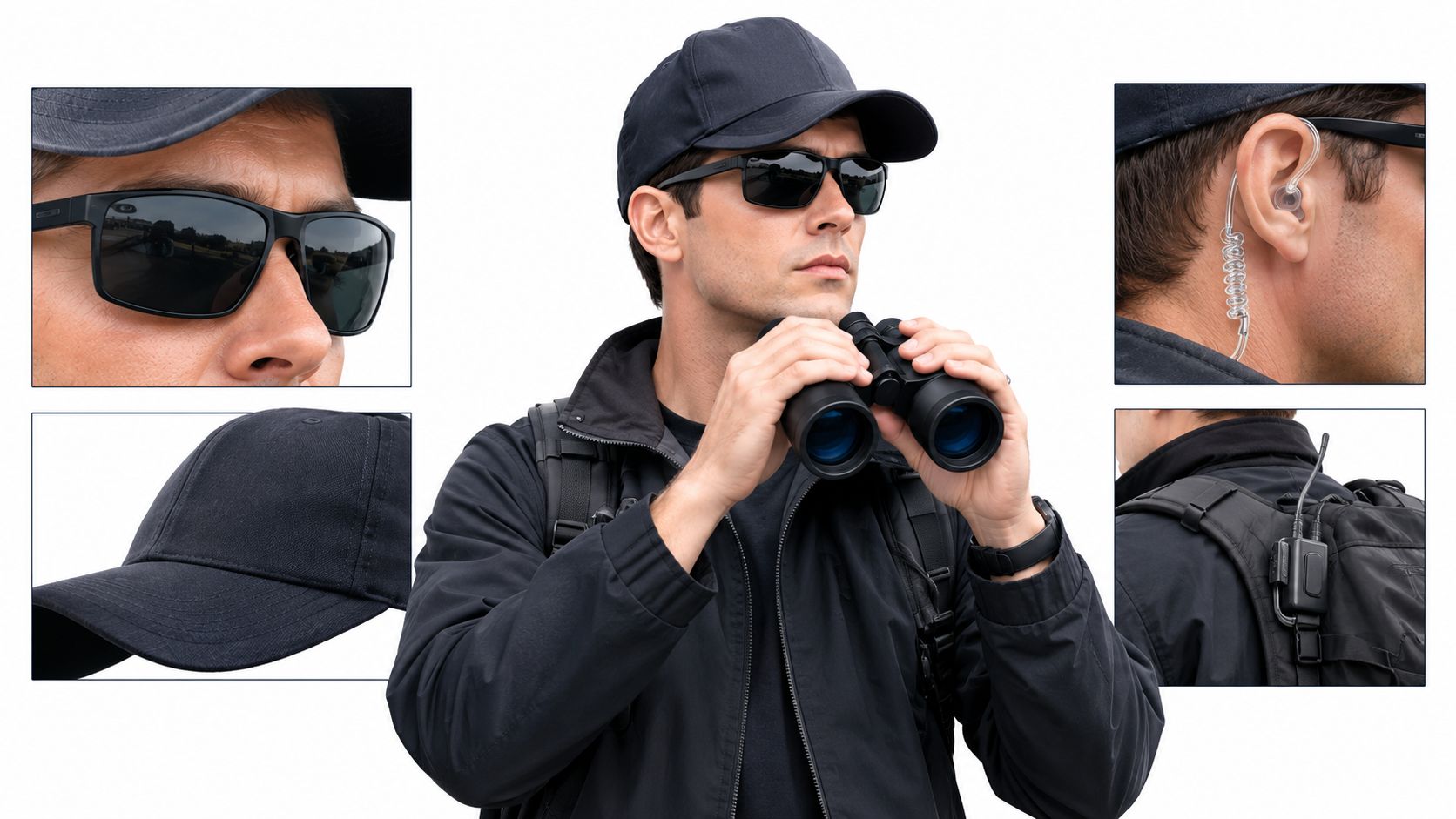
A convincing clip usually combines a few plain ingredients:
- Angle: slightly high or corner-mounted beats dramatic low angles
- Contrast: flatter tonal range feels more utilitarian
- Motion: almost none is often better than a lot
- Imperfection: mild degradation helps, but it shouldn't bury the scene
One useful broader read on restraint in generated footage is this article on creating realistic AI video. The core lesson applies here too. Real-looking video often comes from controlling excess, not adding spectacle.
What the template can and can't solve
Some parts of the look come from the generated effect. Other parts depend on the image that goes in, or on finishing work later.
A surveillance clip feels authentic when the frame looks incidental. The moment it looks composed for an audience, the illusion weakens.
That's why unremarkable input tends to outperform “beautiful” input. A plain office, stockroom, driveway, or service counter often works better than a cinematic scene with rich depth and stylized lighting.
Adding Timestamps and Grain Outside Nim
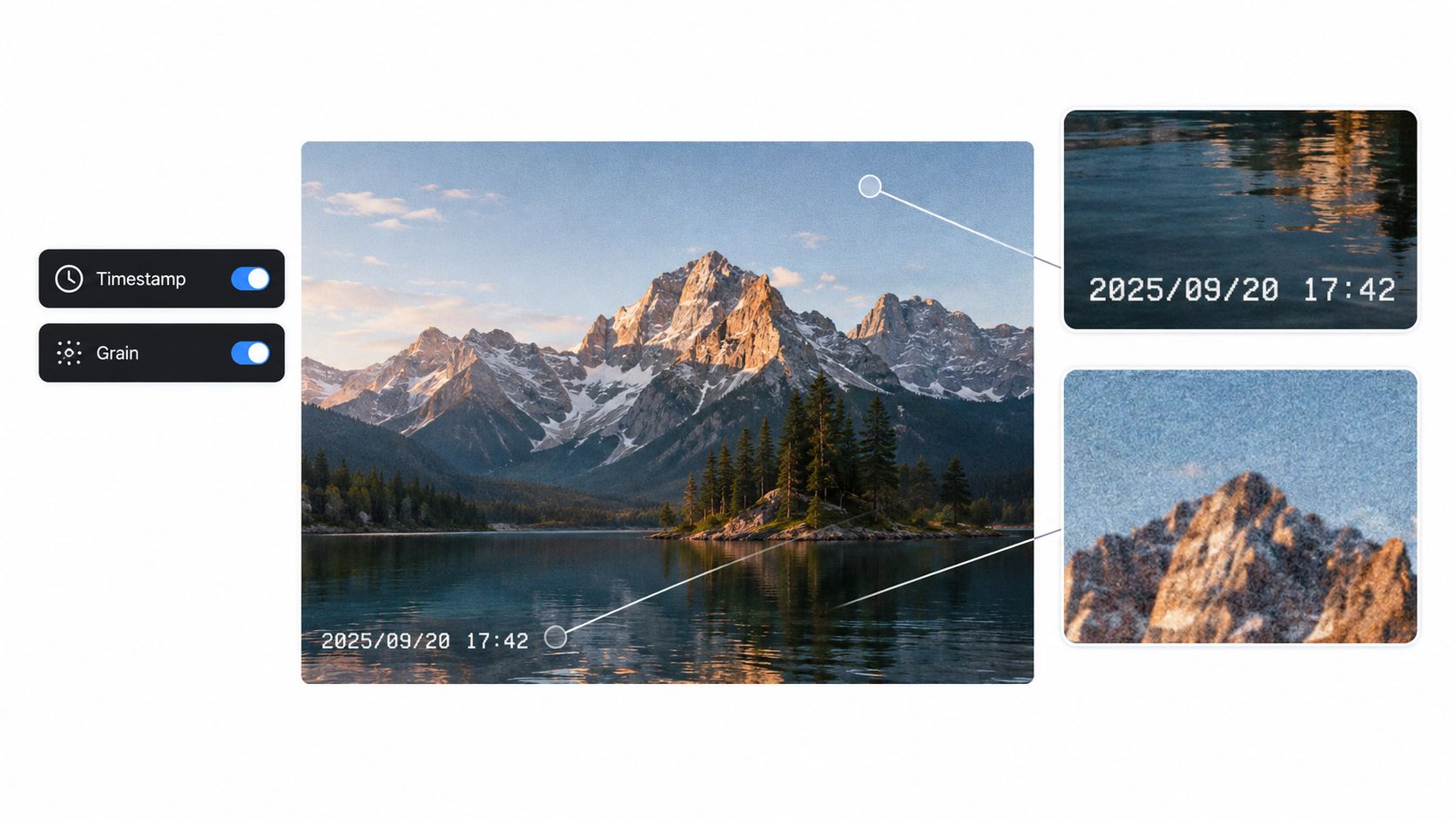
Once the clip is downloaded, the finishing touches belong in a separate editing step. The footage gets its timestamp, labels, extra noise, and any final aspect-ratio treatment.
That separation matters. The generation creates the surveillance-style motion base. The post-processing makes it read instantly as CCTV.
Four finishing touches that usually help
Import the generated clip into any editor that allows text overlays, filters, and reframing. Then add only what the shot needs.
-
Timestamp overlay Place a date-and-time readout in a corner, usually lower left. Keep the font simple and utilitarian.
-
Camera labels Small tags like CAM 03 or REC can help, but only if they match the rest of the frame. Too many labels start to look fake.
-
Grain or noise Add a light layer, not a blizzard. The point is to break the image slightly, not destroy it.
-
Monochrome or tinted grade A greenish, bluish, or low-saturation treatment can help if the base clip still looks too clean.
Keep the damage controlled
The goal isn't maximum degradation. It's credibility.
A useful review checklist:
- Text should sit in the frame. If the timestamp becomes the first thing noticed, it's too loud.
- Noise should feel baked in. If it looks like an effect floating above the image, reduce it.
- Aspect ratio should support the concept. If a squarer frame helps the old-monitor feel, use it. If it crops out the scene logic, keep the wider frame.
For readers combining effects after generation, this guide on adding backgrounds to videos is helpful because it reinforces the same broader workflow idea. The generated clip can be the base layer, and the final presentation can be shaped afterward.
A note on realism versus readability
There's a trade-off here. More distortion can make the clip feel older or rougher, but too much compression, grain, or color crushing can hide the story beat the viewer needs to catch.
Editing note: If the audience can't immediately read what happened in the frame, the effect has gone too far.
Ethics, Disclosure, and a Practical Next Step
AI-generated surveillance footage shouldn't be presented as real evidence. That's where this effect stops being a visual technique and becomes a serious credibility problem.
That warning matters even more now because synthetic surveillance visuals sit close to real-world security workflows. One forecast estimates the global AI in video surveillance market at USD 6.907 billion in 2024, rising to USD 7.963 billion in 2025 and projected to reach USD 33.07 billion by 2035, with a 15.3% CAGR. At the same time, the European Parliament's AI Act text says that when AI is used to generate or manipulate image, audio, or video content that closely resembles real persons, places, or events and would falsely appear authentic, deployers must clearly disclose that the content was artificially created or manipulated by labeling the output and disclosing its artificial origin (AI Act text).
The practical rule is simple. If the clip is posted, shared, or shown publicly, label it as synthetic. A short on-screen note, caption, or pinned comment is better than leaving viewers to guess.
There's a related ethical issue when a generated surveillance clip includes a recognizable person or imitates a real incident. The visual language of CCTV carries an implication of evidence. It shouldn't be used to suggest wrongdoing, impersonate a real event, or blur fiction and documentation. Readers working with identity-based edits should also think carefully about adjacent manipulation workflows, including face edits, before using anything like face changes on a photo in a surveillance-style context.
The best next step is small. Start with one ordinary still image, generate a short test, and judge whether the motion stays subordinate to the frame. If it does, the concept is working. If it doesn't, change the image before changing anything else.
Nim offers a simple way to turn a single still image into a short CCTV-style clip without building the effect from scratch. For this kind of fixed-viewpoint surveillance look, the main job is choosing the right source frame, then letting the template generate a restrained result. Try it on Nim with one neutral hallway, office, or parking-lot image and use the first render as a calibration pass.
- ai cctv video
- nim video
- cctv camera template
- security camera ai
- ai video workflow