AI Ad Creative Generator for Social Ads
Use an AI ad creative generator in Nim to match a template, hit Google and TikTok sizes, and review claims before you upload.
By Nim
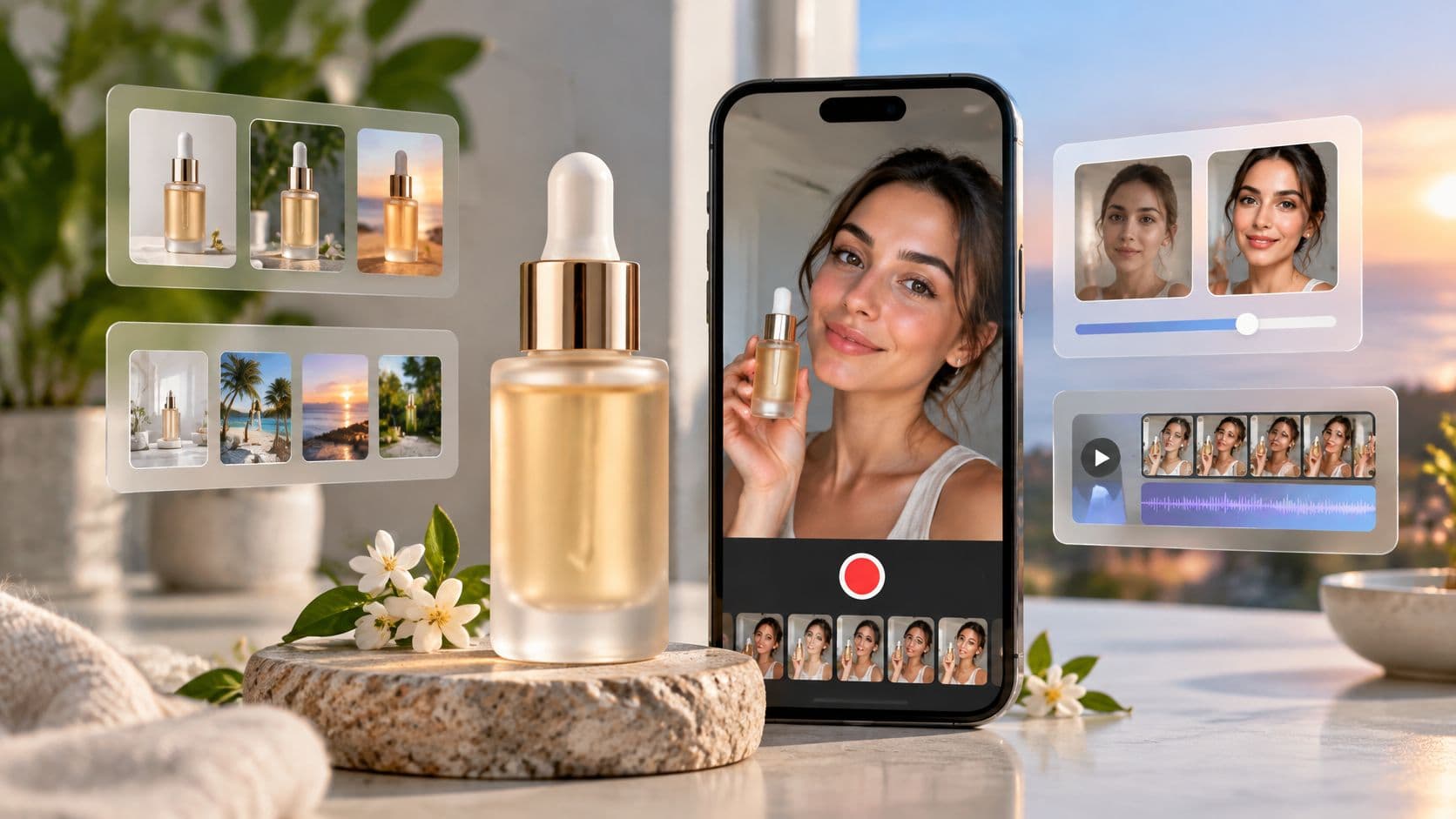
A clean serum photo is on the desktop, the ad account is already open, and the feed still needs one creative that looks like the actual bottle. An AI ad creative generator handles that single production job. It builds a still or a short clip from a product image or a product URL. It does not pick the placement, write the disclosure, or prove that a second variant is better.
For a Lumere vitamin C serum, the useful path is narrow. Match one Nim template to one job and one placement, check the canvas before generating, and judge claim risk before treating extra variants as progress. Nim is the generation step. Safe-zone checks, music, captions, and the upload happen in the ad account afterward.
Pick the Nim Template for the Ad
Social work splits into a few distinct jobs. Name the file on hand first, then open only the page that accepts that input.
A finished product photo that should become a creator-style clip belongs on the UGC ads templates. A product page with no finished photo belongs on URL to UGC video, because that template starts from the link. A bottle that already looks right, sitting in the wrong room, belongs on Background Replace. A dull, uneven, or rough packshot belongs on Image Enhancer, or on Enhance Product Photo when the task is specifically a product photo. A thumbnail that will go soft at feed size belongs on Upscale.
Each page asks for something different. Open the matching page, supply exactly what that page requests, generate, then review and download. The guide to what UGC ads are is the right read when the job really is a creator-style ad, not a sharper still.
For Lumere, one clean front photo and a feed placement usually start with Enhance Product Photo. Open the UGC ads templates only if a creator clip is also required this week. Circle one row in the table and leave the rest for a later pass.
One row, then stop
Opening every template on the same photo mixes jobs. A new background and a creator clip answer different questions, so stacking them hides which change mattered.
Practical rule: If the asset needed this week is a clearer still, do not also request a talking creator in the same pass.
| Ad job | Open this | Use it when | Starting input |
|---|---|---|---|
| UGC-style social ad | UGC ads templates | The ad should look like a creator showing the product | The input that template requests, often a product image |
| Product page to UGC clip | URL to UGC video | The start is a product page rather than a finished photo | Product URL |
| New background | Background Replace | The product is acceptable and the setting is not | Source image |
| Clearer product still | Image Enhancer or Enhance Product Photo | The packshot is dull, uneven, or rough | Product photo |
| Larger source file | Upscale | The file is too small to stay clear in a feed | Low-resolution image |
A URL fits only the URL to UGC video row. Background Replace, enhancement, and Upscale start from an image, not from a link.
Sizes for Google and TikTok
A Lumere display ad needs still images; its TikTok placement needs a video. Build separate assets for each job so the bottle remains clear in the shape and format each placement calls for.
| Channel | Asset | Requirement |
|---|---|---|
| Google responsive display | Wide image | 1.91:1, recommended 1200 × 628, minimum 600 × 314. Google's responsive display image guidance |
| Google responsive display | Square image | 1:1, recommended 1200 × 1200, minimum 300 × 300. Google's responsive display image guidance |
| Google responsive display | Image count and file size | Up to 15 marketing images, each no larger than 5,120 KB. Google's responsive display image guidance |
| Google responsive display | Headlines | 1 to 5, up to 30 characters each. Google's responsive display asset guide |
| Google responsive display | Long headline | 1, up to 90 characters. Google's responsive display asset guide |
| Google responsive display | Descriptions | 1 to 5, up to 90 characters each. Google's responsive display asset guide |
| Google responsive display | Business name | Up to 25 characters. Google's responsive display asset guide |
| TikTok | Orientation and minimum dimensions | Vertical 9:16 recommended, at least 540 × 960; horizontal, at least 960 × 540; square, at least 640 × 640. TikTok's creative specifications |
| TikTok | Duration | 5 to 60 seconds; 21 to 34 seconds recommended in the cited specification. TikTok's creative specifications |
| TikTok | File requirements | MP4, MOV, MPEG, 3GP, or AVI; up to 500 MB; minimum bitrate of 516 kbps. TikTok's creative specifications |
| TikTok | Playback practice | At least 720p, sound, and important content inside the UI safe zone. TikTok's creative best practices |
Why the serum needs two files
The Google images give the ad system distinct wide and square compositions to work with. Keep promotional copy out of the product photo. Google handles headlines, descriptions, and the call to action separately, so a benefit line placed on the image cannot be changed without rebuilding that image.
For TikTok, use a vertical video composition and keep the bottle and key visual near the center, clear of interface elements. Treat sound as a separate post-production task unless the chosen creation template is confirmed to provide it. Nim is an app for AI video production, with video styles including UGC, Keyframes, Motion transfer, Animations, Cinematic, Timelapse, Celebrity selfie, and Fashion videos. A vertical video still does not replace the Google image set.
A vertical asset intended for a Reels-style crop raises a separate framing question. Use this guide to check Instagram Reels resolution before preparing that placement. Teams working on the product page as well as the ad can explore generative engine optimization by industry.
Prepare the Photo and the Truth List
Do this work before any upload. The photo should show the whole bottle, in focus, with the label uncropped. A plain or white ground is easier to replace later than a busy counter, and that choice is made in the shoot or the export, not by hunting for a hidden switch.
The illustration below is a prep reference for the bottle, the packaging, and the facts that must stay true. It is not a finished ad and not a customer result.
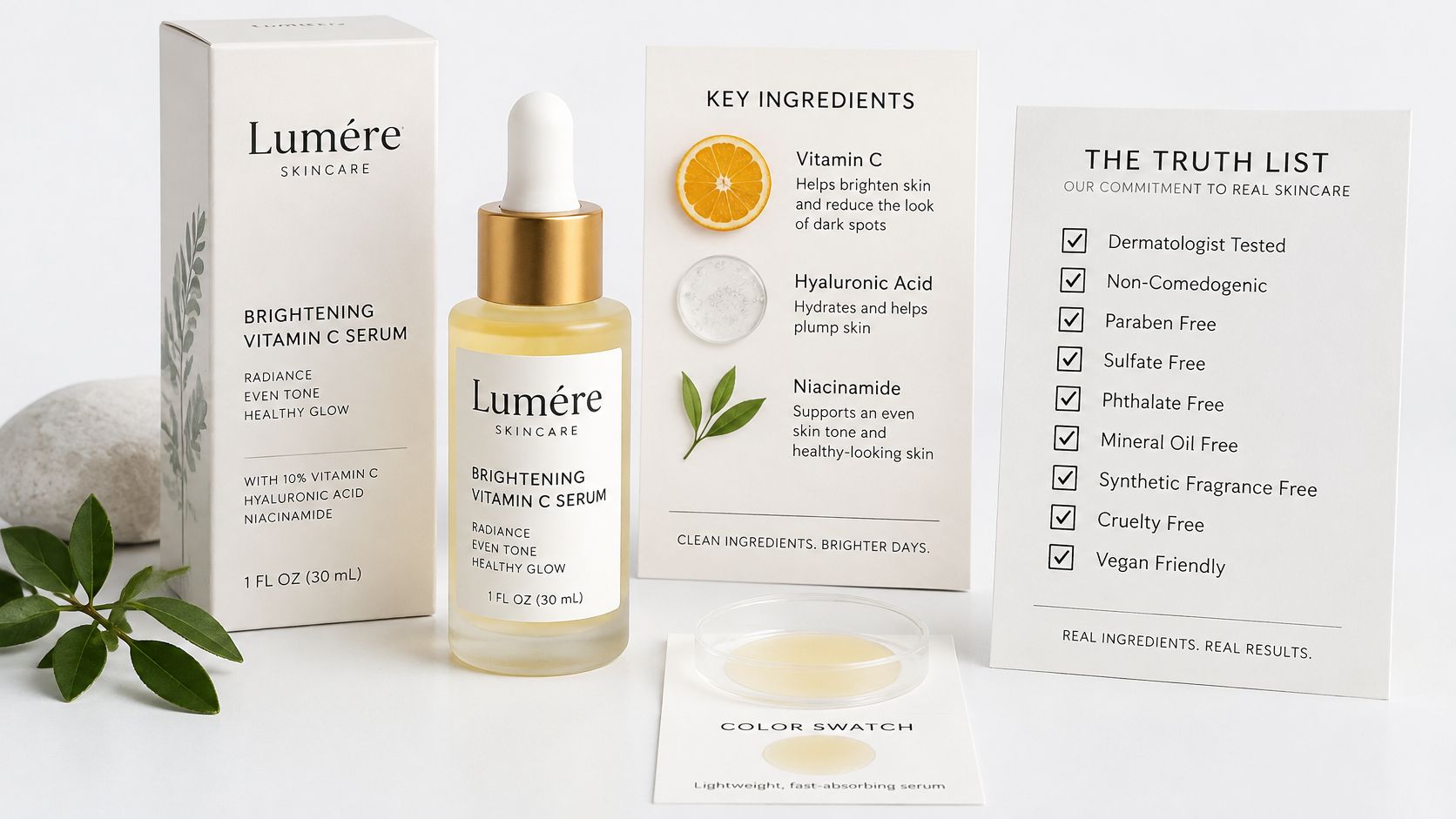
What to bring for Lumere
Export the bottle straight-on so the label can be read. Keep a second angle only if a later variant needs it. Peel off price stickers that are not part of the product. If the only file is a tiny marketplace thumbnail, plan an upscale pass. That thumbnail will not become a sharp feed still by itself.
For a creator-style concept, write a short brief the team can follow while filling whatever the chosen template requests.
- Product name: Lumere brightening vitamin C serum, matching the bottle in hand.
- One clear benefit: A single claim the brand can prove, such as the vitamin C on the label.
- What must stay unchanged: Bottle shape, cap color, and logo placement.
- What must not appear: A doctor, a before-and-after body, or a fake review quote.
A product URL belongs only on the URL to UGC video template. It is the wrong input for Background Replace or Upscale.
More ways to frame a still, without turning the bottle into a lifestyle fantasy, sit in these product picture ideas.
Finish with a three-item pack: the source file, the truth list, and the one placement already chosen from the size checks. That pack is what review will use. Generation cannot invent a missing fact.
Make the Ad in Six Passes
Keep the Lumere bottle and the chosen ad job in view as you work. The six passes below guide the production decisions; they are not steps in Nim's interface.
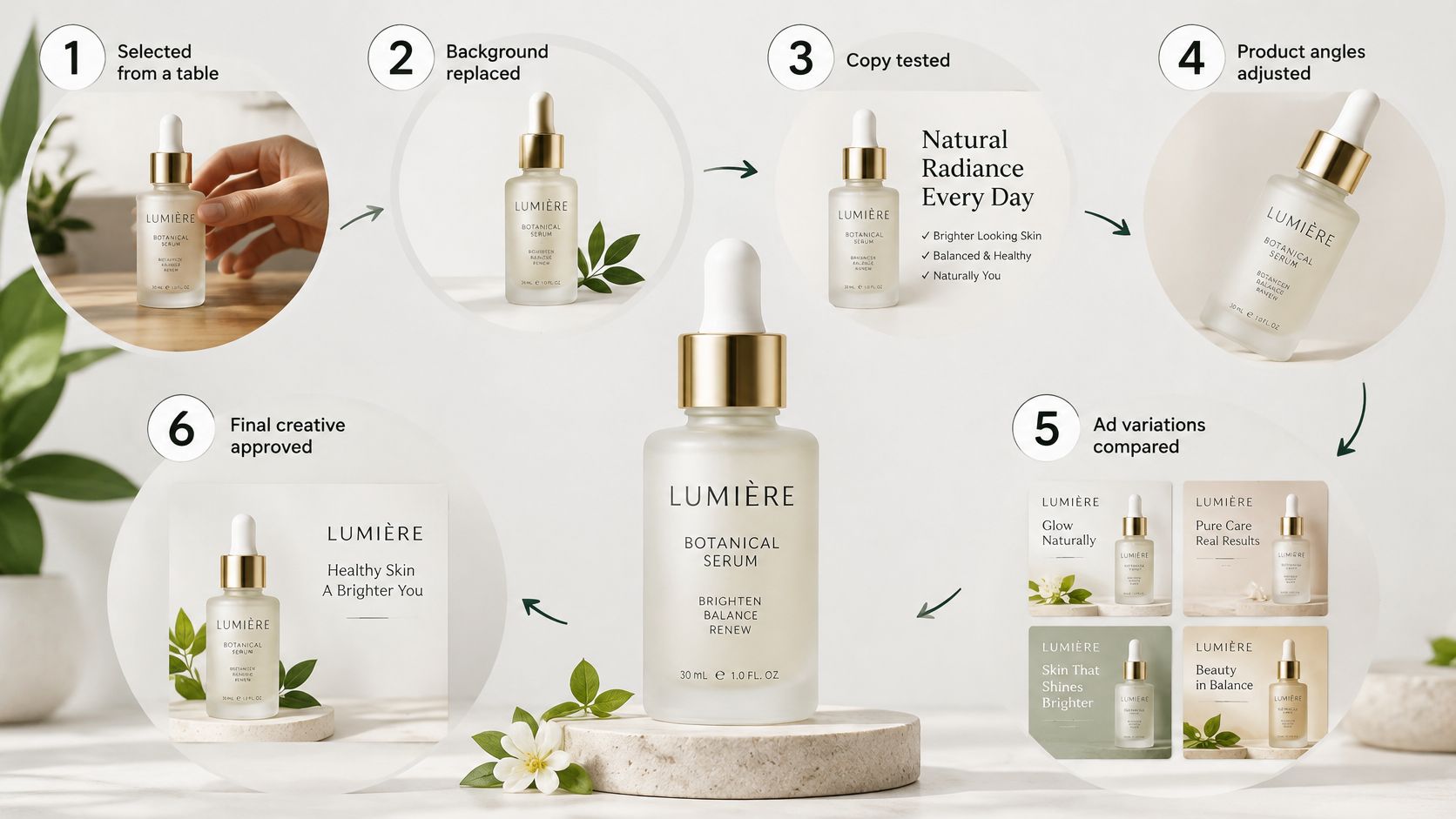
This illustrates the sequence; it is not a screenshot or Nim output.
Passes 1 to 3, choose and generate
- Choose the template for the ad job. For a dull but accurate Lumere still intended for display, use Enhance Product Photo. For a creator-style clip, choose a UGC video template. Use URL to UGC video when starting from the product page.
- Check the template's requested input. Provide the product image or, for URL to UGC video, the product URL. Use only the inputs that template asks for.
- Generate one version, then change one major variable for the second. For example, move the setting from a bathroom shelf to a plain desk while keeping the bottle, offer, and framing consistent. That gives you a useful comparison.
A second version only helps if it differs in one deliberate way and still shows the actual bottle.
Passes 4 to 6, review and leave Nim
- Compare the output with the product. Check its shape, label, color, logo, and any hands or faces the template introduced. Reject a clip that alters the bottle or invents a result, such as overnight spots disappearing.
- Improve an accepted still if needed. If it is soft, use Image Enhancer or Upscale. An image that fails the product check should not move on to enhancement.
- Download the result the template provides. Nim is an app for AI video production and offers video styles and creation categories such as UGC, Keyframes, Motion transfer, Animations, Cinematic, Timelapse, Celebrity selfie, and Fashion videos. For this ad, choose an output that suits the selected placement, then handle any crop or resize outside Nim. Safe-zone checks, music, captions, and ad-account upload belong to that later work.
For example, compare a sink setting with a plain desk. Keep the label readable in both. If the bottle's glass shape bends in the sink version, discard it even if the lighting looks richer. The desk still can serve the display placement; an accepted clip can serve the vertical video placement. Treat them as separate assets, each judged against its intended ad job.
Review Claims and Write the Disclosure
Before an ad reaches its account, compare each version with the product and the claims it makes. A polished image can still misrepresent either one.
| Check | Pass | If it fails |
|---|---|---|
| Product shape and color | Matches the actual serum bottle or other product | Discard and regenerate from the source photo |
| Label, logo, and price | Accurate, or left off if they were not supplied | Do not ship garbled text or a made-up price |
| Performance claim | Limited to a benefit the brand can prove | Remove the claim from the ad copy or headline |
| People | Not presented as a real customer, doctor, or reviewer | Drop the person or add a factual disclosure |
| Hands and shadows | Do not warp the product | Discard that variant |
| Phone readability | Product stays clear inside the TikTok safe zone | Reframe or upscale, then review again |
When a label helps and when it hurts
Write any disclosure outside Nim, after reviewing the generated asset. A label helps when it clarifies something viewers might otherwise mistake for authentic.
A three-experiment study across watches, smartphones, and moisturizers found that disclosure reduced brand attitudes overall, with a smaller negative effect for rational appeals than for emotional appeals, as reported in this Journal of Marketing Communications paper. The paper also reports that a study of 606 participants found a detailed disclosure explaining that a depicted person does not exist can reduce perceived manipulation while making the image feel more synthetic. The trust-protective effects were stronger among younger consumers. A separate experiment in the research found that disclosing AI-generated green imagery, rather than AI-generated copy, improved brand attitudes and purchase intentions when the disclosure made an environmental claim feel more specific.
For Lumere, use a short factual line if a person, testimonial, place, or performance could be mistaken for authentic. For example, state that the creator in the clip is synthetic and the bottle is the genuine product. A rational line about vitamin C on the label needs less explanation than an emotional before-and-after. Remove any fabricated review. If the clip implies a clinic, a real customer, or a result the serum has not earned, remove that element rather than relying on a vague AI disclosure.
Disclosure works when it clarifies a synthetic person or claim. Check the bottle separately against the actual product.
Test One Change at a Time
One Nim template, one ad job, and one placement is the whole test. Judge disclosure and claim risk on that asset first. A second or third variant is not progress until that check is done.
Hold the audience, placement, budget, and landing page constant. Change one variable per pair: the opening frame, the background, or the first line of the external headline. This works like tasting a sauce after one ingredient changes. If salt, heat, and oil all move together, you cannot tell which change altered the flavor.
Log each ad against its source file and the Nim template used. Record whether a viewer can name the product, whether the claim is credible, and whether complaints or refunds move after launch. Judge each variant on recognition, claim credibility, and complaints as well as clicks.
The 2025 State of Marketing AI Report identified lack of confidence in AI outputs as a leading adoption barrier, cited by 62% of respondents, with organizational understanding at 52%. That gap is a reason to keep the log, not a reason to skip generation.
The claim review already covered when disclosure helps and when a vague environmental line backfires. Apply that judgment to every new file instead of treating a fresh variant as a clean slate. A high click-through still fails if the bottle shape is wrong. Beauty, apparel, food, and any ad that implies a real person need the human pass before spend increases. Do not publish a success rate. Stop when two variants are clean and only one variable differs.
Ship One Placement First
Launch is a choice of one destination. Use the row already chosen for the Lumere job: the clean front photo, the template mapped to that job, and one placement only, either the Google responsive display set or the TikTok 9:16 video.
Ship the two approved variants from that same route: the control file and the single variation that survived review. Run the pre-launch checks, crop or resize after generation if the placement needs it, then upload inside the ad account. A 9:16 file belongs in the TikTok placement; the responsive display set uses the still version prepared for its slots.
Keep the log narrow enough to audit later: final file name, source photo, template, placement, changed element, claim checked, disclosure line, and launch date. Add result fields only after spend starts. Nothing here promises a performance lift; the goal is one reviewed asset, one placement, and a record that explains what changed.
Nim is an app for AI video production. It offers video styles and creation categories including UGC, Keyframes, Motion transfer, Animations, Cinematic, Timelapse, Celebrity selfie and Fashion videos. Generate the single chosen asset at Nim, then review claims before anything goes live.
- AI ad creative generator
- UGC ads
- product ads
- background replace
- social creatives