Product Picture Ideas: 10 Shots to Try in 2026
10 product picture ideas for e-commerce and ads, each with the input to prepare and the Nim template or workflow to try for that shot.
By Nim
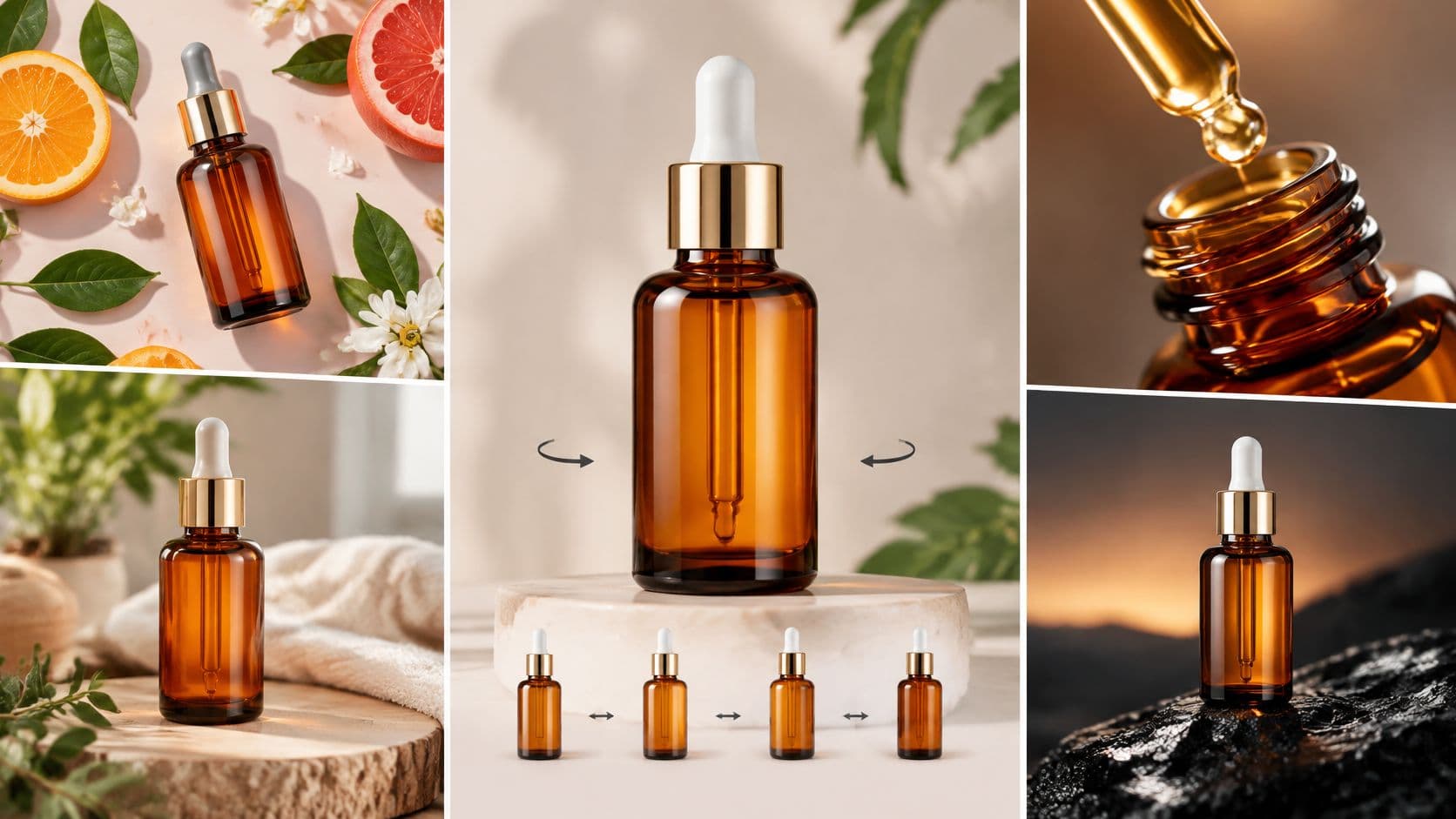
You have one usable photo and three unfinished assets: a marketplace thumbnail that needs to read at a glance, a product-page image that shows material and size, and an ad image with room for a headline. Reusing the same three-quarter hero shot leaves those jobs undone.
Shoppers use product images and videos to make purchase decisions. In Salsify's 2025 Consumer Research, 77% of 1,910 shoppers in the United States and United Kingdom rated them “extremely” or “very” important when deciding whether to complete a purchase. The same research found that 71% of shoppers had returned an item because its online product content was incorrect.
A wrong color, hidden shape, or missing part can leave a buyer with the wrong impression. These product picture ideas give each frame a clear job: show the item, reveal a detail, establish scale, or place it in use.
The ten shots are organized around the asset you need, not just a visual style. Each names the listing or ad it serves, the source photo to start with, and the trade-off. Where a Nim workflow fits, use a photo you already have as the starting point and compare the result with the actual product before publishing.
1. Seamless White Background Packshot
A packshot puts the product on plain white or near-white with no visible seam, so the item is the only subject. It is the first file for any marketplace or store that requires a plain main image, and it is the one that still reads as a tiny thumbnail. Lifestyle can wait until this frame is honest.
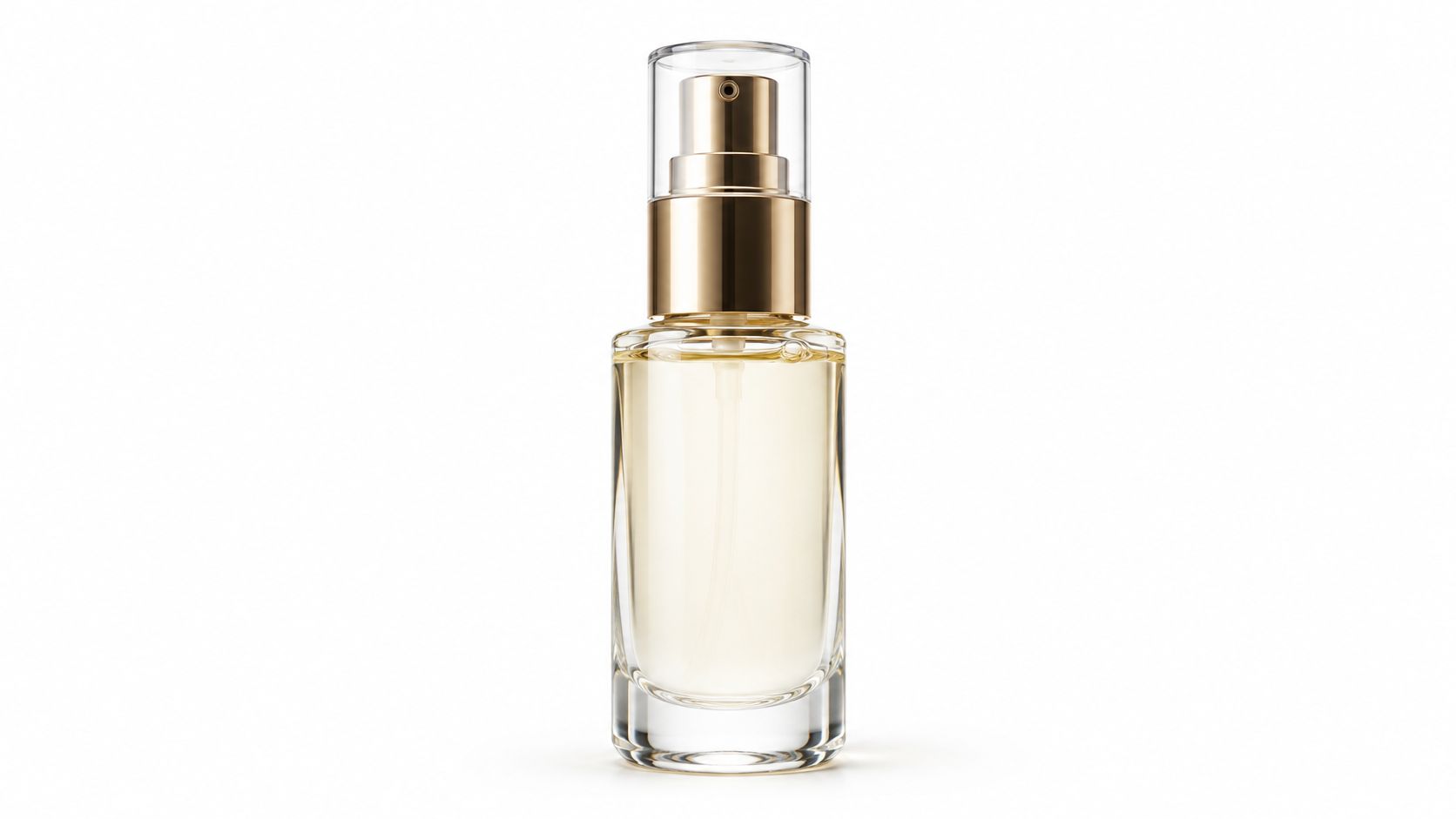
Google's product image guidance recommends that a product occupy 75% to 90% of the frame, stay fully visible, and sit in sharp focus on a solid white or light-neutral background, from a front or three-quarter angle. A perfume bottle, a charger, or a boxed serum all follow the same setup. Even light, a backdrop that curves into the floor, and a soft shadow keep the object grounded.
The trade-off is context. Shoppers can compare items side by side, and they can't see the product in a room.
- Source photo: Shoot slightly off the backdrop so the shadow line stays soft, with dust, fingerprints, and tags removed first.
- Catalog crop: Keep the frame straight and centered so every SKU crops to the same size.
- Existing file: If the photo is fine but the background isn't, test background replace on that supplied image, then check color and shape against the item.
More listing patterns sit in this guide to product images for ecommerce.
2. Lifestyle Scene in a Real Context
An ad for a mug needs to show where it belongs. A lifestyle photo places the product in a setting customers recognize, such as a mug on a kitchen counter or a pan beside ingredients. Use it for ads and category tiles; keep the packshot for the marketplace's main image.
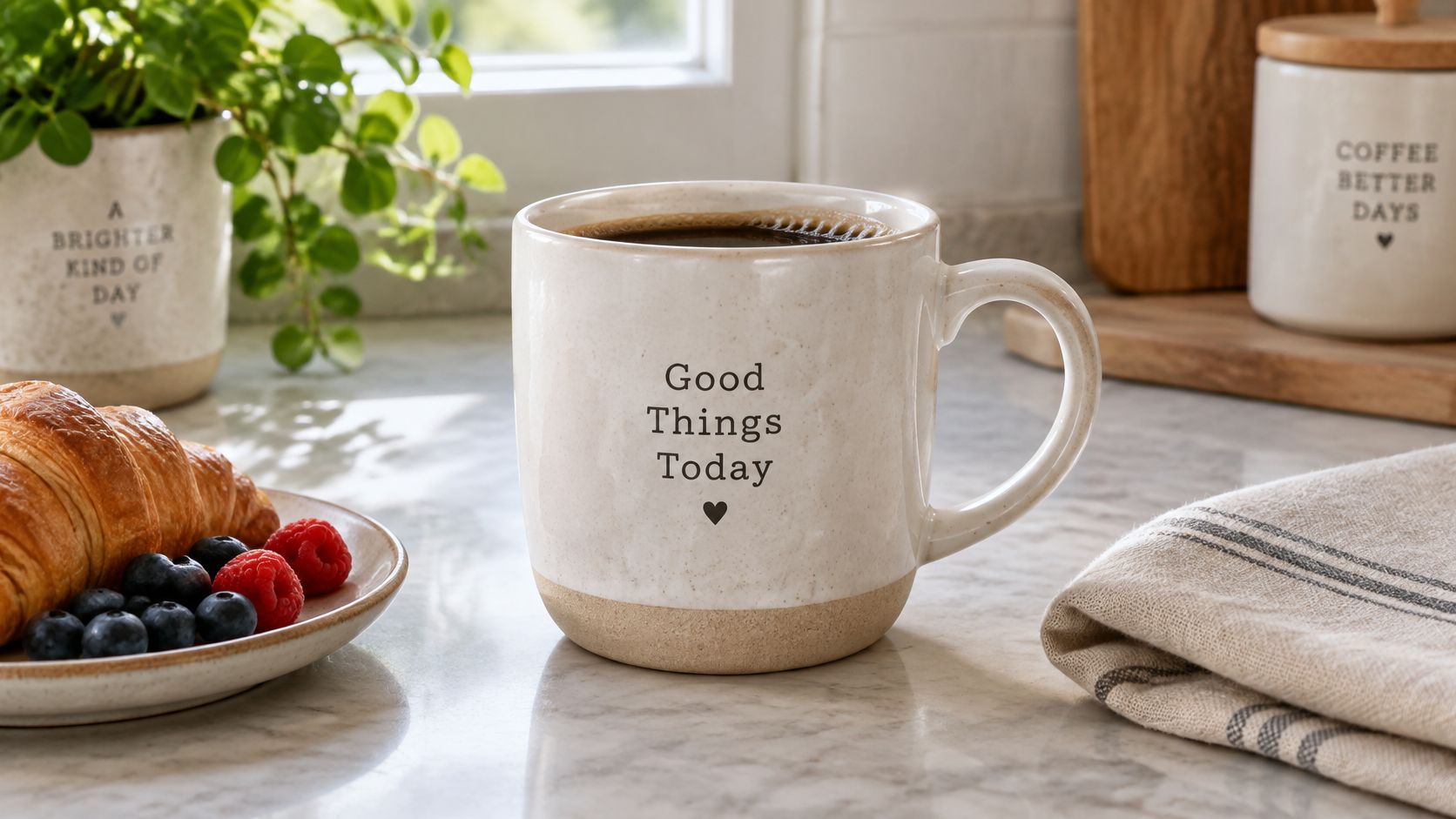
A busy kitchen can explain the use case, but it can also bury the mug. Limit props, and match the scene's light direction to the product photo so the product feels grounded. Keep an uncluttered version of the scene if you may need space for a headline.
For apparel ads, a worn shot should keep the garment as the subject. Start with a sharp product photo rather than a cluttered snapshot, and use ways to try a new look online as context for how a piece sits in ordinary use.
Nim's e-commerce templates can help create ad visuals from a still. Review the result for changes to the product's color, materials, or included items before using it.
3. Flat Lay Arrangement
A bundle listing needs a frame that shows every included piece at once. Shoot cosmetics, stationery, food kits, or jewelry from directly above, arranging the items so each is easy to identify. A palette with its brushes or a notebook set with its pens and envelopes makes the contents clear before the shopper opens the box.

Set out the full bundle first. Then keep the camera parallel to the surface so the edges stay undistorted. Arrange the pieces with enough space to distinguish them; a tight grid can make similar items blur together. Leave one side open when the image needs room for ad copy.
For small goods, use a tray or liner to keep jewelry and hardware separated. See these jewelry tray tips from Grainmark Leather for display ideas. Pair the flat lay with a packshot so shoppers can see both the bundle's contents and the thickness of each piece.
4. Hero Shot with Negative Space and Gradient Backdrop
A launch banner needs room for its headline; a listing image needs to show the product clearly. A hero shot puts one product against a solid color or gradient, with open space planned for the copy. Use it for a homepage banner or social ad when the source photo shows the product cleanly and can be placed away from the headline.
Practical rule: Reserve the headline area first. Place the product where the type will not cover a logo, port, or label.
Check the product color against the backdrop. A teal bottle can disappear against a teal gradient. Keep the product in a consistent position across campaign banners, and set the open area to suit the layout: for example, the product on the left and the offer on the right.
A hero frame gives up texture and scale, so it cannot carry a listing alone. Pair it with a clear product image when shoppers need to assess the item.
To test different backdrops from one product photo, Nim's background replacement workflow is one option. Keep the setting appropriate to the product, so the backdrop does not suggest a use or context that does not fit.
Salsify's report on product visuals says 42% of shoppers abandon a cart when product visuals are weak or missing. A polished hero still needs to show the item clearly.
5. Macro Detail Shot
A fabric close-up can show what a packshot cannot: weave, stitching, finish, or a printed label. Use a macro image beside the full product shot when shoppers need to inspect a material or feature. Apparel pages can show fabric; watch and jewelry pages can focus on a dial, clasp, or engraving.
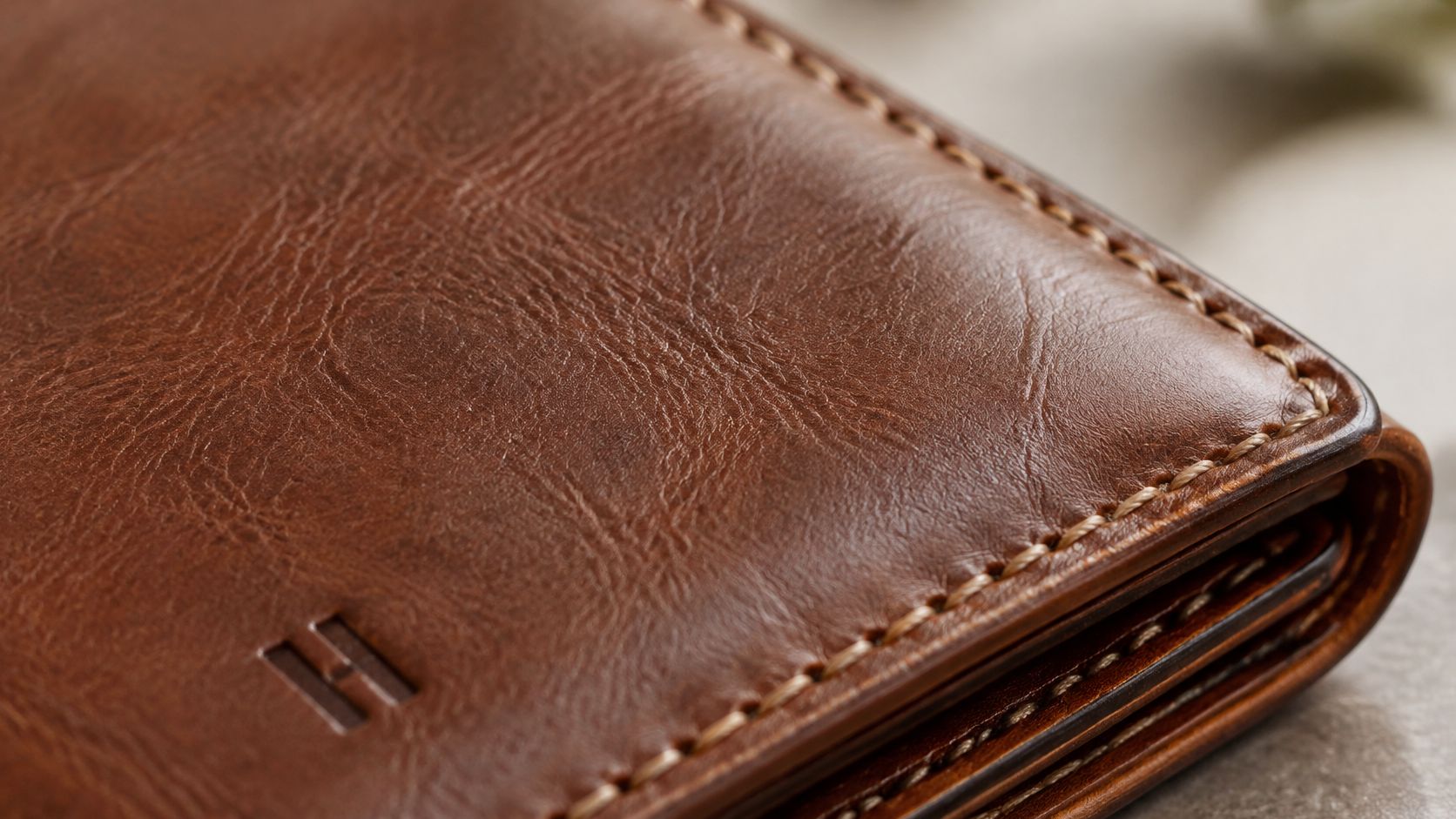
Baymard Institute found that 25% of benchmarked e-commerce sites provided insufficient resolution or zoom for visual evaluation. A soft crop of a leather edge still leaves the stitching hard to judge. Side light can bring out texture on fabric and leather. Keep the color temperature close to the main image so the gallery feels consistent.
Choose one detail for each key feature. Repeating nearly identical views of a seam uses space that could show another useful detail. For a shirt page, a close view of the cloth can complement the full-garment packshot, as with this Paint By Numbers wave shirt.
A macro gives up the full-product view, so keep the packshot nearby. If the only available detail image is small, Nim's upscale tool can enlarge it. An upscale cannot add sharpness the original photo lacks, so compare the enlarged texture with the actual item.
6. Scale Reference or In-Hand Shot
A small accessory can look larger or smaller than it is in a clean packshot. Add a scale reference to listings for accessories, cosmetics, and small electronics when buyers need to judge grip, wearability, or storage space. A phone grip in a hand shows how it sits; a compact bottle beside a familiar object gives buyers a quick size cue.
Baymard's scale research reports that 42% of users try to understand a product's size from product-page images. The same research found that 28% of sites omit an in-scale image even for best-selling products. Put the reference beside the product, not in front of it, and keep the full item visible.
Keep the hand small in the frame so the product remains the subject. Choose a neutral sleeve, and use the same reference object and camera angle across a product line to make sizes easier to compare. Add exact dimensions to the product text; an AI-generated scene can suggest relative scale but may be wrong by millimeters.
Hands add realism, but skin tone, nails, and tight crops can distract. If the hand draws the eye, switch to a familiar object on the same surface.
7. Hard-Light Shadow Play
A hard-light shadow shot suits a social ad or lookbook better than a standard product listing. A directional source casts a defined shadow across the product and backdrop, giving a fashion or beauty image a graphic feel. The trade-off is a less even view of the product, so use a clean source photo with the logo, opening, or key feature facing the light.
Start with the product on a plain surface. Set a window or bare light at an angle, then adjust the product until its shadow strengthens the composition without covering the feature you need to show. Props can make the shadow feel busy, so add them only if they support the product.
Use a softer version of the setup for the product gallery and reserve the hard-light frame for the ad. Keep the shadow from getting so dark that the product color shifts away from the packshot. Deep shadows can hide grain or finish on the unlit side, so make sure the key detail remains visible in the lit area.
8. Ghost Mannequin Garment Shot
For a product-page image that shows a garment's shape without a model, use a ghost mannequin view. It suits consistent catalog listings, but it cannot show how the garment looks when worn. The image is usually assembled from multiple photos of the same piece, including front and interior views, so the neckline and hem appear continuous.
Steam and pin the garment before photographing it; wrinkles can make the fit look uneven. Keep the lighting, camera height, and background consistent across front and back views so the images combine cleanly. Repeat the setup across the range to give the catalog a consistent look.
Use a worn-on-model image beside the ghost view. It adds styling context that the structure-focused shot cannot provide.
The ghost view shows structure but not how the garment moves, so it needs a worn image beside it. For a separate on-body test using a garment photo, see this guide to AI virtual try-on. Treat a generated worn view as styling context, and check that the neckline, length, and color still match the item you sell.
9. Product in Motion Splash, Drop, or Levitation
A drink can caught in a splash can signal refreshment; sports gear frozen mid-swing can suggest action. Use these motion shots in an ad when movement supports the product's story. Start with a clean source photo that shows the product clearly, and leave room to animate around its shape.
Plan the action with a stand-in before putting the product at risk. Fast shutter speed, timing, and hard light can freeze a splash, but a bright reflection or flying droplets can obscure the label. Keep a static packshot on the product page for identification.
For an animated version of a supplied product image, explore Nim's e-commerce templates. Review the result frame by frame for changes to the bottle, color, or included parts. A generated splash is a visual effect, not evidence of a formula, flavor, or performance claim.
10. Multi-Angle Product Sequence for Video
A product-page video can move through front, side, back, top, and detail views. This sequence suits electronics, footwear, and other products whose ports, soles, or thickness are hard to judge from a hero shot. It works best when each frame shows the same item at a consistent scale and under consistent lighting.
Start with the largest genuine source photo available. Keep the product's position, camera height, focal length, backdrop, and lighting consistent across the views. Small shifts in height or light become obvious as the sequence plays.
- Position: Mark the product's starting point so it stays aligned between views.
- Camera: Keep the height and focal length fixed to avoid apparent changes in product size.
- Light: Use the same backdrop and lighting setup for the sequence.
- Polish: You can test a softer or duller source on Enhance product photo, then compare the result with the item.
Five matched stills need careful setup, and any change in height or light can show across the whole sequence. For guidance on turning product imagery into a page video, see product video for ecommerce.
How the ten product picture ideas compare by use, limitation, and placement
Choose the shot by the question the listing or ad needs to answer. The source photo sets the limit: a clean product image can support a cutout or detail crop, while a room scene, hand, or action frame needs matching context.
| Shot | Product question it answers |
|---|---|
| Clean White Background Packshot | What does the item look like without styling? |
| Lifestyle Scene in a Real Context | How does it look in the setting where it will be used? |
| Flat Lay Arrangement | What comes in the set, and how do the pieces relate? |
| Hero Shot with Negative Space and Gradient Backdrop | Where can headline or offer text sit beside the product? |
| Macro Detail Shot | What does the material, finish, or small feature look like up close? |
| Scale Reference or In-Hand Shot | How large is the item compared with a hand or familiar object? |
| Hard-Light Shadow Play | How can shape and shadow create a graphic campaign image? |
| Ghost Mannequin Garment Shot | How does the garment hold its shape when worn? |
| Product in Motion: Splash, Drop, or Levitation | How can the image suggest movement, freshness, or performance? |
| Multi-Angle Product Sequence for Video | What changes across the product's front, sides, back, and details? |
Build the Set in Order of Need
Start with the shot that answers the listing's biggest question. A clean packshot anchors the set; add a detail frame for material, an in-hand image for size, or a flat lay for a bundle. For an ad, negative space can leave room for copy, while a motion image can suggest action. Each source photo has a trade-off: a busy setting can distract, and an edited background can affect how the product's color reads.
Salsify's consumer research reported that shoppers wanted an average of 3 product images in 2016. Three years later, consumers across nearly every age group expected approximately twice as many images and at least 2 videos. Build a short set in which each image does a different job, rather than filling the gallery with near-duplicates.
Check the file before you upload
Marketplace rules shape how you prepare the final files. Google's product data specification requires image URLs to be crawlable and accepts JPEG, WebP, PNG, GIF, BMP, and TIFF. It advises against submitting scaled-up images or thumbnails. For images created with generative AI, Google requires metadata identifying them as AI-generated, such as the IPTC DigitalSourceType value for trained algorithmic media. Keep the primary image unaltered or faithfully enhanced, and save lifestyle, detail, and motion versions as separate files.
Prepare a supplied photo for the specific shot you need, then review the generated result against the original product. Reject an image that changes the product's color, adds accessories, or implies a measurement not stated in the listing. To create a missing product visual, open Nim's e-commerce templates, provide the input requested by the template, and review the result before using it.
Nim brings product-photo enhancement, background changes, and e-commerce templates together for listing images and short product videos. Use a trusted catalog photo as the starting point for a cleaner packshot, a campaign backdrop, or a multi-angle sequence, then compare the result with the item you sell. Visit Nim to build the next frame from a source image you already trust.
- product picture ideas
- product photography
- e-commerce product photos
- product image ideas
- AI product visuals