AI UGC Video Generator: How to Create Creator-Style Ads
Learn how to use an AI UGC video generator to turn product photos into creator-style ads with prompts, voiceover tips, and platform-ready exports.
By Nim
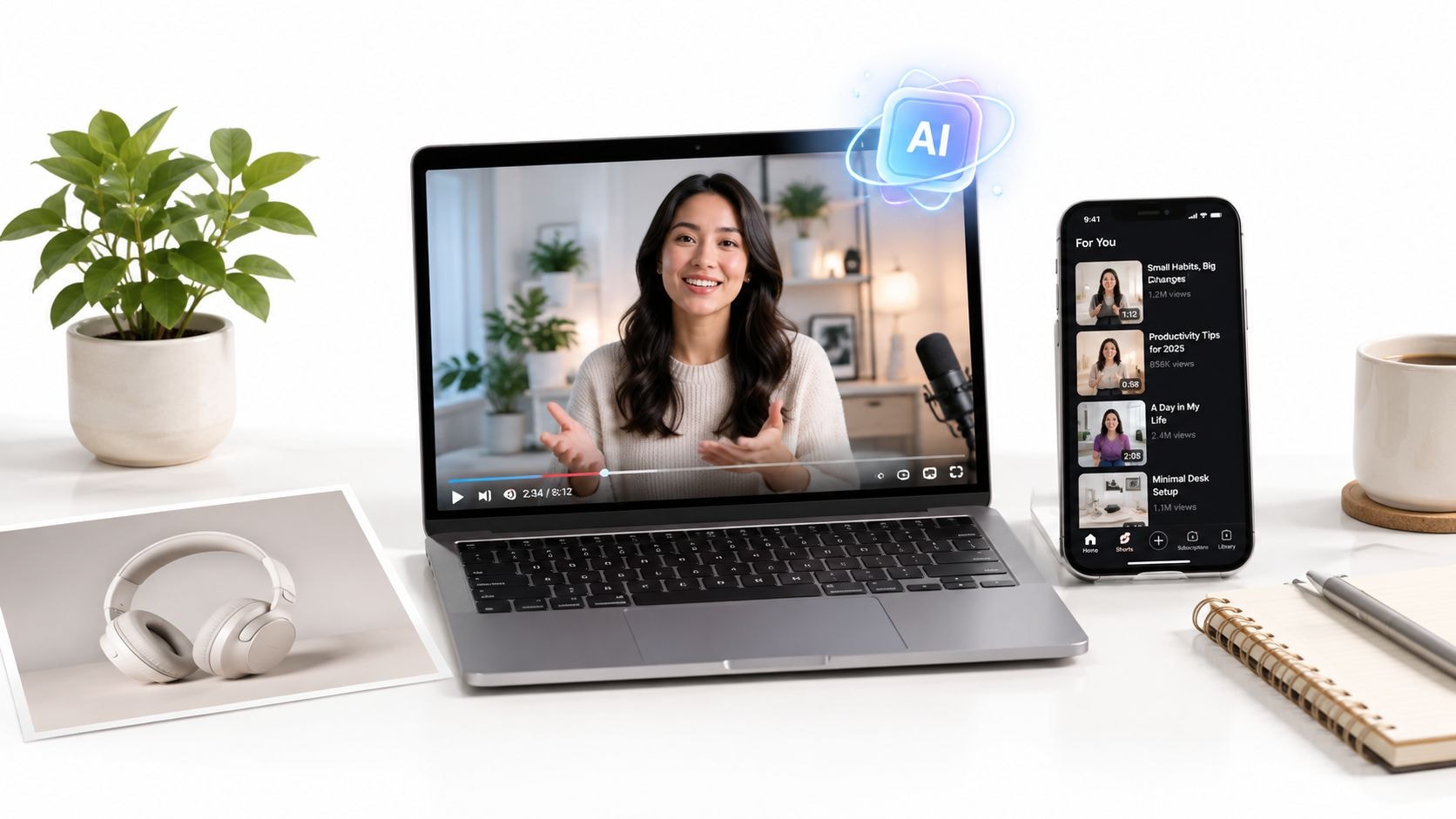
A product team has a new offer, a folder of product photos, and a paid-social deadline approaching. The usual production route means finding a creator, briefing the shoot, waiting for footage, and editing several hooks. An AI UGC video generator can shorten the production stage, but only when the inputs, template, review process, and testing plan are handled as one pipeline.
The practical objective isn't to make a synthetic testimonial and call it finished. It's to turn a product into a creator-style ad, produce controlled variations, identify useful angles, and reserve human footage for moments where trust and lived experience matter most.
What an AI UGC Video Generator Actually Does
An AI UGC video generator turns product inputs, copy, or a short brief into a creator-style social video. Depending on the workflow, it can combine a presenter, spoken script, product framing, and a short-form ad structure. The result is synthetic spokesperson content, not a real customer's experience, so the brand remains responsible for every claim and implication.
For a product-photo-to-ad task, the most direct starting point is Nim's UGC ads templates. The linked workflow is designed for supplying the relevant product input, generating a creator-style result, reviewing it, and downloading the usable version. That makes it a production step inside a campaign system, not a substitute for audience research, offer design, or creative strategy.
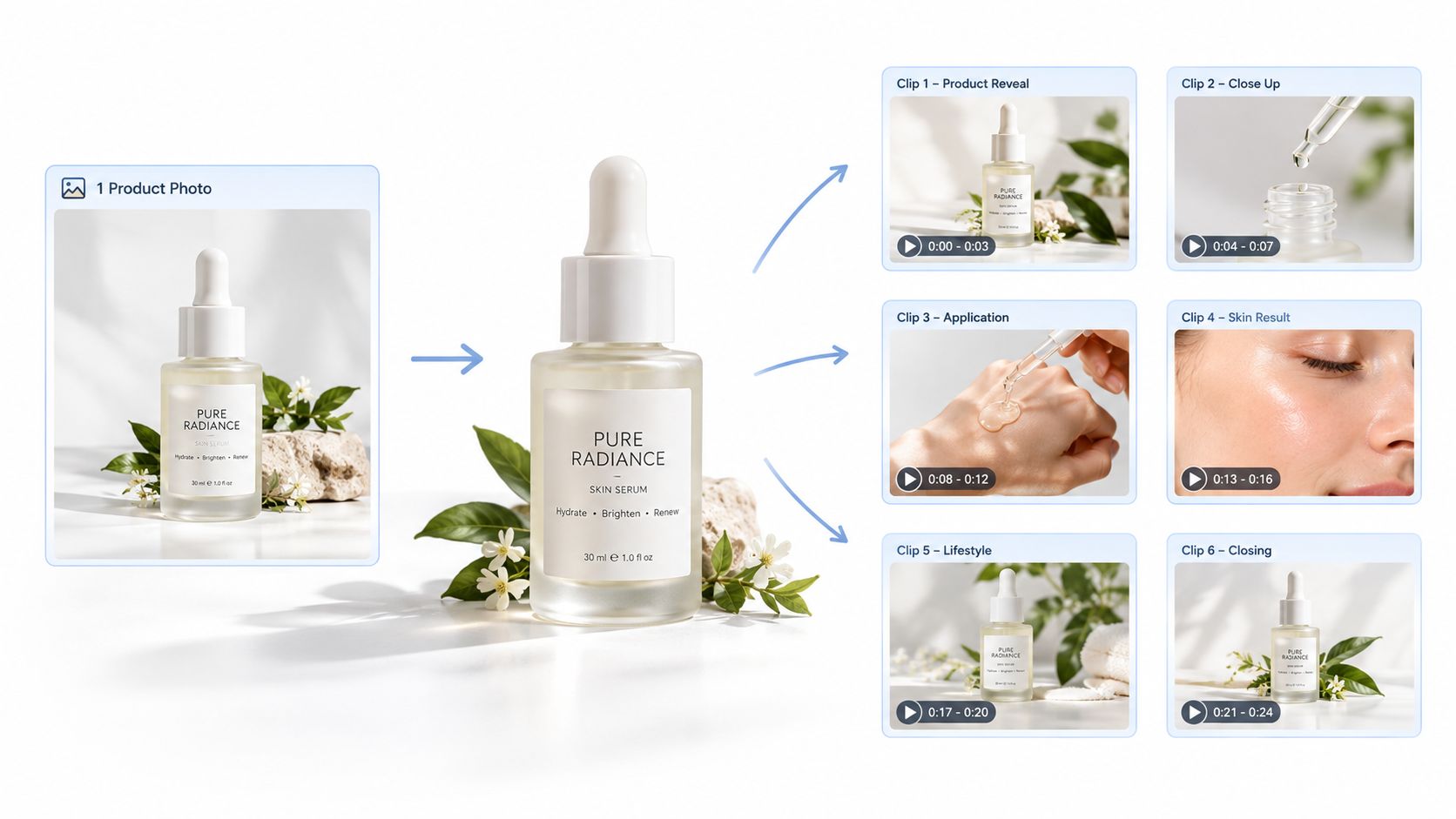
The useful output is variation
The strongest reason to use this format is controlled creative volume. A marketer can develop several openings for the same product, then compare the role of the hook, presenter style, framing, or message without arranging a separate shoot for every version.
That only works if the generator is treated as a repeatable process:
- Define the product angle. Choose one problem, benefit, or objection for the first cut.
- Prepare the source material. Use product visuals and copy that accurately represent the offer.
- Select a matching template. The template should fit the intended creator-style format.
- Generate and inspect. A fast render still needs a factual and visual review.
- Download only reviewed versions. Keep the winning cut separate from drafts and untested variants.
Teams building a wider social workflow can also consult this guide to AI social media success for planning context. The important distinction is that generation handles production mechanics, while the campaign team still decides what the audience should believe, feel, and do.
Practical rule: Treat synthetic UGC as an ad asset, not as evidence that a real person used the product.
Preparing Product Photos, Headlines, and Captions
Input preparation determines whether the final clip feels like a product ad or a confused collage. The generator can only work with the visual evidence and message supplied to it. If the product is tiny, partially hidden, heavily compressed, or surrounded by distracting objects, the resulting product moment may be difficult to trust.
A useful source folder starts with three visual roles:
- Hero product photo: A clean image where the full product is easy to identify.
- Use-context photo: A scene showing how the product fits into a real routine or environment.
- Detail photo: A close view of packaging, texture, label, feature, or component that the script may mention.
The source images should be sharp enough for the intended composition and free from artifacts that could be mistaken for product details. A square product image and a vertical lifestyle image can serve different creative purposes, but the product itself must remain consistent across the set.
Write copy for spoken delivery
The headline should express one benefit in plain customer language. A line such as “Comfort for long workdays” gives a presenter a clear direction, while a crowded claim such as “Advanced multi-action ergonomic support system” sounds like packaging copy and creates more room for awkward delivery.
Captions should reinforce the spoken point rather than introduce a second message. Two or three short lines can clarify the hook, benefit, and action, but every line needs to remain readable and factually supportable. Claims about outcomes, ingredients, pricing, health, or performance deserve particular care before generation.
Before opening a template, a product folder can contain:
- One approved hero image.
- One context image.
- One feature or label close-up.
- One short headline.
- One creator-style hook.
- One caption and call to action.
This preparation also helps when a seller is moving from a still asset into motion. The practical principles in Nim's guide to image-to-video creation are relevant here because animation can't repair unclear source photography. It can only add movement to the visual information already available.
The first run should use a stable set of inputs. Changing the image, headline, and hook together makes it impossible to tell whether the template or the message caused a weak result.
Choosing the Right Nim UGC Template for Your Task
Choose the template from the job the ad must perform. A product demonstration, spokesperson message, URL-led script, and reaction concept each require different inputs and create different review risks. Select the format before finalizing the script, then prepare only the assets that format can use well.
| Template | Best For | Required Input |
|---|---|---|
| UGC ads templates | A creator-style product ad built from prepared product material | One approved hero product photo, one headline, and one creator-style hook |
| UGC talking head on green screen | A single spokesperson-led message with the product or background handled as part of the creative direction | One spoken script or benefit statement, plus the product visual or background direction |
| URL to walk-talk | A walk-and-talk concept based on existing product or landing-page information | One product or landing-page URL plus the fields shown on the template page |
| Photobooth UGC | A presenter reacting to a flat lay, lifestyle image, or product-focused visual | One clear product or lifestyle image, one reaction angle, and the key product information |
Match the format to the message
Start with the UGC ads collection when the campaign already has a strong product image and needs a direct creator-style ad. It suits a clear benefit, hook, and call to action built around the product itself.
Use the talking-head format for a launch statement, direct-response hook, or single benefit that depends on presenter delivery. Prepare the spoken point first. This format is less suitable when the viewer needs to see several product functions or a detailed demonstration.
URL-to-walk-talk fits a product page that contains usable facts, positioning, and offer details. Check that the URL shows the correct product and current offer before generation. Treat the page as a source for the script, not a substitute for reviewing claims.
Photobooth UGC works for reaction-led creative, including an unboxing idea, gift concept, or presenter responding to a product image. Use a flat lay with clear object separation. A crowded image forces the generated scene to interpret too many competing items.
The template also determines what AI can handle reliably. It can create useful visual and delivery variants from clean inputs, while product demonstrations, unusual physical interactions, and nuanced reactions still need closer human review. Choose one creative job, supply the matching assets, and keep the first concept focused.
Running the Template Workflow and Iterating on Variants
The generation loop is simple, but the discipline around it determines whether the output becomes useful campaign material. Open the selected Nim template, provide the prepared input requested on that page, generate the first cut, review it, and download the version that passes the checks. The linked product video animation guide can also help teams think about how a still product asset should translate into motion before they create multiple versions.
Start with a controlled first cut
The first generation should answer one question: can the chosen template express the intended product angle clearly? It doesn't need to carry every benefit, objection, promotion, and proof point at once.
A practical review checks:
- Product identity: Does the item look like the supplied product?
- Message accuracy: Does the spoken and visible copy match the approved claim?
- Opening clarity: Is the first moment understandable without extra context?
- Visual continuity: Does the product stay coherent as the scene changes?
- Presenter fit: Does the delivery suit the audience and offer?
- Pacing: Does the clip move quickly enough without making the message hard to follow?
- Brand safety: Are labels, claims, and implied results acceptable for publication?
Independent AIGC evaluation research supports using more than one quality signal. Visual appearance, text adherence, and motion coherence can fail separately, so a clip with attractive framing may still be unusable if the product changes shape or the motion breaks in the relevant benchmark research.
Change one variable at a time
A useful testing round changes only one meaningful element. Keep the template, product input, and overall message stable while changing the hook. In the next round, restore the original hook and change the template. Later, adjust the product framing or supporting detail.
This isolation makes the results interpretable. If the team changes the presenter, message, product image, and pacing at once, a stronger result provides no clear lesson for the next batch.
For naming, a simple structure such as talking-head-problem-hook-v1 and talking-head-problem-hook-v2 keeps the asset library understandable. The exact naming convention matters less than consistency. The strongest reviewed version should be downloaded before another generation cycle introduces drift.
Teams that connect creative production to paid distribution may also need an automation builder for Meta, but automation shouldn't remove human review. A system can move files and organize variants. It can't decide whether a synthetic presenter has made a product claim sound misleading.
Adding Voiceover, Subtitles, and Platform Exports
Treat Nim as the generation stage defined by the selected template. Voiceover recording, subtitle styling, music, and final platform preparation can happen in a separate editing workflow when the campaign needs them. This boundary keeps the production plan accurate and prevents assumptions about controls the template may not provide.
Choose the voice before polishing the edit. A synthetic read can support rapid prospecting tests, while a human recording adds warmth, hesitation, emphasis, and product familiarity that synthetic delivery may miss. Match the audio to the on-screen claims, then review the finished cut with sound on and off. Silent playback often exposes weak hooks, unclear captions, or a call to action that depends too heavily on narration.
Subtitles should carry the message
Paid social viewers may watch without audio, so captions must communicate the core promise rather than transcribe every spoken word. Use short lines, strong contrast, and timing that gives viewers enough time to read. Decorative animation should never compete with the product or the message.
Review each caption pass against these questions:
- Can viewers understand the opening message without audio?
- Does every caption remain visible long enough to read?
- Does the text cover the product or presenter's face?
- Are brand names, ingredients, measurements, and claims spelled correctly?
- Does the call to action stay visible long enough to act on?
Readability is a production check, not a final cosmetic adjustment. Fix crowded lines, late captions, and obscured product details before exporting variants.
Prepare exports outside the generation step
The source brief specifies vertical social use, but placement requirements can change. Confirm the current aspect ratio and length limit in the placement's spec sheet before rendering, rather than assuming one file fits every destination.
| Format | Working specification |
|---|---|
| Vertical short-form | Use 9:16, then confirm the current aspect ratio and length limit in the placement's spec sheet before rendering |
Finish the visual review first. Add external voiceover or subtitle treatment next, then inspect the final file in the placement where it will appear. Check the first frame, caption safety, product visibility, audio clarity, and call-to-action timing on a phone-sized preview.
Nim's talking object workflow shows how image-led motion can support a creative concept. It does not mean every UGC template includes post-production controls, so verify those capabilities before building the editing plan.
Where AI UGC Falls Short Against Human Creators
AI UGC is useful when a team needs many hooks, fast concept checks, or low-risk prospecting assets. It becomes less reliable when the audience needs proof that a real person used the product, encountered a problem, or can answer a specific objection from experience.
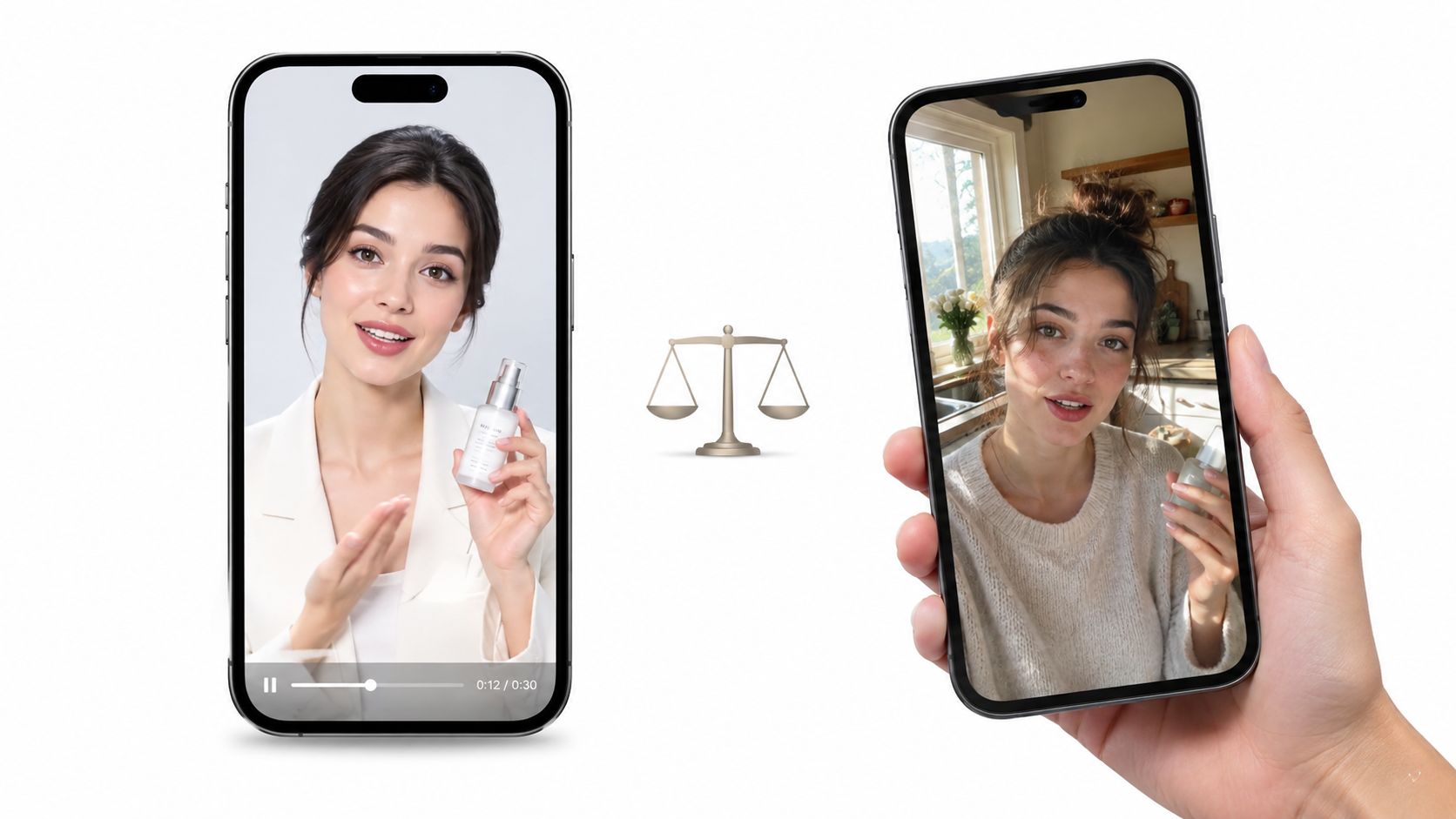
A comparison cited in the supplied research reports a 63% trust score for AI UGC versus 81% for human UGC, with the human format performing better on emotional authenticity and peak-conversion placements in the cited AI UGC comparison. The figure shouldn't be treated as a universal forecast for every account, but it captures the practical trade-off: synthetic content can look plausible without carrying the same credibility as lived experience.
Use AI for discovery, humans for proof
Synthetic variants work well for discovering which problem, benefit, or opening deserves more attention. They also help teams produce creative around different product angles without asking a creator to film every early hypothesis.
Human footage still earns its place when:
- The offer depends on trust. Sensitive categories and high-consideration purchases benefit from credible personal explanation.
- The product needs demonstration. A real creator can show handling, use, texture, fit, or setup with natural imperfections.
- The audience has detailed objections. Human creators can respond to questions with specific context instead of repeating a generalized script.
- Cultural or community nuance matters. A creator with genuine familiarity can communicate references and concerns that a synthetic presenter may flatten.
- The ad is the credibility anchor. A hero placement or decisive offer deserves the strongest available trust signal.
Performance review should go beyond views. Compare the quality of comments, the point where viewers leave, the behavior of retargeting audiences, and the conversion role of each creative. A synthetic clip that attracts attention but fails to create meaningful consideration may be useful as a testing asset, not as the final scale asset.
The honest split: Use AI UGC to test angles and build volume. Use real creators when authenticity is part of the product's value.
Your Next Step Into a Nim UGC Template
A product photo looks clear in a folder but can fail once placed in a creator-style scene. Start with clean visuals, one focused headline, and a defined hook. Select the template for the job, generate a first cut, then review product accuracy, framing, pacing, and message clarity before producing more versions.
The smallest useful test needs one prepared product photo and one headline. Open Nim's UGC template collection, choose the format that fits the campaign, and provide the inputs it requests. A talking-head format supports a presenter-led message. A walk-and-talk format suits URL-informed product information. A photobooth format fits a reaction built around a product image.
Treat the first render as a review checkpoint, not a finished ad. Check whether the product is represented correctly, whether the creator-style reference matches the intended angle, and whether the message remains understandable in the chosen format. Change one variable per iteration, such as the hook, product angle, or template, so performance results remain interpretable.
Use the UGC strategy resource for broader planning around campaigns that launch viral campaigns with users. Nim handles repeatable synthetic variants and production speed. Real creators still provide stronger proof when the offer depends on lived experience, physical demonstration, or high trust.
Start with one product image and one clear hook. After the accuracy check passes, build a controlled variant set, then add voiceover, subtitles, and platform exports.
Nim provides templates for turning prepared product inputs into creator-style UGC ads through input, generation, review, and download. Visit Nim to begin.
- ai ugc video generator
- ai ugc ads
- ugc video templates
- creator-style ads
- ai video workflow