Floor Plan to 3D: A Practical Guide Using Nim
Convert a floor plan to 3D with Nim's Plan to 3D template. Step-by-step workflow for preparing inputs, generating visuals, and reviewing results.
By Nim
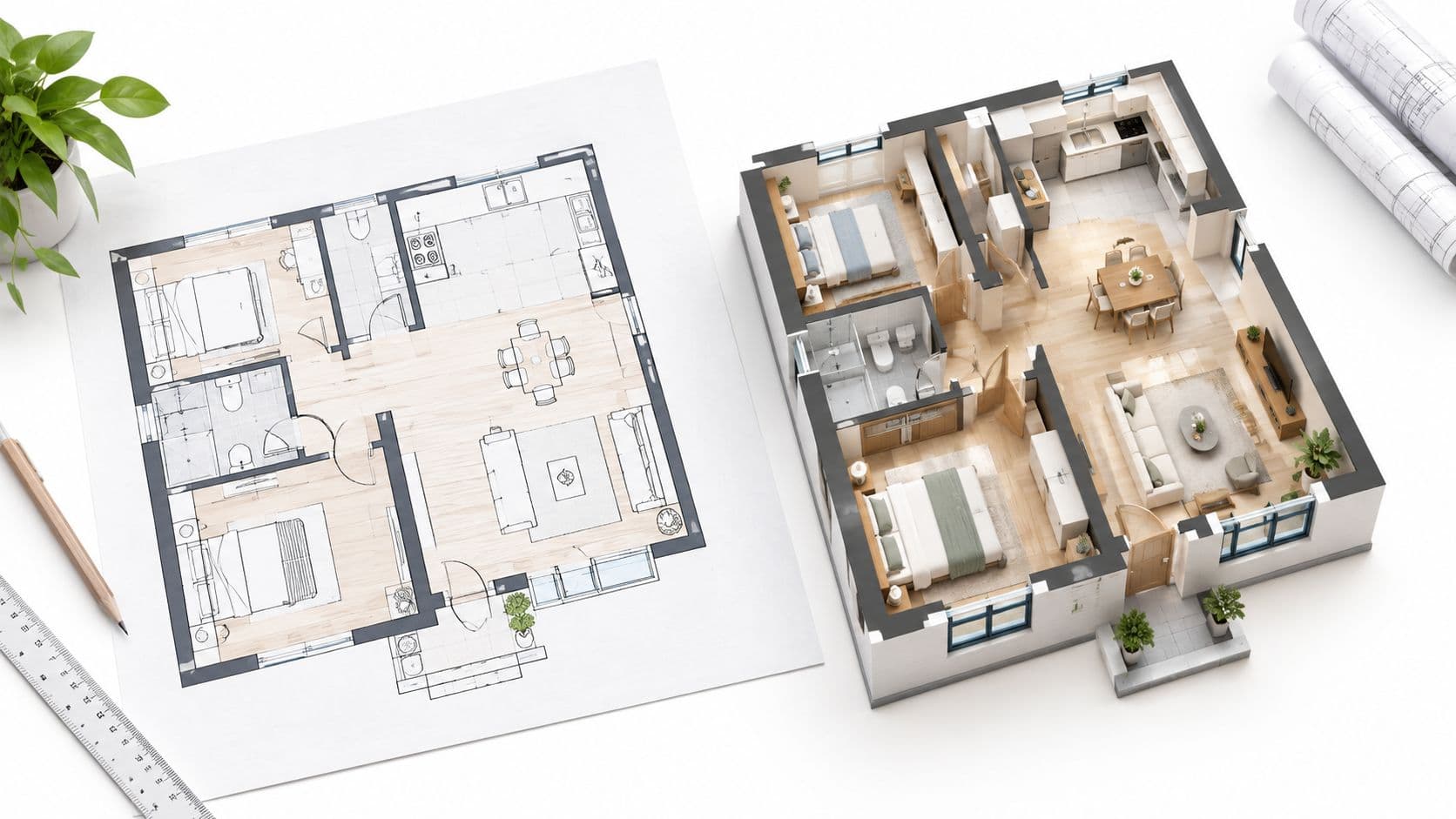
A listing is due tomorrow, the seller has supplied a flat floor plan, and the marketing team needs something buyers can understand at a glance. A Floor Plan to 3D workflow turns that flat drawing into a three-dimensional visual that shows depth, room relationships, and likely scale. It's a communication aid for listings and presentations, not a measured architectural record.
What a Floor Plan to 3D Workflow Actually Delivers
A conventional 2D plan records walls, doors, circulation, and room relationships from above. Most buyers don't have drafting training, so they can miss how rooms connect or whether furniture will fit. A 3D version adds depth, furniture scale, finishes, and perspective, making spatial relationships easier to read remotely.
That legibility has commercial value. Floor plans rank as the third-most important feature buyers evaluate in online listings, and 86% of buyers are more likely to view a property when an appealing floor plan is available, according to industry reporting on buyer listing preferences. Separate listing research reports that 64% of buyers expect a floor plan on every listing, that one in five buyers won't schedule a showing without one, and that 51% say floor plans helped decision-making, as summarized in guidance on floor plans for real estate listings.
What the Output Is and Isn't
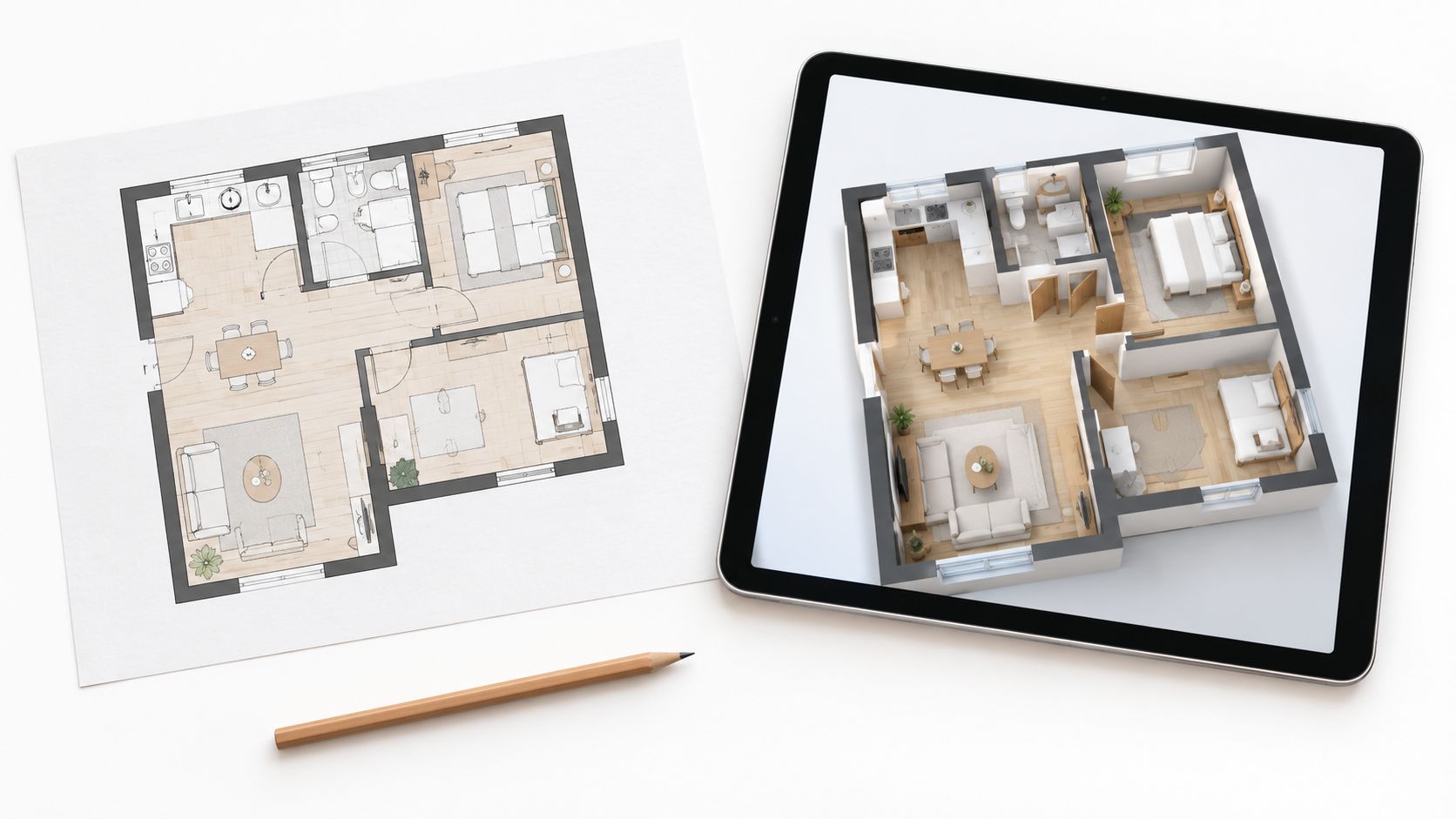
The deliverable is an illustrative spatial visual. It shows likely proportions, entrances, room sequence, and furnishing context. It doesn't prove dimensions, structural conditions, ceiling heights, or accessibility compliance, because a 2D plan often omits vertical information entirely.
Practical rule: Keep the original plan attached to every generated visual. The plan is the reference document, and the 3D scene is the explanation layer on top of it.
Treat the result accordingly. Use it to help a buyer pre-screen a property, to open an early design discussion, or to support broader AI real estate video content for a listing. Don't use it for construction, compliance, or renovation decisions without verification against measured documentation.
The same honesty helps with related design conversations. Resources such as mobile showroom vanity design tips show how visualized layouts guide choices before anything is built, which is exactly the role a 3D plan visual should play.
Preparing Your Floor Plan for Conversion
Output quality depends heavily on input quality. Blurry scans, cluttered drawings, and inconsistent sketches reduce recognition performance, so preparation is where most avoidable errors get caught. Start with the cleanest, highest-resolution version available, with strong contrast between lines and background.
Confirm Scale and Dimensions First
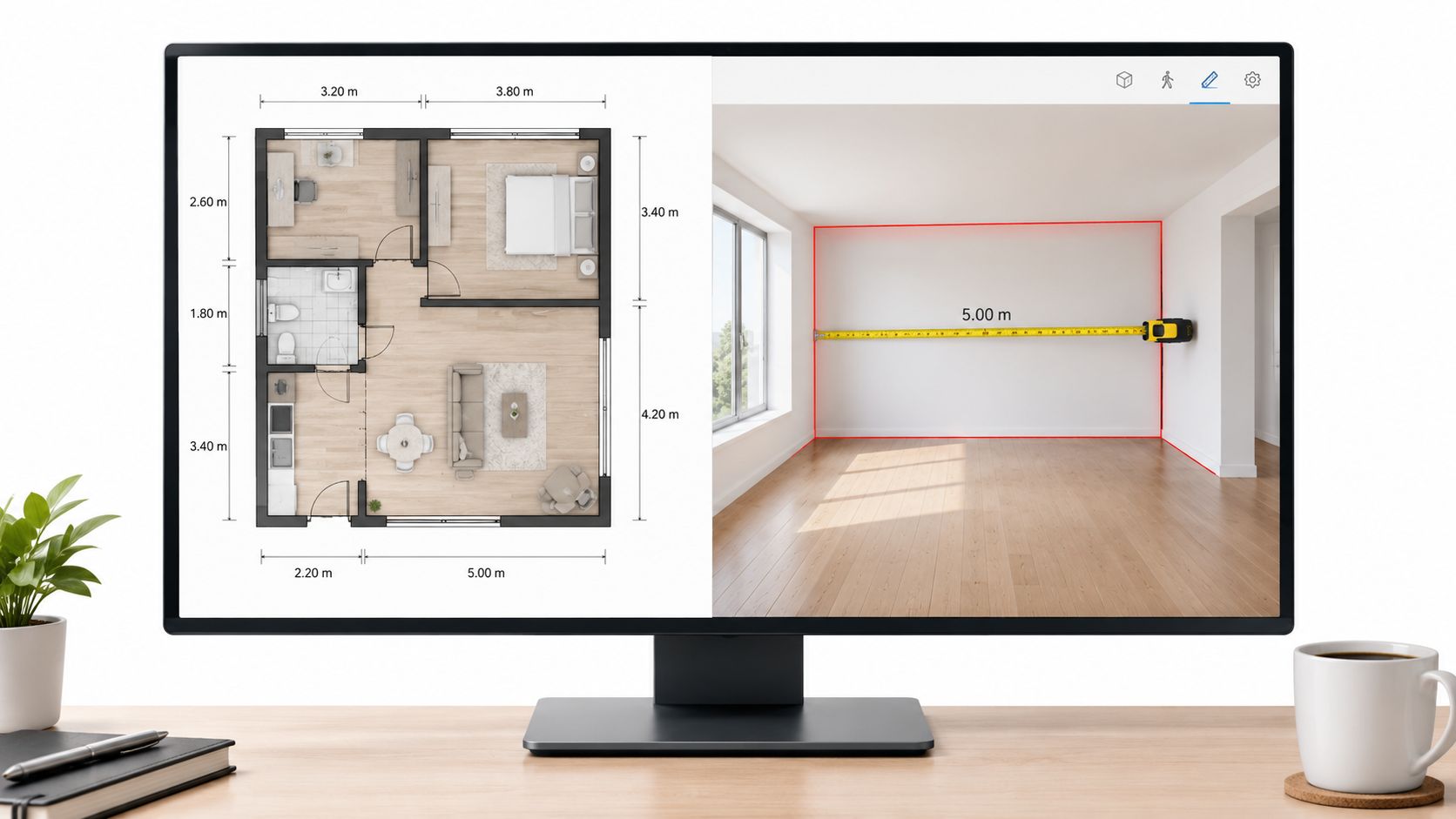
A plan needs a stated drawing scale before proportions can be read reliably. Architectural plans are commonly drawn at 1:50 or 1:100, and at 1:100, 1 cm on the plan represents 1 m in the building, as explained in guidance on architectural drawing scales. A wall measuring 4.2 cm on a 1:100 plan should therefore read as 4.2 m long.
Check that the scale is visible, usually in the title block, before generation. Avoid cropped or resized exports that strip the scale, because measurements inferred from pixels can then be wrong. Municipal drawing standards call for labels and dimensions for all spaces and openings, as set out in Calgary's residential drawing standards. Where a labeled dimension conflicts with apparent scale, treat the labeled dimension as the stronger reference.
Preserve the Drawing Conventions
Standard symbols carry information the conversion depends on. Drafting standards require walls drawn to scale and call for items such as columns, fixtures, fixed partitions, dimensions, and a north arrow, as detailed in Los Alamos National Laboratory drafting standards. Removing those marks during cleanup removes evidence.
- Keep the north arrow: Orientation affects how light and room sequence read in 3D.
- Leave wall thicknesses intact: Thinning walls for neatness changes room proportions.
- Retain door swings and stair symbols: These show circulation and vertical movement.
- Keep room labels readable: Labels anchor the identity of each space.
- Don't crop fixtures: Fixed elements in kitchens and bathrooms signal function.
For kitchen-led projects, layout thinking benefits from the same discipline, and it's worth reviewing how professionals plan your dream kitchen layout before locking a plan that will be visualized.
Running the Plan to 3D Template in Nim
With a prepared plan ready, the generation step is short. The verified destination for this task is the Plan to 3D template, listed for turning a floor-plan input into a three-dimensional visual. Open the template, supply the prepared plan image, generate, and then review the result before sharing it anywhere.

A Repeatable Sequence
- Open the template: Go to the Plan to 3D destination rather than a general image tool, so the input expectation matches a floor plan.
- Supply the clearest plan: Use the high-resolution version prepared earlier, with scale, labels, and symbols intact.
- Generate the visual: Submit the plan and wait for the three-dimensional scene to render.
- Compare against the source: Place the output beside the original plan before judging style or detail.
- Save the approved result: Export only after the layout checks in the next section pass.
What Happens Behind a Conversion
Understanding the pipeline explains where errors originate. Research workflows separate recognition, geometric reconstruction, and visualization: detecting walls, doors, windows, and labels first, then vectorizing wall segments, then extruding geometry and applying materials, as described in research on automated floor-plan reconstruction pipelines. Each stage can misread a thin partition or overlapping annotation.
A scene can look coherent while misreading the plan. Visual plausibility isn't measurement accuracy, and generation doesn't change that.
Because the template's confirmed role is rapid visual concepting, frame expectations before the result arrives. The output supports client visualization and design communication. Dimensions still belong in CAD or a measured survey.
Reviewing the Generated 3D Scene
Review in order of impact, not in order of what's easiest to spot. A wrong wall position changes a buyer's understanding of the property. A wrong cushion color doesn't. Start with topology, then openings, then finishes.
The High-Impact Checks
- Room topology: Every room on the plan exists in the scene, in the same position relative to its neighbors.
- Wall junctions: Corners meet where the plan shows them meeting, without gaps or invented partitions.
- Doors and windows: Openings sit on the correct walls, and door swings don't block circulation.
- Stairs: Stair runs connect the right spaces and don't appear where the plan shows none.
- Circulation: A viewer can trace a believable path from entrance to each room.
Benchmark research makes this kind of checking concrete. Reconstruction studies score room-corner precision and recall, counting a corner as correct within 10 pixels of the reference position, as outlined in benchmark criteria for floor-plan reconstruction. A practical equivalent is comparing predicted wall vertices against the source plan, element by element.
The Assumptions Hidden in Every Result
A 2025 study on automated residential-plan reconstruction reported over 87% precision and 88% recall for recognizing plan elements, but had to assume fixed values such as a 3 m floor height, 24 cm exterior walls, and 12 cm interior walls, according to the study on automated residential-plan reconstruction. Ceiling heights, window elevations, and irregular geometry often aren't in the source drawing at all.
Flag anything the plan never specified as illustrative. If a scene shows a ceiling height or window position the drawing didn't record, that detail is an assumption, and it shouldn't be presented as fact to a buyer or client.
Real Use Cases and When to Use Something Else
The workflow fits jobs where a plan already exists and the audience needs help reading it. A listing agent with a flat plan from a developer can generate a 3D visual that shows room flow before photography is scheduled. Buyers who struggle with 2D conventions get entrances, room sequence, and likely furniture scale in one view.
An early concept presentation works the same way. A designer can show how spaces relate before detailed modeling begins, and the client can react to layout rather than guess at it. Hospitality and residential marketing teams can use the visual to explain unit types across a development, provided each scene is checked against its source plan.
Some jobs need a different format. A moving walkthrough, a single-room focus, or an animated treatment calls for a different template, and guidance on an architectural animated render approach covers the motion-based option in more depth.
Matching Task to Template
| Task | Recommended Template | Why It Fits |
|---|---|---|
| Turn an existing plan into a spatial visual | Plan to 3D | Built around a floor-plan input and a three-dimensional result |
| Show movement through the whole property | Plan Walkthrough | Suited to a video tour rather than a static scene |
| Focus on one room in detail | Room Tour template | Room-level framing instead of whole-plan orientation |
| Present an animated version of a plan | Animated Plan | Motion applied to the plan itself |
The deciding question is simple. If the audience needs to understand layout, the plan-based visual leads. If the audience needs to feel movement or atmosphere, a tour or animated format is the better next step.
Using the Result Responsibly and Next Steps
Label every generated scene as illustrative. Captions, listing copy, and presentation decks shouldn't claim measured dimensions, accessibility compliance, or as-built accuracy that the image can't support. A model can be geometrically plausible yet functionally impractical, particularly around movement and privacy, so those relationships need human review before publication.
Keep the authoritative source authoritative. Structured building data such as IFC carries building objects for technical coordination, while a raster plan contains lines and symbols that must be interpreted, as explained in the Library of Congress format description for IFC. Where a BIM source exists, it stays the record, and the generated visual stays a presentation aid.
That discipline mirrors good delivery practice elsewhere in design, including the documented Interiors by DeX 3D to site process, where visuals guide work without replacing site verification. After the layout reads clearly, a natural follow-on is furnishing the space, and approaches to virtual staging photos show how that next layer is handled.
The concrete next step is small. Take the clearest current plan, run it through the Plan to 3D workflow, check it against the source, and publish it beside the original drawing with an illustrative label.
Turn an existing floor plan into a clear, buyer-friendly 3D visual with the Plan to 3D workflow, then build on it with room tours and walkthrough formats when a listing needs more. Visit Nim to open the template, supply a prepared plan, and generate a first scene for review today.
- floor plan to 3d
- 3D floor plan
- plan to 3D template
- Nim tutorial
- AI floor plan