8 AI Real Estate Videos You Can Make in Nim
Explore 8 AI real estate videos you can make in Nim, with the inputs each template needs and realistic results for listings.
By Nim
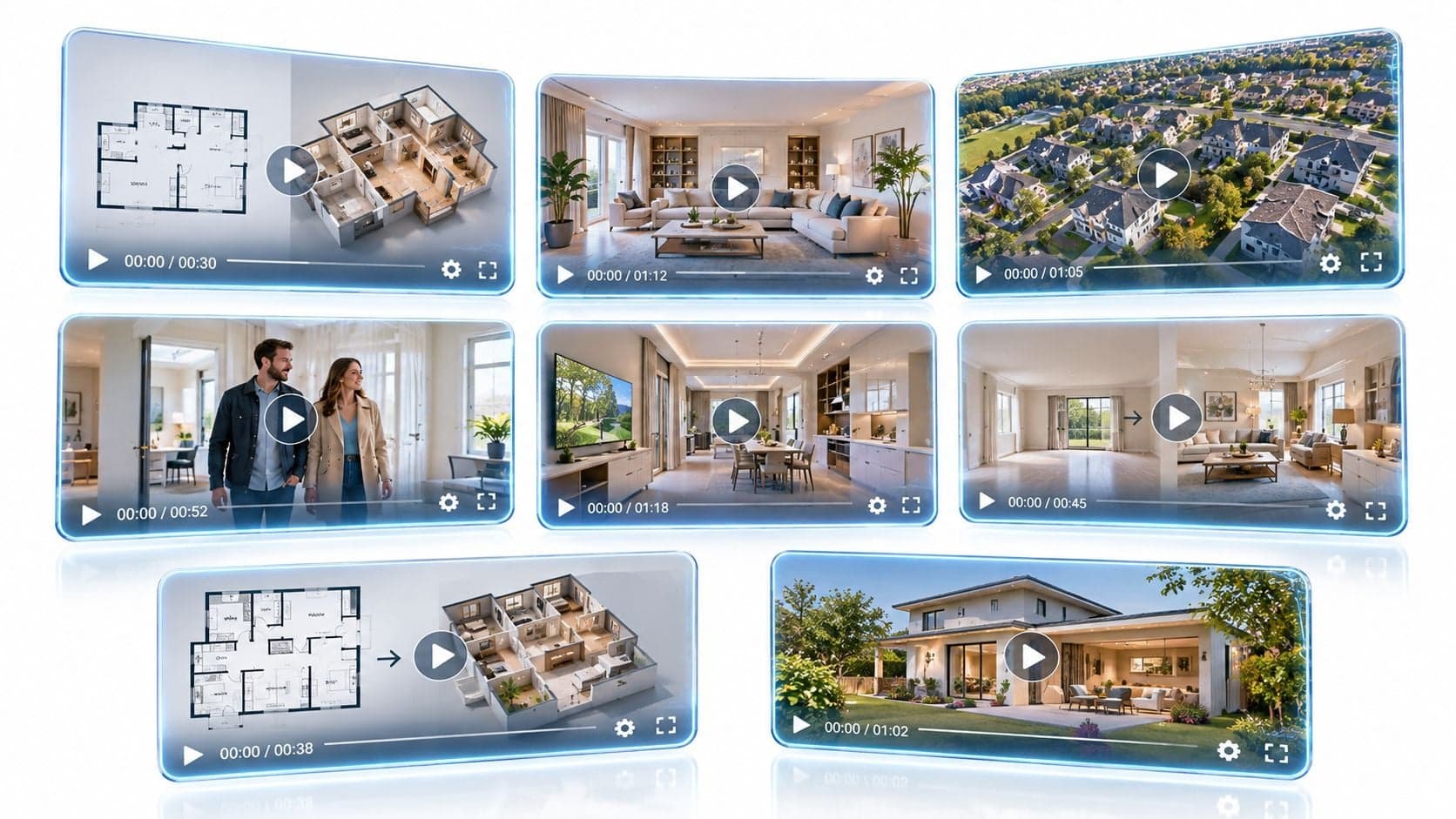
Nim's real-estate templates can turn a floor plan or an existing property photo into eight distinct AI real estate videos and visual formats. The right choice depends on the material available and the listing stage. A floor plan can support a layout walkthrough before photography exists. Existing photos can support staging, decluttering, lighting variants, lifestyle scenes, or an exterior reveal.
The important limit comes first. Every generated result is an illustration of the property, not a measured survey, photographic record, or verified statement of its current condition. AI can misread a room boundary, invent a finish, alter a view, or add furniture that isn't there. Use the source plan or photograph as the authority, review every scene, preserve the original, and disclose any altered or conceptual content before publication.
This distinction matters because virtual tours became common during the shift toward remote property discovery, but their price effect is less certain than promotional language suggests. A Harvard Business School analysis of 75,178 homes sold in greater Los Angeles between March 2019 and March 2021 found that virtual tours initially appeared associated with about a 1.1% higher sale price, but the effect became statistically insignificant after accounting for photography and written descriptions, as reported in the Harvard Business School study. The practical lesson is simple: the video must explain space or context, not merely duplicate attractive photos.
1. Floor Plan to Video Walkthrough
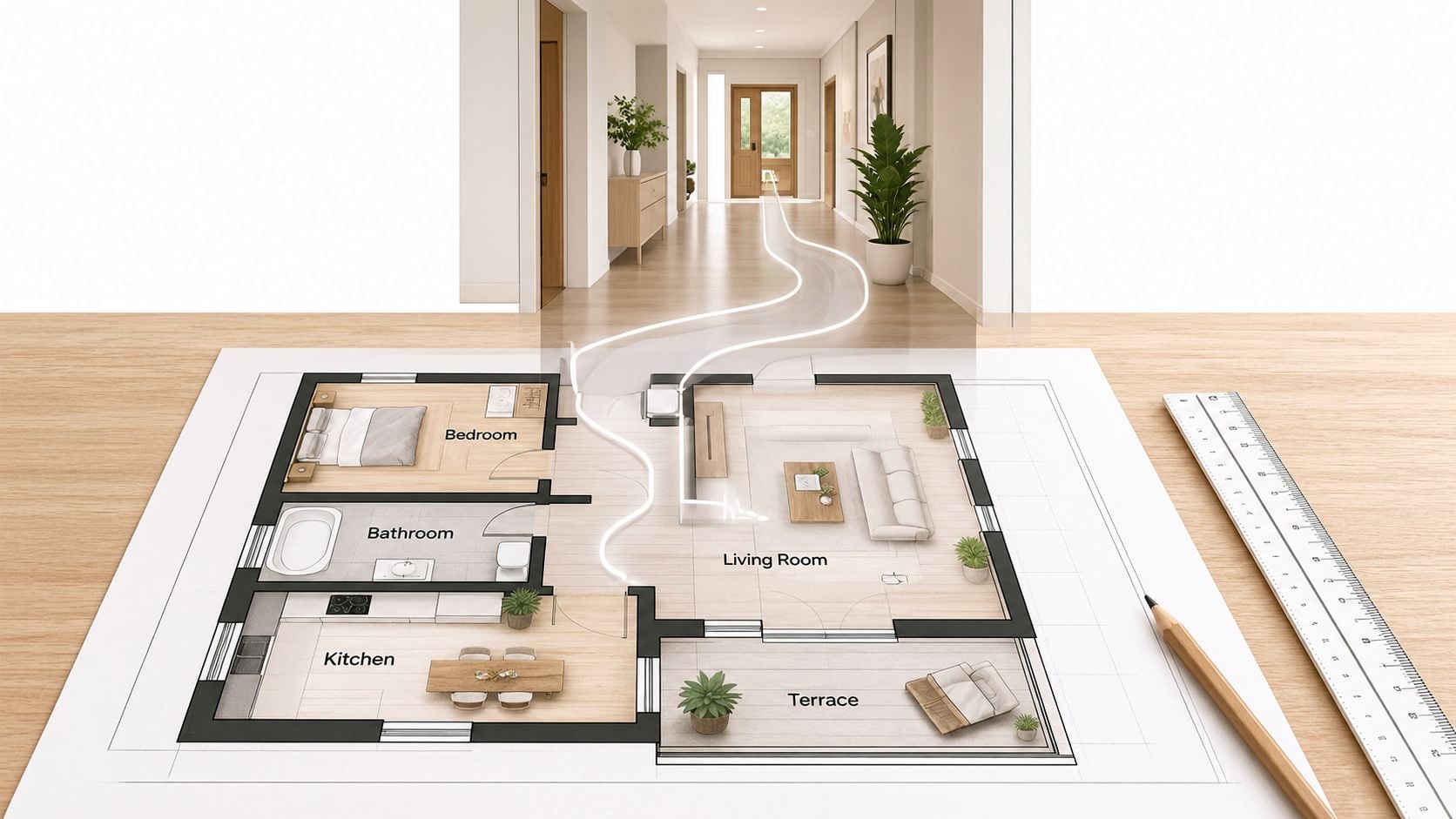
A floor plan is often the only useful visual available before a property is photographed. That makes a walkthrough especially useful for off-plan sales, vacant units, developments under construction, and early listing campaigns.
Open Nim's floor plan to video walkthrough template and provide the plan image requested there. A clean plan with visible room labels gives the generated sequence better spatial context. Before creating the video, compare the supplied plan with the architect's current drawings. Resolve missing walls, doors, balconies, staircases, or room names before treating the result as a marketing asset.
The output can show an intended route through the home. It can help a prospective buyer understand how the entrance connects to the living area, where bedrooms sit relative to shared spaces, and how the overall layout flows. It cannot confirm room dimensions, ceiling heights, finishes, views, or the condition of rooms that haven't been built or photographed.
Make the limitation visible
A developer might use the video to introduce a future apartment unit before construction is complete. The caption should say that it is a layout concept or illustrative walkthrough, not a finished-room representation. Keep the official measured plan beside it in the listing or brochure.
Practical rule: Use the floor plan as the source of layout information, but never use the generated walkthrough as the source of measurements.
Review the rendered path room by room. If a transition suggests a doorway that the drawing doesn't show, or if a balcony appears larger than the plan indicates, stop and correct the source or remove the scene. Publish only after the visual sequence matches the approved drawing at a conceptual level.
2. Plan to 3D Visualization
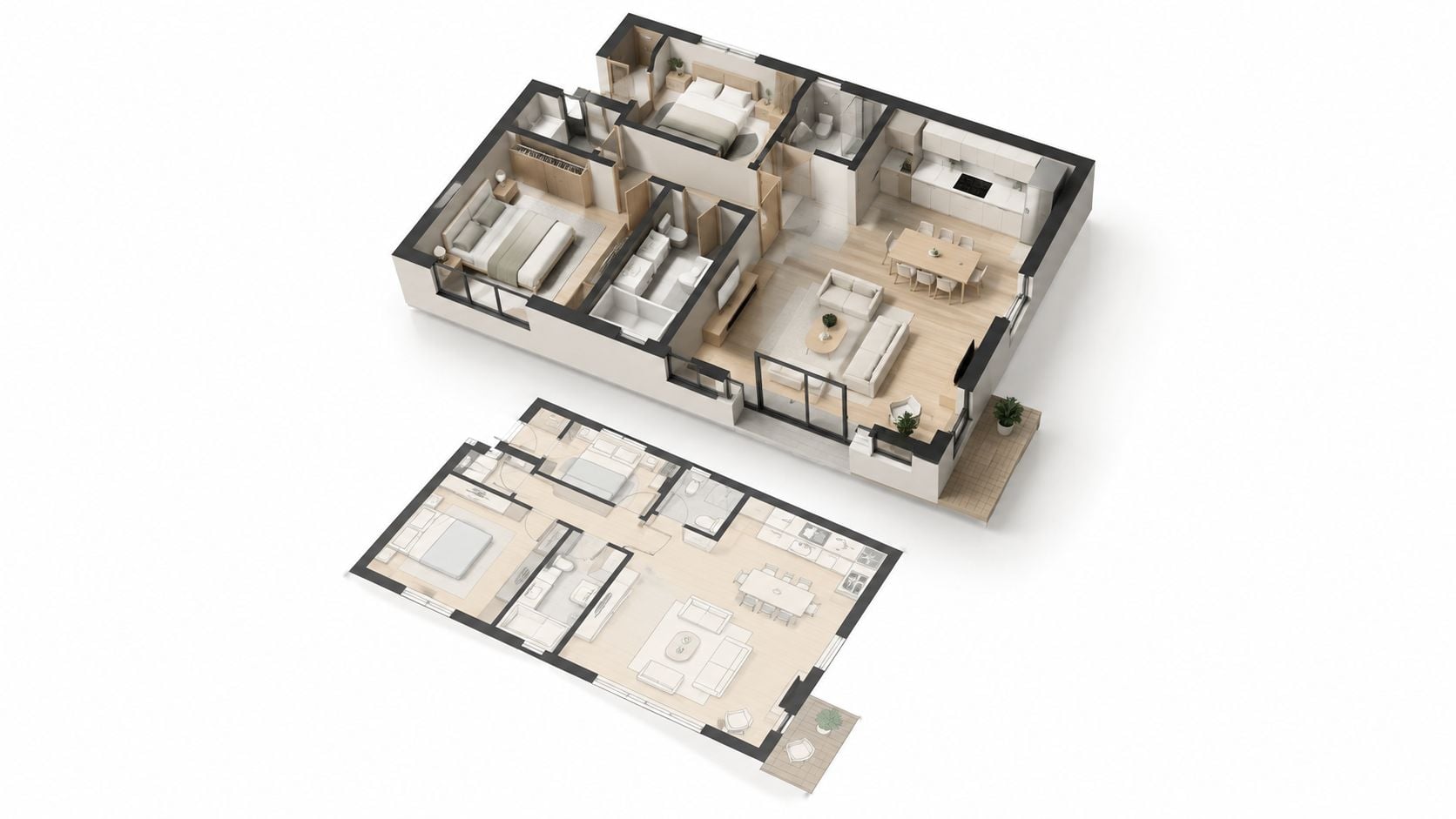
A flat floor plan communicates measurements and room placement, but some buyers struggle to understand how those rooms connect. A three-dimensional interpretation adds depth and makes the relationship between the kitchen, living area, bedrooms, circulation space, and outdoor areas easier to scan.
Use Nim's Plan to 3D template and check the current input requirements before starting. The Plan to 3D overview provides broader context for this type of visualization. The source should be the approved plan, not a rough sketch with uncertain walls or labels.
This format fits a brochure, listing page, presentation, or social post where the official plan needs a more accessible companion. For example, an agent marketing a two-bedroom apartment can place the measured plan next to a 3D-style visual. The first remains the factual reference. The second helps the viewer understand the arrangement.
Keep the measured plan in view
The generated result is an interpretation. It may choose furniture, materials, lighting, or camera angles that weren't specified. Those choices can make the space easier to imagine, but they must not be mistaken for confirmed design details.
Use the following review sequence:
- Compare every room: Check the visual against the source plan from the entrance through each labeled space.
- Retain the official drawing: Publish the measured plan alongside the visualization rather than replacing it.
- Label the interpretation: Mark the 3D visual as an illustration wherever it appears, including brochures and social posts.
- Remove unsupported detail: Don't let generated furniture, finishes, balconies, or windows imply specifications that the plan doesn't provide.
For a deeper explanation of the process, the guide to turning a floor plan into a 3D model with AI can help frame the visual as an aid to spatial understanding, not a verified architectural document.
3. Animated Floor Plan
An animated plan is a better fit when the listing needs a short explanation rather than a cinematic room-to-room sequence. Motion can highlight the entrance, draw attention to a bedroom wing, or guide the viewer from the living area toward an outdoor space.
Start with Nim's animated plan template and provide the plan image it requests. Use a plan with strong contrast, clear labels, and enough resolution for viewers to identify the rooms quickly. The diagrammatic format is useful because it communicates arrangement without pretending to show completed interiors.
Use it where attention is brief
A short clip can introduce a unit in a social post, sit above a listing description, or point viewers toward the full property page. It can also support an email header when the recipient needs to understand the layout before deciding whether to book a viewing.
Keep the information around the clip factual. Pair it with the written room sizes and other details from the official measured plan. Don't rely on the animation to communicate dimensions, construction specifications, or exact furniture placement.
The related architectural animated render guide is useful when the listing needs a more expressive architectural presentation, but the same source-control rule applies. The plan remains authoritative, and the animation remains illustrative.
A moving diagram can clarify circulation without inventing a finished interior. That restraint is its strength.
A practical example is a short social clip for a new apartment unit. The animation can emphasize the split between private and shared areas, while the post links to the complete listing. Label the clip as an animated layout visualization and keep the official plan available on the destination page.
4. Lifestyle Walkthrough
A lifestyle walkthrough adds a use case to the property. It can show how a living room might support relaxed evenings, how a rental apartment might feel during daily use, or how an outdoor area could fit a buyer's routine. This makes it suitable for premium listings, rentals, and campaigns where context matters as much as room order.
Open Nim's lifestyle walkthrough template and check the required inputs before generation. Accurate, well-lit photographs of the actual rooms provide the safest starting point. A generated lifestyle scene should remain within the property's real boundaries.
A rental listing, for example, might show a furnished living area with a note that the furniture and activity are illustrative. It must not add a mountain view, private garden, pool, parking space, or building amenity that the property doesn't offer. The same care applies to interior details. A staged fireplace arrangement may help viewers understand furniture placement, but it shouldn't imply that a fireplace exists if the original room has none.
Separate atmosphere from fact
Lifestyle visuals work when they enrich verified information. They fail when they replace it. The listing should still provide the actual photographs, floor plan, room descriptions, and confirmed amenities.
Use a source photo that clearly shows the room. Compare the generated sequence with that photo before publication. If the result changes the room's proportions, window arrangement, flooring, outlook, or permanent fittings, treat the scene as unacceptable or revise it.
For furniture planning, practical principles such as those in this guide to 2026 fireplace room design advice can inform the concept, but they don't verify a particular property. Apply the idea only after confirming that the room contains the relevant architectural feature.
Add a visible disclosure wherever local rules or listing policies require it. The National Association of REALTORS® Code of Ethics requires a “true picture” in advertising, including internet content and images, and prohibits manipulations that create a deceptive or misleading result, as stated in the 2026 Code of Ethics. Treat that as the baseline for reviewing every lifestyle scene.
5. Virtual Staging for Empty Rooms
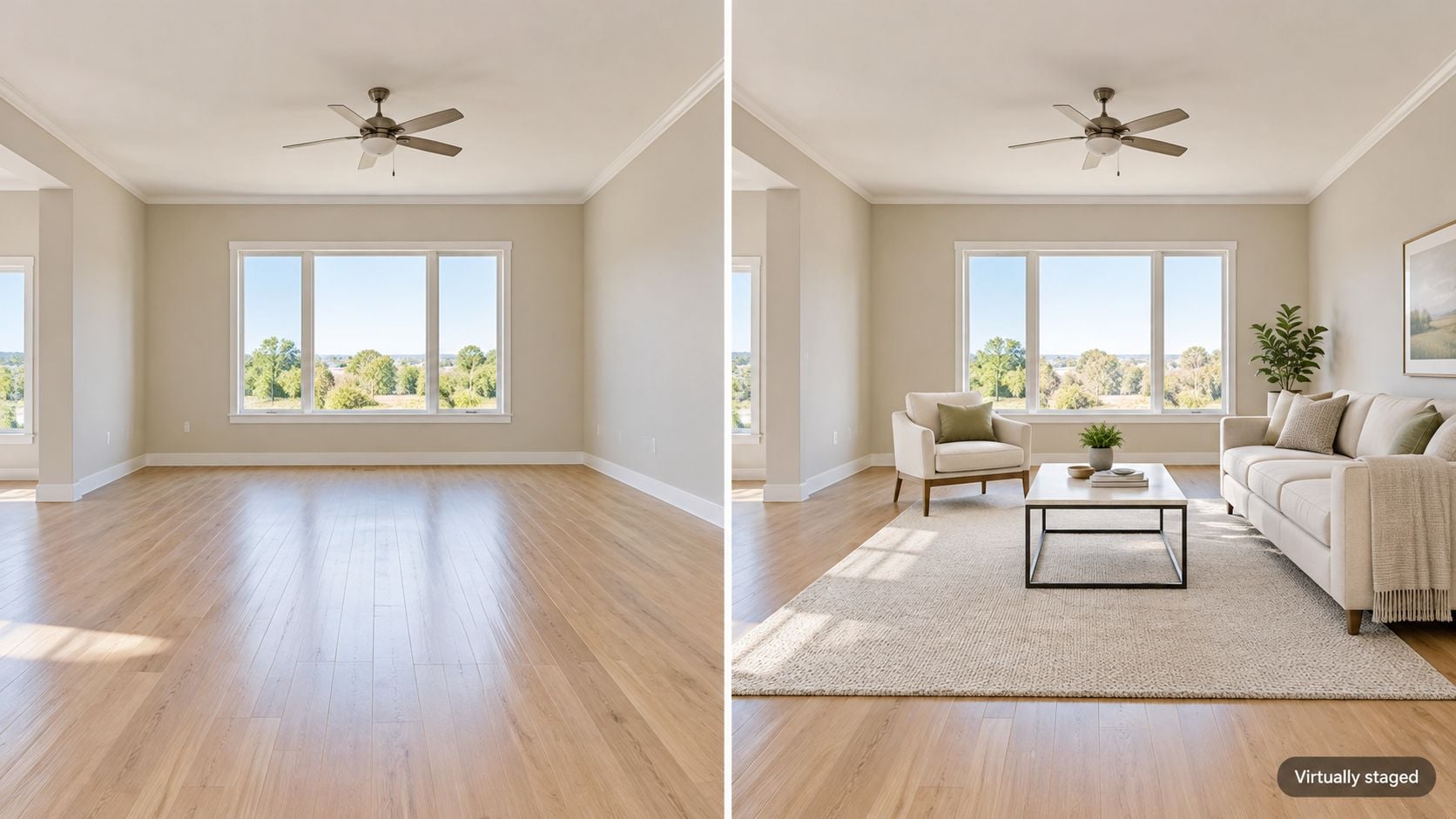
Empty rooms create a scale problem. Buyers can see the walls, floor, doors, and windows, but they may struggle to judge whether a sofa, bed, dining table, or desk would fit. Virtual staging adds an illustrative arrangement without requiring physical furniture or a new photography session.
Open Nim's virtual staging template and review the inputs it accepts. The virtual staging overview provides additional context for this workflow. Start with a clear photograph of the actual empty room, then compare the staged result against the original before publishing.
Stage use, not condition
A staged bedroom should help a viewer understand possible furniture placement. It shouldn't hide stains, cracks, damp, damaged flooring, awkward outlets, or other conditions that affect the buyer's assessment. Preserve the unstaged image in the gallery so viewers can compare the concept with the room as photographed.
The disclosure should appear wherever the image or video appears. A caption such as “virtually staged” is more useful than burying the information in a long description. Exact requirements vary by market, MLS, brokerage, and platform.
California provides a concrete example. The Department of Real Estate states that beginning January 1, 2026, digitally altered images that change a property's appearance must include clear disclosure, and the original unaltered image must be available to consumers, as explained in its AI real-estate advertising advisory. The guidance distinguishes those changes from ordinary exposure or color correction.
Disclosure should travel with the altered visual. Buyers shouldn't need to search for an explanation of what has been changed.
Match the furniture to the actual room's scale and layout. Then check that the edit hasn't changed window positions, door openings, ceiling height, or permanent fixtures. Publish the original alongside the staged version and keep both files in the listing record.
6. Room Declutter for Listing Photos
Decluttering is useful when a lived-in room is photographically sound but contains personal items, loose objects, cables, or visual distractions. Nim's room declutter template can support a cleaner presentation from an existing room image.
Start with the best original photo available. Good lighting and practical tidying before editing reduce the temptation to remove too much digitally. Provide the input requested by the template, generate the result, and compare it with the untouched source.
Remove distraction, not evidence
A kitchen photo may benefit from removing loose mail or personal objects from the worktop. It must still show the actual cabinets, appliances, counters, wall condition, windows, and floor. Removing a damaged cabinet door or masking a water stain changes the buyer's understanding of the property and crosses from presentation into misrepresentation.
Use this review test:
- Check permanent features: Confirm that doors, windows, appliances, fixtures, and built-in storage remain unchanged.
- Check condition: Don't remove damage, defects, discoloration, or signs of repair.
- Check spatial reading: Make sure the edit hasn't widened a walkway or changed the apparent room size.
- Keep the original: Retain the source image and disclose material alterations when the destination's rules require it.
The practical principles in these home staging tips can help determine what should be tidied before editing. They don't justify hiding a defect through AI.
NAR guidance also says agents should obtain written permission before using third-party images or content on social media, and should secure the listing firm's permission before advertising another firm's listing, as explained in its social media compliance tips. Confirm ownership or permission for every source photograph before uploading it to a creative workflow.
7. Drone-Style Exterior Reveal
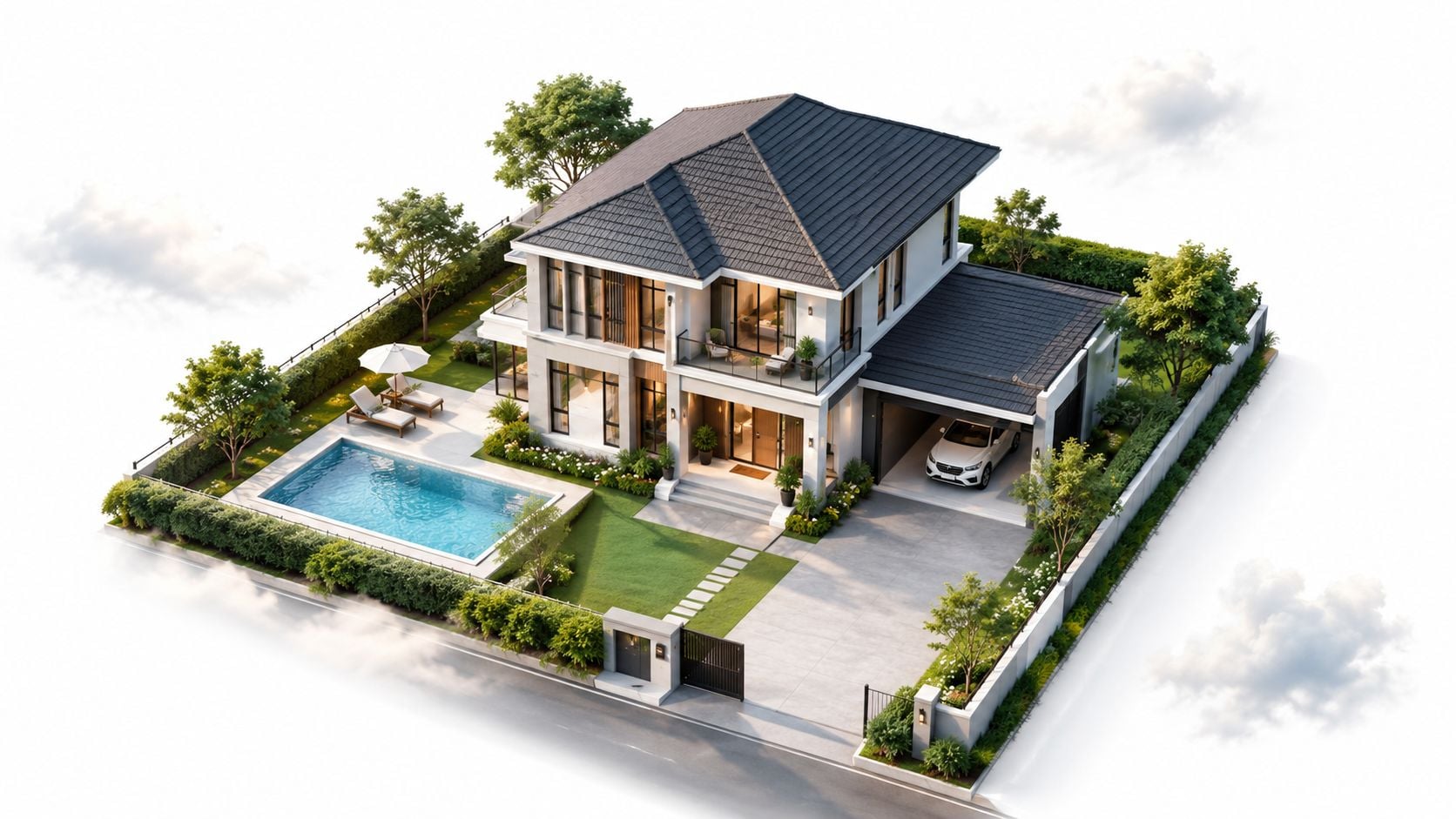
A drone-style reveal creates the feeling of an aerial opening shot from a supplied exterior image. It can introduce a development, begin a listing video, or give an exterior campaign a stronger sense of movement without presenting generated motion as genuine drone footage.
Open Nim's drone reveal template and check the input it requests. A clear, well-framed exterior photograph gives the template a better basis for interpreting the building, roofline, garden, and immediate surroundings.
The key distinction is between drone-style animation and real aerial footage. The generated camera path and raised perspective are illustrative. They don't prove that a drone flew over the property, that a particular view exists from that height, or that the surrounding neighborhood looks as shown.
Control the implied view
A suburban listing might use the reveal as the first scene before moving to verified property photographs. The caption should identify it as a stylized exterior visualization. Don't add a coastline, city skyline, nearby park, private road, or neighboring amenity that isn't visible in the source or confirmed separately.
If actual drone footage is used instead, follow applicable aviation, privacy, and property-access rules. Those obligations are separate from the AI generation process.
A related AI front yard design concept may help with landscaping inspiration, but it shouldn't be treated as evidence of the property's current garden, planting, boundary, or hardscape. Keep design concepts separate from factual listing visuals.
Treat the aerial perspective as camera language, not as property evidence.
Review the first and last frames against the exterior source. Check roof forms, windows, doors, paths, fences, landscaping, and neighboring structures. If the motion exposes an invented side elevation or a changed boundary, remove that sequence or label it clearly as a concept.
8. Day and Night Lighting Variants
A daytime photograph doesn't always communicate how a living room, terrace, entrance, or exterior feels after dark. A lighting variant can provide a second visual treatment from the same source image, which is useful when a separate evening photography session isn't available.
Use Nim's day and night template and provide the image it requests. A well-exposed daytime photograph gives the workflow a clearer base. For related illumination changes, review the sunlight template.
This format works well for a listing gallery that places the original daytime view beside a labeled evening interpretation. It can help a buyer think about atmosphere, lighting design, or entertainment use. It cannot establish the property's actual sun exposure, orientation, glare, or view after sunset.
Don't turn lighting into a claim
A darker sky doesn't prove that the room receives evening sun. A bright window doesn't prove a southern orientation. A warm interior doesn't prove that the property has those installed lights. Verify orientation and natural light on site or from reliable plans and documentation.
The workflow should preserve the original image and identify the altered version as illustrative. Review whether the generated lighting has changed permanent fittings, exterior windows, visible views, or surface condition. If it has, the result requires a more prominent disclosure or should not be used.
A buyer-facing example might show a living room in daylight and then a warm evening version. The second frame should be labeled as a lighting visualization, while the original remains available for comparison. Use that label in the listing gallery, social post, or brochure where the altered frame appears.
8-Point Comparison: AI Real Estate Video Types
| Example | Implementation complexity | Resource requirements | Expected outcomes | Ideal use cases | Key advantages |
|---|---|---|---|---|---|
| Floor Plan to Video Walkthrough | Moderate, template-based with review steps | 2D plan image; walkthrough template; architect drawings for verification | Conceptual walkthrough video showing layout and flow (not dimensionally accurate) | Off‑plan sales, vacant units, early marketing before photography | Communicates route and layout; enables early marketing without site visit |
| Plan to 3D Visualization | Low–Moderate, automated conversion with validation | 2D plan image; 3D visualization template; source plan for comparison | 3D‑style visual interpretation of a plan to clarify proportions (not a measured model) | Listing galleries, brochures, presentations alongside official plans | Easier for non‑technical viewers to read; clarifies spatial relationships |
| Animated Floor Plan | Low, diagrammatic motion applied to plans | Clear 2D plan with room labels; animated plan template | Short animated clip highlighting rooms or movement through layout | Social clips, email headers, listing pages needing brief layout emphasis | Mobile‑friendly, clear on small screens; low risk of implying finishes |
| Lifestyle Walkthrough | High, narrative editing using real imagery | Well‑lit property photos/videos; lifestyle template; careful sourcing and disclosures | Story‑led walkthrough showing how spaces might be used (must avoid false claims) | Premium listings, rentals, marketing that benefits from emotional storytelling | Helps buyers imagine living in the space; differentiates listings |
| Virtual Staging for Empty Rooms | Low–Moderate, image editing with disclosure requirements | Photos of empty rooms; staging assets; virtual staging template; disclosure text | Edited images showing furnished interiors for illustration only | Vacant home listings; agents testing different furnishing styles quickly | Visualizes scale and use; cheaper and faster than physical staging |
| Room Declutter for Listing Photos | Low, focused image cleanup | Existing listing photos; declutter template | Cleaned presentation images with clutter removed (keeps architecture intact) | Sellers who cannot pack up or reshoot; quick listing updates | Faster than reshoot; preserves true layout and features |
| Drone-Style Exterior Reveal | Moderate, simulated aerial motion from a photo | Exterior photo; drone‑reveal template; clear labeling as illustrative | Aerial‑style opening shot or transition (not real drone footage) | Listing video openers, promotional pages, new developments | Cinematic exterior without flying a drone; adds visual variety |
| Day and Night Lighting Variants | Low, lighting condition edits | Single photo; day/night template; optionally sunlight template | Daytime and evening variants showing ambience (not measured sun exposure) | Listing galleries, hospitality and interior design presentations | Shows evening atmosphere; extends value of one photo shoot |
Start With the Input You Already Have
The fastest way to choose among AI real estate videos is to begin with the source material, not the desired cinematic effect. A clean floor plan points toward Floor Plan to Video Walkthrough, Plan to 3D, or Animated Floor Plan. Those formats can explain layout before photography exists, but they remain interpretations of the drawing.
Existing property photos open a different group of options. A vacant room can support Virtual Staging. A lived-in room can support Room Declutter, provided the edit doesn't conceal defects or alter permanent features. A strong exterior photo can support a Drone-Style Exterior Reveal, while a clear interior or exterior image can support a Day and Night lighting variant.
The listing stage also matters. Before photography, plan-based visuals can introduce an off-plan unit or unfinished development. With approved photos, staging and decluttering can improve presentation without replacing the factual gallery. As an added marketing visual, lifestyle scenes and exterior reveals can create context, but they need stronger review because they can imply amenities, views, furniture, finishes, and conditions that don't exist.
Buyers already use online discovery to filter properties before visiting. A summary of NAR's 2024 buyer-and-seller research reported that 43% of buyers began their home search online, the average buyer viewed seven homes, and two of those homes were viewed entirely online, according to the NAR research summary. That makes clear visual communication useful, but it doesn't reduce the need for accuracy. Video ranks below still photography in perceived importance, with 48% of buyer agents rating video highly important compared with 73% for photos, as reported in HousingWire's coverage of AI in real estate.
Review every output before publication
Keep the original plan or photograph. Compare every generated transition against it. Identify invented walls, windows, furnishings, finishes, views, lighting, and camera perspectives. Then label the result as a visualization wherever it has been altered or reconstructed.
The legal and platform requirements can differ by jurisdiction. A 2026 NAR report describes NorthstarMLS guidance requiring clear identification of AI-generated, AI-enhanced, and virtually staged images, along with an unaltered image showing the actual condition, as reported in NAR's listing-photo guidance. The exact rule for a particular listing may come from the local MLS, state law, brokerage policy, or professional code.
Before generating, check that the source assets can be used. Confirm permission for photographs, floor plans, renders, logos, and footage. After generating, apply the required brokerage, license, and alteration disclosures to the final distribution format. Then keep the factual listing material beside the visual concept.
Open the Nim template that matches the material already available, check its current input requirements, generate the visual, and review it against the approved source before publishing.
Nim offers real-estate templates for floor-plan walkthroughs, 3D plan visualizations, animated plans, lifestyle scenes, staging, decluttering, exterior reveals, and lighting variants. Choose the workflow that matches the source asset, preserve the original, and use Nim to create a clearly labeled property visual for the next listing.
- AI real estate
- real estate videos
- virtual staging
- property walkthrough
- floor plan video