Real Estate Photo to Video: A Nim Walkthrough
Turn a real estate photo to video in Nim: match the template to your photos, generate, review every frame, and disclose AI motion.
By Nim
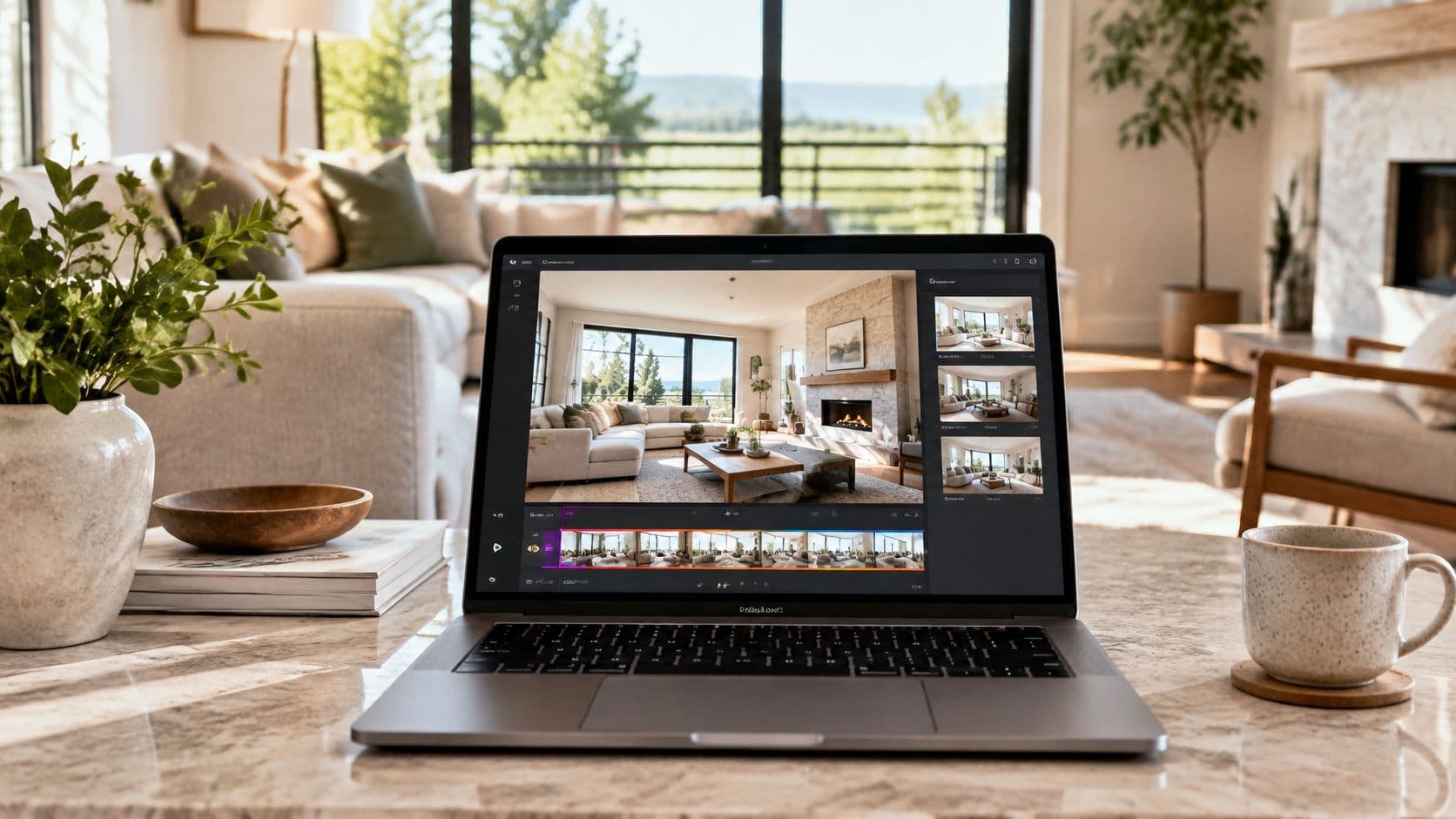
The most popular advice on real estate photo to video is simple and wrong in one important way. Many listing guides tell agents to animate every photo, add the strongest camera move available, and call the result a walkthrough. That advice treats generated motion as if a camera really travelled through the home.
A generated move does not show a camera travelling through the home. It pans and zooms inside frames that already exist. A photo based clip can guide a buyer's eye across what was photographed and suggest how the rooms relate to each other. It cannot prove how those rooms connect, how large they are, or what the property looks like from a position nobody captured.
Keeping the clip inside its source frames also keeps the listing honest. The clip, the photographs, and the words describing them then say the same thing, and that agreement is what makes the video credible.
What Photo Motion Can Show a Buyer
A real estate photo to video clip is a short, guided look built from still listing photographs. No one carried a camera through the property to make it, so the finished file works best when its name, caption, and description all reflect that origin.
Buyer expectations already include motion. In 2024, 37% of home buyers used an online video site during their home search, and 29% of internet-using buyers rated listing videos as very useful, according to the National Association of REALTORS® Home Buyers and Sellers Generational Trends report. Figures like these explain why a clip earns a place beside the gallery. They say nothing about replacing photographs, a floor plan, or a showing, because a clip built from stills cannot do that work.
Three Outputs Buyers Often Confuse
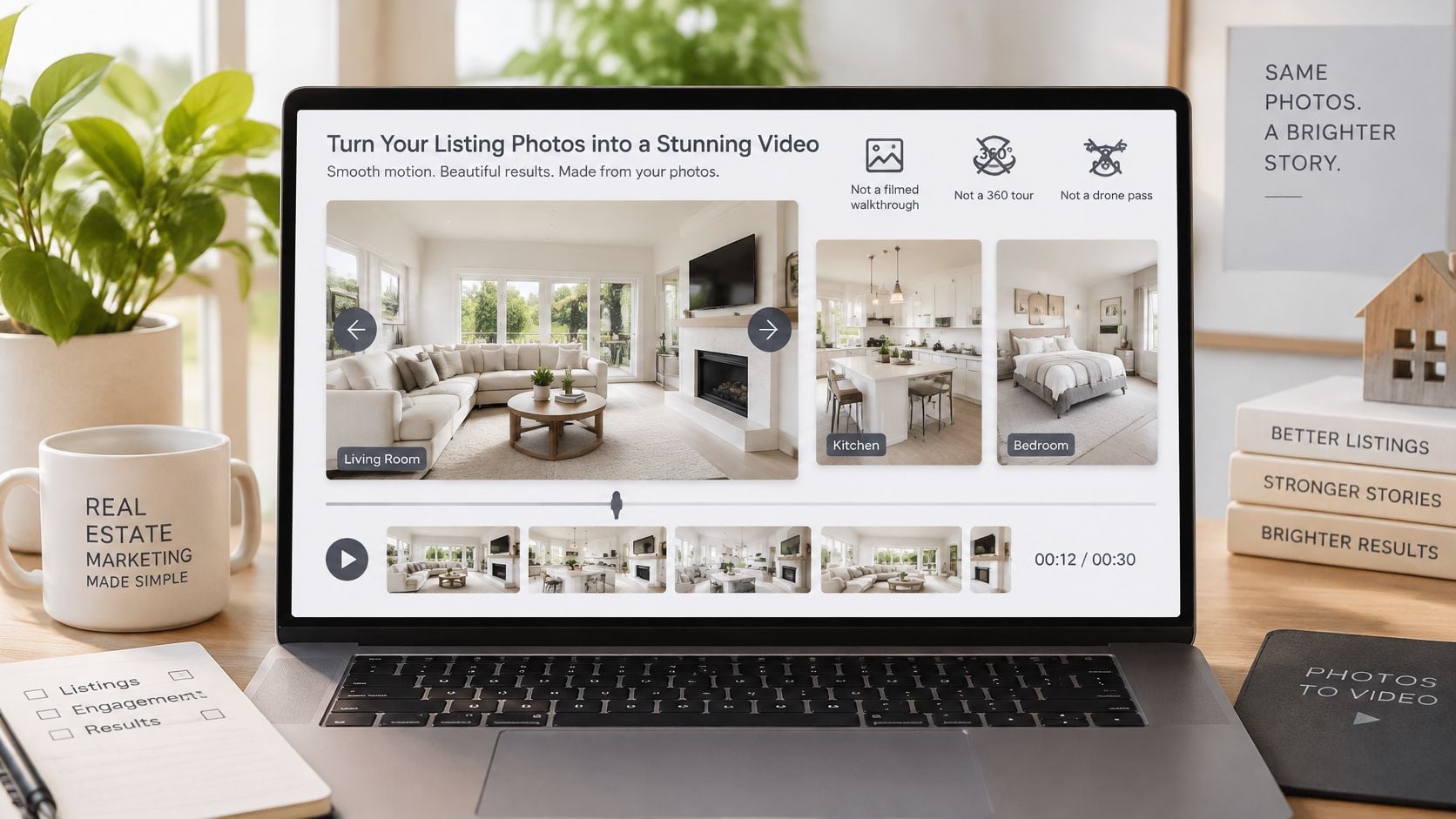
Three different assets get mixed up because all of them move on screen. Keeping them separate prevents the wrong claim from slipping into a listing description or a social post.
- Sequenced photo clip: Still photographs gain a pan, zoom, or parallax move inside the existing frame. The viewer sees the photographed room from the photographed position, with motion added for presentation.
- Plan based walkthrough: A floor plan image becomes the starting point for a spatial interpretation. The input is a drawing rather than a room photograph, so the result explains a proposed layout instead of showing a captured interior.
- Captured tour: A person records video or interactive imagery on site. Only this category can accurately be described as filmed footage of someone moving through the property.
Practical rule: The clip may only suggest what the source image already shows.
A clear living room photo can become a slow move across that living room. It can't invent a hallway connection beyond the frame, replace a blank wall with a water view, or furnish a room that was photographed empty. When a generated frame does one of those things, the clip has crossed from presentation into a factual claim the photograph never supported, and the fix is to generate again within the frame or choose a different source image.
Distance raises the stakes. A buyer comparing homes across markets, including relocation shoppers reviewing guidance for Christie's International Real Estate Puerto Rico buyers before booking a visit, depends more heavily on listing media than a local shopper does. A misleading transition or an invented view can cost that buyer a wasted trip, which is why the clip belongs beside the original stills where the boundary between photographed fact and added motion stays visible.
Light obeys the same boundary. A bright source photo gives motion something readable to work with, while a dark or backlit frame stays hard to read once it moves. Time spent using sunlight for the home at the shooting stage usually does more for clarity than a stronger camera move applied afterward, because the generator can only work with the light the photograph already captured.
Check which files the listing team has first, and whether they're strong enough to animate.
Choose the Template and Check Thin Sets
Start with the file, not the tool. A property photograph, a single room image, an empty room that needs labelled staging, and a floor plan are four different inputs. They lead to different templates and different limits on what the finished clip can claim.
Which Nim Template Fits the Asset
| Task | Best input | Nim template | Do not claim |
|---|---|---|---|
| Cinematic photo presentation | Clear property photos | Lifestyle Walkthrough | A filmed walkthrough occurred |
| Single-room motion | One representative room photo | Room Tour | Other rooms were captured |
| Furnished empty room | Photo of the actual empty or sparse room | Virtual Staging | The furniture is physically in the home |
| Moving floor plan | Floor-plan image | Animated Plan | The drawing is a survey or as-built |
| Plan-based spatial clip | Floor-plan image | Floor Plan to Video Walkthrough | The path was walked on site |
The table does one job. It stops a floor plan from being uploaded to a photo presentation template, and it stops a single bedroom photo from being sold as coverage of the whole home. Readers who have several asset types can browse the full set of real estate templates and compare the requested input on each template page before choosing.
For most standard listings, the first row is the relevant one. The source material is a set of property photographs, and the goal is a more cinematic presentation of rooms that already exist in those photographs. The other rows handle narrower jobs, and each narrow job carries its own disclosure need, especially staged furniture and plan based interpretation.
The Thin Set Rule
A thin set is the most common reason to skip the clip. If the available photos are few, dark, cluttered, tightly cropped, or shot from angles that hide most of each room, animation won't repair them. Motion applied to a weak frame tends to expose the weakness, because the viewer's eye follows the move straight to the blurry corner or the blocked doorway.
If the stills can't support the claim on their own, motion can't support it either.
Coverage comes before effects. A 2022 NAR report on virtual showings found that buyers ranked sufficient photo and video quality first among successful showing elements at 58%, followed by a sufficient number of images at 51%, and 63% said virtual showings gave a good view of the most important areas, as reported in NAR coverage of virtual tours gaining ground with buyers. Read plainly, buyers ask for readable images and enough of them before they ask for anything fancier.
A practical coverage check uses the rooms a buyer needs to understand the home. Entry, main living space, kitchen, bedrooms, bathrooms, and exterior context form the usual list. Only rooms with a representative photograph belong in the clip. A missing bathroom photo means the bathroom stays out, rather than being implied by a transition that drifts toward a closed door.
Check the Set Before Opening Any Template
- Readable at full size: Textures, fixtures, and window frames stay clear when the photo is viewed large, not just as a thumbnail.
- Consistent across rooms: Colour and exposure don't jump so sharply between images that the home looks like several different properties.
- Honest about condition: The photo shows the room as it is, without relying on the animation to hide damage or permanent features.
- Complete enough to sequence: The set lets a viewer move through the main spaces without gaps that generated continuity would have to fill.
Staging decisions belong at this stage too, because staging changes what a photo claims. General home staging tips help with the physical room before capture, which is different from adding furniture digitally afterward. Physical staging that's present during the shoot is part of the photographed scene. Digital staging added later is an alteration, and it needs a label wherever it appears.
Engagement multipliers deserve the same scepticism as thin photo sets. Advice in this category often repeats large inquiry or conversion claims without a traceable original study behind them. California's Assembly Bill 723, effective January 1, 2026, requires disclosure when listing images are digitally altered and access to the original, unaltered image, with generated video and changes to furniture, views, floors, landscaping, or neighbouring properties identified as potentially covered alterations in HousingWire reporting on AI listing video disclosure. That legal direction matters more to a working listing than an unverified performance promise. A team that can't trace a statistic to its source shouldn't use it to justify publishing a clip.
The contrarian point is worth stating directly. A visually impressive result can reduce trust if viewers mistake camera motion for proof of layout, condition, or surroundings. Choosing the right template and refusing to animate a thin set protects the agent from that outcome before generation even starts. The safest default label for the finished asset is an illustrative motion piece created from property photographs, not a measured walkthrough.
How to Turn Listing Photos into a Clip
Templates differ, so there's no universal control set to memorise. The procedure below stays at the level that applies across the relevant templates. Readers follow the fields on the specific form they've opened, and they skip any step that form doesn't ask for.
Prepare the Photographs First
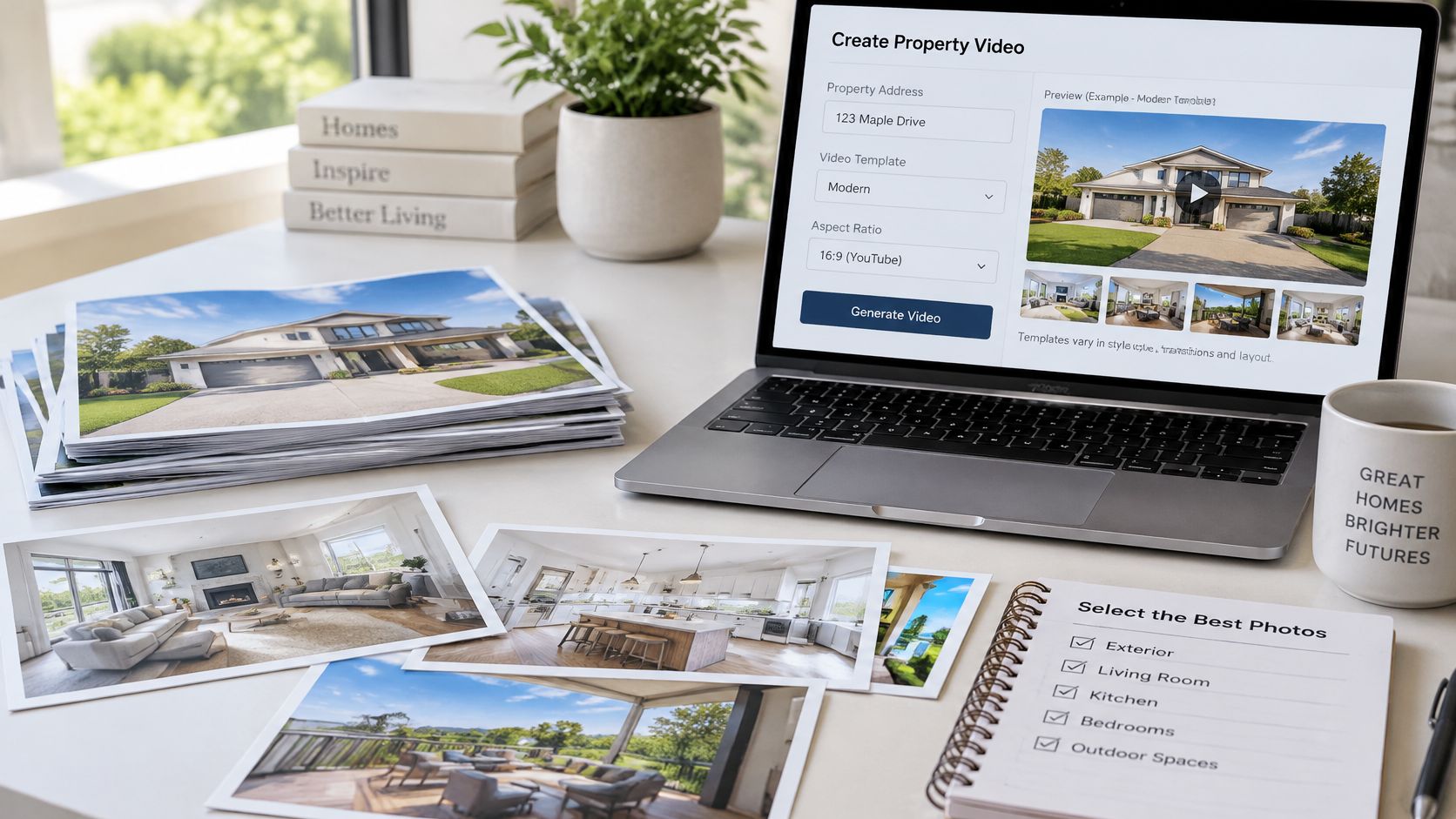
- Curate the set before opening a template. Select wide, well lit views of the entry, main living spaces, kitchen, bedrooms, bathrooms, and exterior when those photographs exist. Straighten obvious tilt, keep verticals consistent, and correct exposure or colour so the set reads as one home photographed on one day.
- Remove temporary clutter in the room. If the shoot hasn't happened yet, clear counters, cords, and personal items physically. Don't plan to hide damage, remove a permanent feature, or swap a window view during animation, because those changes alter what the property appears to be.
The preparation boundary has a useful legal parallel. California's disclosure rule distinguishes ordinary photographic adjustments from changes that alter the property's appearance, with lighting, exposure, sharpening, and colour balance reported as generally routine adjustments while adding or removing physical elements can trigger disclosure, according to reporting on when AI listing changes become false advertising. Correcting the brightness of a living room photo before animation is materially different from generating furniture that was never in the room.
Generate From the Chosen Template
- Open only the template matched to the asset. Supply the property image or images that the form requests. Don't add a floor plan to a photo template or extra rooms the form didn't ask for, since mismatched inputs produce exactly the invented continuity this workflow tries to avoid.
- Describe restrained motion if a text field exists. A request such as a slow pan across the photographed living room keeps the move inside the existing scene. If the template has no text field, skip prompting entirely rather than looking for a place to force instructions.
- Generate the clip. Treat the first result as a draft for inspection, not as a finished listing asset ready to upload.
Worked example: A bright, uncluttered kitchen photo becomes a short move across the counters, cabinets, and window already visible in the frame. It doesn't become a path into an unseen dining room, because the source photo never showed that connection.
That example shows why restraint matters. The kitchen photo supports claims about the counters and cabinets inside its edges. It supports nothing about the room next door, the view if the camera turned around, or the size of a pantry behind a closed door. A restrained move respects those edges. An ambitious move crosses them and starts inventing architecture.
Inspect, Then Download
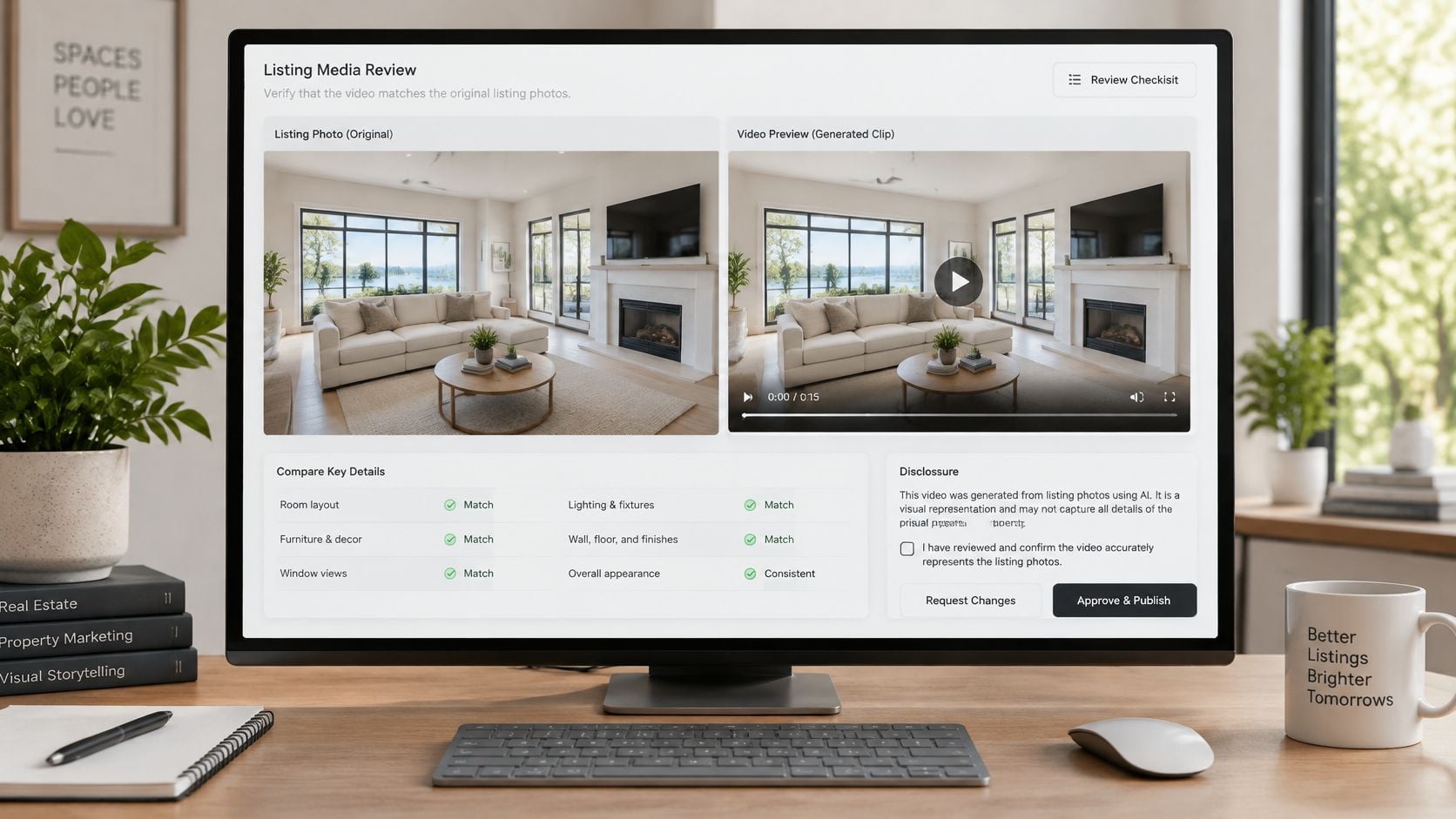
- Play the clip beside the source photograph. Compare fixtures, windows, furniture, and outdoor views frame by frame. Reject any version that adds, removes, or transforms a physical element.
- Download only the version the listing team can stand behind. Keep that file together with its source photographs from this point onward.
Music, captions, and MLS upload sit outside this generation step and should be handled as separate production tasks. Teams that want background on how automated systems examine moving images can read about real-world uses of AI video analytics, though no automated check replaces the side by side comparison in step 6. The human review is where invented details get caught, because the reviewer knows what the actual room contains.
One more preparation habit saves time. Name source files by room before generation, so each generated scene can be matched back to its photograph during review. When several similar bedrooms exist, clear file names prevent a clip from being checked against the wrong original and approved by mistake.
Review Frames and Disclose the Motion
Review isn't a polish pass. It's part of making the video, and a clip that hasn't been compared with its source photographs isn't finished. The reviewer needs the original photo open beside the playing clip, with enough screen space to see both at a useful size.
What to Look For, Frame by Frame
Generative motion introduces specific, predictable errors. Reviewers who know the list catch them faster than reviewers who watch for a general feeling of wrongness.
- Changed window view: Trees, water, neighbouring buildings, or sky that don't match the photographed outlook.
- Altered room layout: Walls, doorways, or ceiling lines that shift position as the camera appears to move.
- Added furnishings: Chairs, lamps, plants, or decor that fade in during the move and weren't in the still.
- Transforming fixtures: Faucets, handles, light fittings, or appliances that change shape, multiply, or disappear between frames.
If any of those appear, that version doesn't get published. The options are to regenerate from a cleaner photograph, choose a simpler scene, or drop the room from the clip entirely. Cropping around an error rarely works, because motion errors tend to spread across the frame rather than staying in one corner.
General guidance on how to animate a photo covers the mechanics of turning a still into motion. Listing work adds a stricter layer on top of those mechanics, because the moving image functions as advertising for a specific property. A morphing chair in a personal project is a glitch. The same morphing chair in a listing video is a representation problem.
The Disclosure Wording and Where It Goes
California's Business and Professions Code section 10140.8 took effect on January 1, 2026, and it requires real estate licensees to provide a clear disclosure when a listing image has been digitally modified in a way that changes the property's appearance, including modifications made or enhanced with AI, while the original, unaltered image must also be made available to consumers, as explained in a California Department of Real Estate advisory on AI in real estate. For a photo based clip, that means generated camera movement shouldn't be presented as authentic filmed footage.
Sample wording, adapted to local rules: "AI-generated video created from property photographs; no drone or walkthrough footage was captured."
Placement matters as much as wording. Some MLS policies want the disclosure on or immediately beside the altered media rather than buried in a private remark or a separate description field. Rules differ by jurisdiction and by platform, so the listing agent checks state requirements and MLS policy before publication. That's a compliance check, not a creative preference, and it belongs to the licensed professional responsible for the listing.
Routine brightness or colour correction, handled before generation, sits in a different category from staging or invented architecture. The first changes how the photograph renders. The second changes what the property appears to contain, and it must be identified as altered. NAR's Code of Ethics Article 12 is relevant here only as the professional duty to present a true picture in advertising. It isn't a legal opinion, and it doesn't replace advice on a specific listing.
Keep the Evidence Together
Every published clip should have a matching folder. That folder holds the original photographs, any corrected versions used as inputs, the generated video file, and the exact disclosure sentence published with it. If a buyer, broker, or MLS reviewer asks what was changed, the answer sits in one place instead of scattered across downloads folders and email threads.
Privacy belongs in the same review. Family photographs, documents on a desk, licence plates in a driveway, and reflections in mirrors or windows can become more noticeable once a frame moves and holds a viewer's attention longer. The reviewer checks for those details with the same care given to invented fixtures, because publishing them creates a different kind of harm that disclosure can't fix afterward.
Publish the Clip Beside the Original Photos
A buyer should be able to tap the motion clip, then the still it came from, and see the same room. If that jump feels like a bait and switch, the clip has failed no matter how smooth the camera move looks.
Keep the label literal. Name the file and caption for what it is: generated motion from listing photographs, presented beside those photographs. Do not call it a walkthrough, drone pass, virtual tour, or video of the home unless that footage was captured on site. The unstaged still stays adjacent to any virtually staged scene when the MLS requires that pairing, and the page layout should not make a shopper hunt for it.
Social versions need tighter packaging, not looser standards. A feed cut can be shorter and framed for vertical viewing, but the caption must carry the same identification and the clip should stay inside what the source frames show. Teams repurposing listing content across channels can use guidance on how to adapt blog content for social media to keep captions and context attached to each version instead of letting a bare video file circulate with no explanation.
A useful final check is the title test: if the text under the player promises a tour, a drone pass, or proof of condition, rename it or pull the clip.
The concrete next step is small on purpose. Open the Lifestyle Walkthrough template with the single best current room photograph, generate one clip, and put it through the full frame check before creating any other scene. A listing team that can defend one reviewed clip has a process worth repeating. A team that generates ten clips first and reviews later has ten chances to publish an invented window.
Turn the strongest photograph from the current listing into one reviewed, clearly labelled motion clip, then publish it beside the original stills it came from. Nim offers real estate templates matched to specific inputs, including property photos for a lifestyle presentation and floor plan images for plan based clips, so the asset on hand determines the starting point. Open the template that fits the file, generate a restrained first version, and let the frame by frame check decide whether it earns a place on the listing.
- real estate photo to video
- listing video
- Nim templates
- AI disclosure
- property walkthrough