What Is Virtual Staging? Uses, Limits and Disclosure Rules
Find out what is virtual staging: how AI adds furniture to empty room photos, what it can't change, and how to disclose it properly.
By Nim
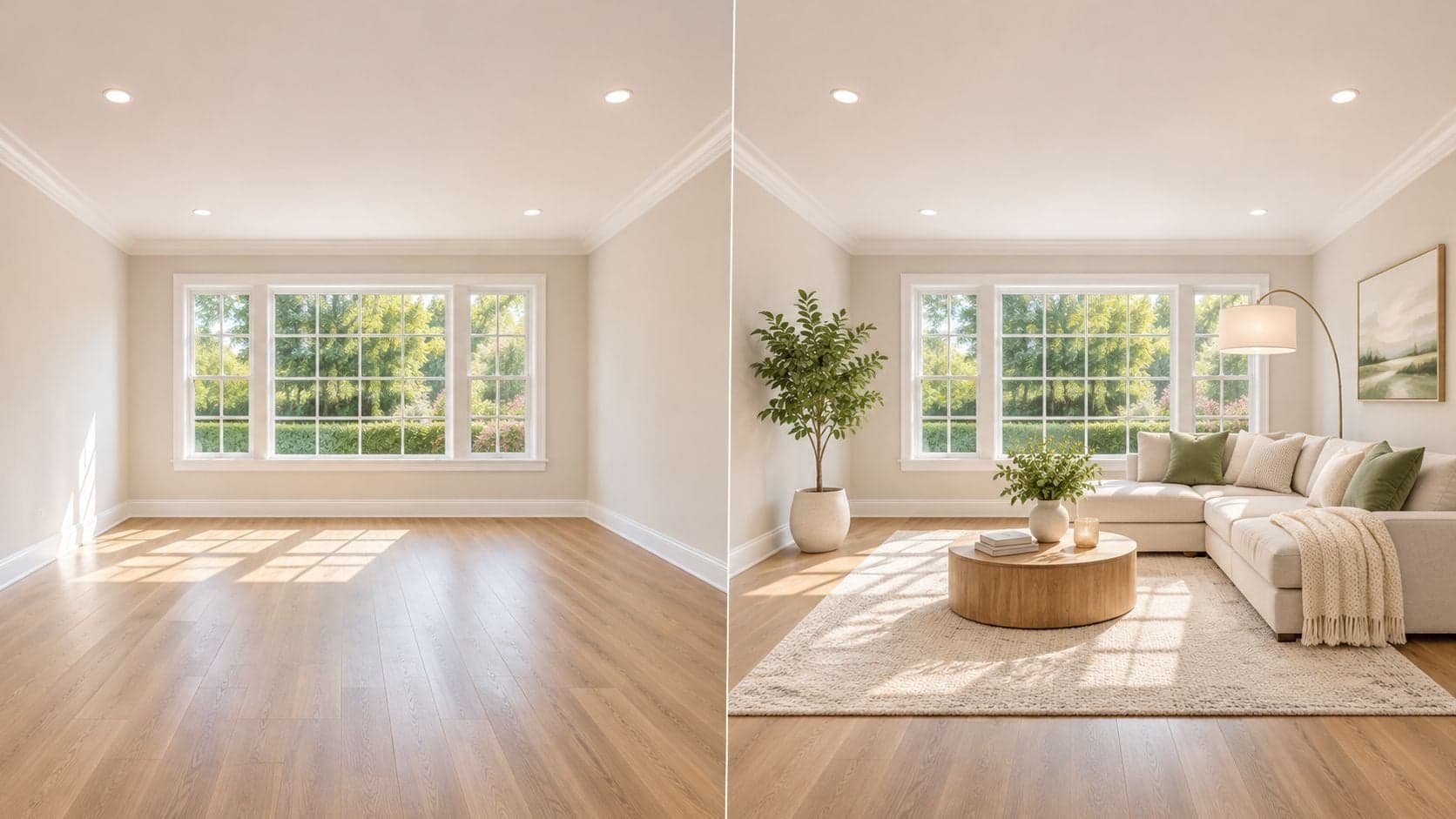
Virtual staging means digitally adding furniture, decor and interior design styles to a photograph of an empty or sparsely furnished room, so a buyer can picture how the space might look once someone lives in it. What comes back is a visualization, not evidence that the furniture exists in the home and not a record of the room's real size, contents or condition.
A more useful question than how a staged image gets made is what it's allowed to show. Plenty of agents, sellers and marketers can describe the appeal of a furnished photo of a bare room. Fewer can say precisely where the furnishing stops being presentation and starts being a claim about the property.
Get that line wrong and the picture stops being marketing. It becomes a statement about a home that the seller has to stand behind, in writing, long after the listing closes.
What Virtual Staging Means in Practice
In practice, virtual staging is image editing with a disclosure duty attached. Software or a generative model places sofas, rugs, lamps and artwork into a photo of an empty or lightly furnished room, while the walls, windows, doors and dimensions in the original photograph stay fixed. The finished image helps a buyer read scale and layout faster than a bare room, and it should be checked against that original before it goes anywhere near a listing.
A film set is the cleaner analogy. From the camera position it looks like a flat with a kitchen and a view; step behind it and there is no plumbing, no lease, no lived-in wear. A staged listing photo makes the same limited claim: here is one plausible way the room could be used, presented for interpretation.
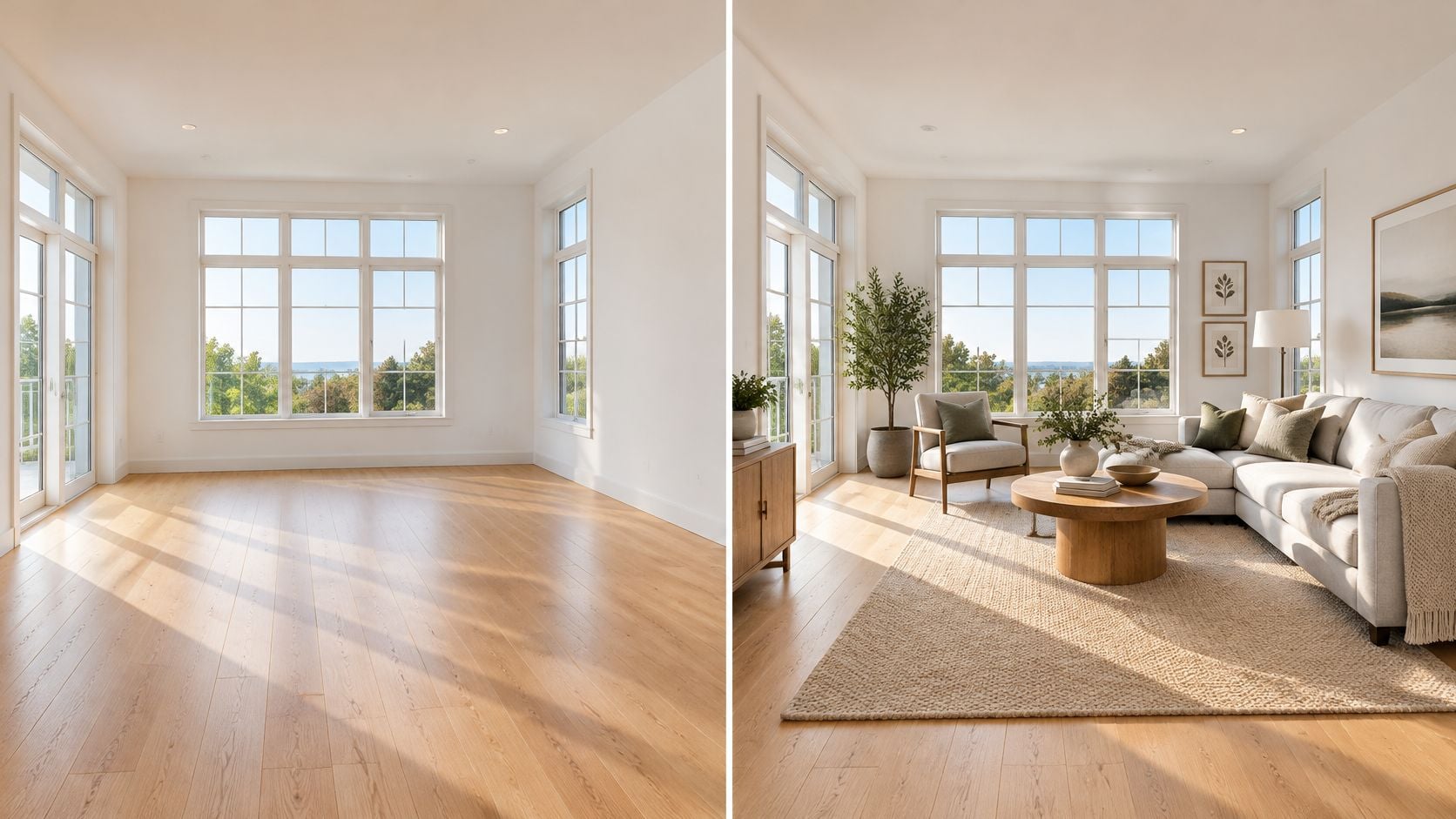
The test is what the picture lets a buyer infer. Furniture, decor, lighting and style can change. The photograph should not imply a different room: no moved walls, extra windows, hidden damage, borrowed garden or a fireplace that works when the existing one is sealed. Keep the untouched photo available and publish it with the staged version when platforms allow, so the marketing image and the record of condition remain separate.
That boundary matters because the listing photo often carries the first screening decision. In the National Association of Realtors' 2023 Profile of Home Staging, 81% of buyers' agents said staging made it easier for buyers to visualize a property as a future home, listing photos were rated "much more" or "more" important by 77% of buyers' agents against 74% for videos and 42% for virtual tours, and buyers with a planned viewing pattern expected a median of 12 homes virtually and 7 in person.
The practical rule for every staged image is simple: before publishing, ask whether a buyer who later stands in the empty room could reasonably say the photo promised a feature that is absent. If yes, the staging has crossed from presentation into misrepresentation.
Why Listings Use Virtual Staging and What the Evidence Shows
Buyers who once walked a neighbourhood now screen listings from a sofa, and the first photograph has to carry the weight of a first visit. That shift shows up in the National Association of Realtors' staging research, summarized in Nim's analysis of AI staging: 83% of buyers' agents said listing photographs had become more important since the beginning of the pandemic.
The newer benchmark adds the reason that matters. In the 2025 Profile of Home Staging from the National Association of Realtors, 60% of buyers' agents said staging affected most buyers' view of a home most of the time, and 26% said it affected most buyers but not always.
What those figures do and don't prove
Read the numbers as evidence about home staging in general, not about AI-generated staging specifically. The surveys measured staging as one broad category, so they can't isolate what a digitally furnished image adds on its own. What they support is the communication goal: making an empty room easier to interpret. They are not a return-on-investment benchmark, and nobody can promise a price lift from a furnished JPEG.
There's a second limit, this one technical. Digitally inserted furniture can improve how livable a room feels while leaving the underlying geometry untouched. The walls don't move, the window doesn't grow, and the ceiling height stays whatever the camera made of it.
A staged photo earns its place when it helps a buyer read the scale of a room and the ways it could be used. It loses that place the moment someone treats it as a measurement.
That boundary is the test every staged image should pass before it goes live, not a footnote applied after the fact. If the furnished version answers a question the original photograph left open, publish it alongside that original. If it closes a question the original raised, it stays off the listing.
When Virtual Staging Fits a Listing and When It Does Not
The decision isn't whether virtual staging looks good. It's whether the room, the listing rules and the buyer's decision all support a furnished concept. That's a different test from the one many apply.
Listings that benefit
- Empty rooms. A vacant living room gives a buyer nothing to scale against. Furniture supplies the reference points.
- Sparsely furnished rooms with an obvious gap. A bedroom with a mattress and nothing else reads as a storage room in a photo.
- Rooms whose use isn't obvious. A second reception room currently holding a desk benefits from a concept that shows it as a dining space.
- Listings where the photo is the first screen. When a buyer filters a shortlist from thumbnails, the readable image gets the click.
Listings where it needs care or doesn't fit
- Buyers who will decide on exact dimensions. Anyone comparing floor area across three similar homes needs the plain photograph, not a concept.
- Visible damage or a known defect. If a buyer should know about a cracked render, a water stain or a missing door, a furnished scene that hides it withholds information.
- Listings where the original can't be published. Some agents operate in a chain where only finished images reach the portal. If the pair can't travel together, the staged image shouldn't travel alone.
- Homes sold as projects. A renovation listing needs the room as it is. Furniture imagined over a stripped floor frames the work as cosmetic.
There's also a sequencing point that gets skipped. Repairs and paint come before staging of any kind. A furnished concept layered over tired surfaces hides the information a buyer needs to price the work, and for sellers working through that step, fresh paint advice for Irish sellers covers colour and finish choices that hold up under a camera.
Physical staging and virtual staging solve different problems. Real furniture has to be delivered, arranged and removed, but a buyer can sit on it. A digital concept needs one good photograph and a review, but it shows a possibility rather than the room's contents. If the work is going physical instead, home staging tips for occupied listings cover arrangement and decluttering priorities.
Decision rule: stage virtually when the goal is to show how a space could be used, and show the room unedited when the buyer's decision depends on the room as it is.
Local MLS and board rules can rule the approach out for a specific listing regardless of what the photograph would gain. Check them before choosing, not after the image is built.
What Virtual Staging Can Change and Where It Misleads
A staged listing photo faces the same test before it reaches a buyer: it may change only what a buyer could change with their own furniture, and it must leave the property itself untouched. The boundary is short enough to learn in one sitting, and it is the same boundary disclosure rules and quality checks return to at every later step.
| Element | Allowed in virtual staging? | Reason |
|---|---|---|
| Sofas, beds and tables | Yes | Movable personal property the buyer can imagine in the room |
| Rugs, artwork and decor | Yes | Movable personal property |
| Walls, floors and ceilings | No | Permanent features; changing them misrepresents the property |
| Windows and doors | No | Permanent features; changing or hiding them misrepresents the property |
| Fireplaces, roof, driveway and landscaping | No | Permanent features buyers rely on |
| Cropping, exposure and colour balance | Generally yes | Acceptable only when permanent features and apparent condition stay unchanged |
| Damage, stains or visible defects | No | Concealing them withholds pertinent property facts |
Recent MLS guidance, set out in the NorthstarMLS rules for virtual staging and AI-enhanced listing photos, separates removable personal property from permanent features. Adding furniture may be permitted, while changing walls, floors, windows, roofs, fireplaces, driveways or landscaping can misrepresent the property. The practical shorthand: if a removal van could carry it away, it is staging material; if it is attached to the house, it is off limits.
A worked illustration
An empty living room with a stone fireplace and a bay window shows how the boundary works. Adding a sofa, a rug and two lamps is the entire purpose of the exercise. Repainting the walls a lighter shade, deleting the fireplace to free up wall space, or hanging full curtains that bury the bay window changes the property itself. The first version helps a buyer furnish the room in their head. The second sells a room that does not exist.
Standard corrections sit in a middle zone. Cropping, exposure adjustment, colour balancing and minor dust or camera-artifact retouching are generally acceptable only when they do not materially change permanent features or the property's apparent condition, as the NorthstarMLS virtual staging best-practice guidance sets out.
Where a convincing image still misleads
A staged photo can respect every rule about furniture and still give a false impression, because the boundary covers what changed and not how the room reads. Scale is the first risk. A generated scene can stretch a narrow room into a generous one, and proportions drift in subtler ways too, such as furniture drawn slightly smaller than life so the floor area looks larger. Access is the second. A corner sofa rendered along a wall may be physically impossible to carry through the actual doorway or around a stair turn. Light is the third. A generated scene can light a north-facing room like a south-facing one.
Lighting deserves its own caution. A scene lit like an evening magazine spread contradicts a photograph taken under bright midday sun through those same windows, and changing the lighting in a listing image shows how far relighting can go before it alters the room's apparent condition.
Condensed into a pre-publication test, an image should answer five questions in the negative: no change to permanent features, no covered defect, no furniture that could not fit through the doors, no lighting that contradicts the visible windows, and no size impression the original photograph cannot support.
The table is a starting point. The rule that applies to your MLS, board or state has the final word, and no staged image replaces an inspection or guarantees dimensions or condition.
Disclosure Rules for Staged Listing Photos
Disclosure is part of how the image is built, not a line of caption added at the end. The published rules covered here differ in strictness and in where the notice has to sit.
| Rule | What it requires | Where it applies |
|---|---|---|
| Canopy MLS | Clear, readily visible disclosure on the image or within the virtual tour; remarks, captions or supplemental text alone are not sufficient | Canopy MLS listings |
| Canopy MLS | Non-staged original immediately before or after the enhanced image, or easily accessible alongside the virtual tour | Canopy MLS listings |
| California AB 723 | Reasonably conspicuous disclosure on advertising that uses digitally altered images, plus the unaltered original available by website, URL or QR code | California, effective January 1, 2026 |
Under the Canopy MLS policy on digitally staged and AI-enhanced images, altered photos, renderings and virtual tours need that visible disclosure directly on the image or inside the tour. A note in agent remarks doesn't satisfy it. The same guidance requires the non-staged original immediately before or after the enhanced image, or otherwise easily accessible alongside the tour, and it states plainly that agents must not exaggerate, conceal or misrepresent pertinent property facts.
On the image itself: "Virtually staged" in a corner that survives resizing, with the unfurnished original placed immediately before it in the gallery.
Translated into actions on a live listing, that means three things. Put the label on the pixels rather than in the description. Upload the original as part of the same set. And where a statute requires the unaltered image to stay reachable by link or code, keep that link live for as long as the advertising runs, including after the gallery is reorganised.
Moving images follow the same logic. If a listing also runs a property photo turned into a short video, every staged scene inside it needs the same label and the same original shown beside it.
No table covers every local rule. Confirm the requirement that applies to your MLS, board or jurisdiction before posting, because the cost of checking is a few minutes and the cost of getting it wrong is a listing that has to be pulled.
How to Produce and Check a Staged Photo Before Publishing
The quality of a staged result is decided before the template opens. What's needed is a clean, well-composed photograph of the empty or sparsely furnished room, with walls, floors, windows, doors and fixed features clearly visible. That's input preparation rather than a setting inside any tool. A frame shot from a doorway with the ceiling cut off gives the process very little to work with. The finished image then earns its place in the gallery only by passing the same test as every staged photo: labelled on the pixels, original alongside, nothing permanent touched.
- Audit the source photo before anything else. Walk the frame and check that every doorway, window and fixed feature is visible and unobstructed. A common slip is choosing the brightest exposure rather than the most informative one.
- Open the Virtual Staging template in Nim. Nim's virtual staging template is the workflow that takes a room photograph and returns a furnished concept. Keep the unedited original in the same folder while you work.
- Provide the room photo the template asks for, and nothing it doesn't. If the template requests one image, send one well-framed image rather than a collage or a screenshot of a gallery.
- Generate the staged concept. Read the result at full size, not as a thumbnail in a grid. Scale errors, floating furniture and perspective drift all hide in a small preview.
- Review it against the original using the five checks. The checks covered earlier apply here. The trap at this stage is accepting a dramatic improvement in mood that enlarges the room.
- Keep the unedited photo ready to show beside the result. In the gallery, or one click away where the local rule allows a link. Not buried in a folder the seller can't reach.
- Label the staged image on the image. A corner note reading "Virtually staged" survives resizing, screenshots and reposts. A caption doesn't travel with a downloaded JPEG.
Controls and export options vary between templates, so this sequence describes the job rather than a fixed interface. The review stage is where a staged photo either earns its place or gets rebuilt from a different frame.
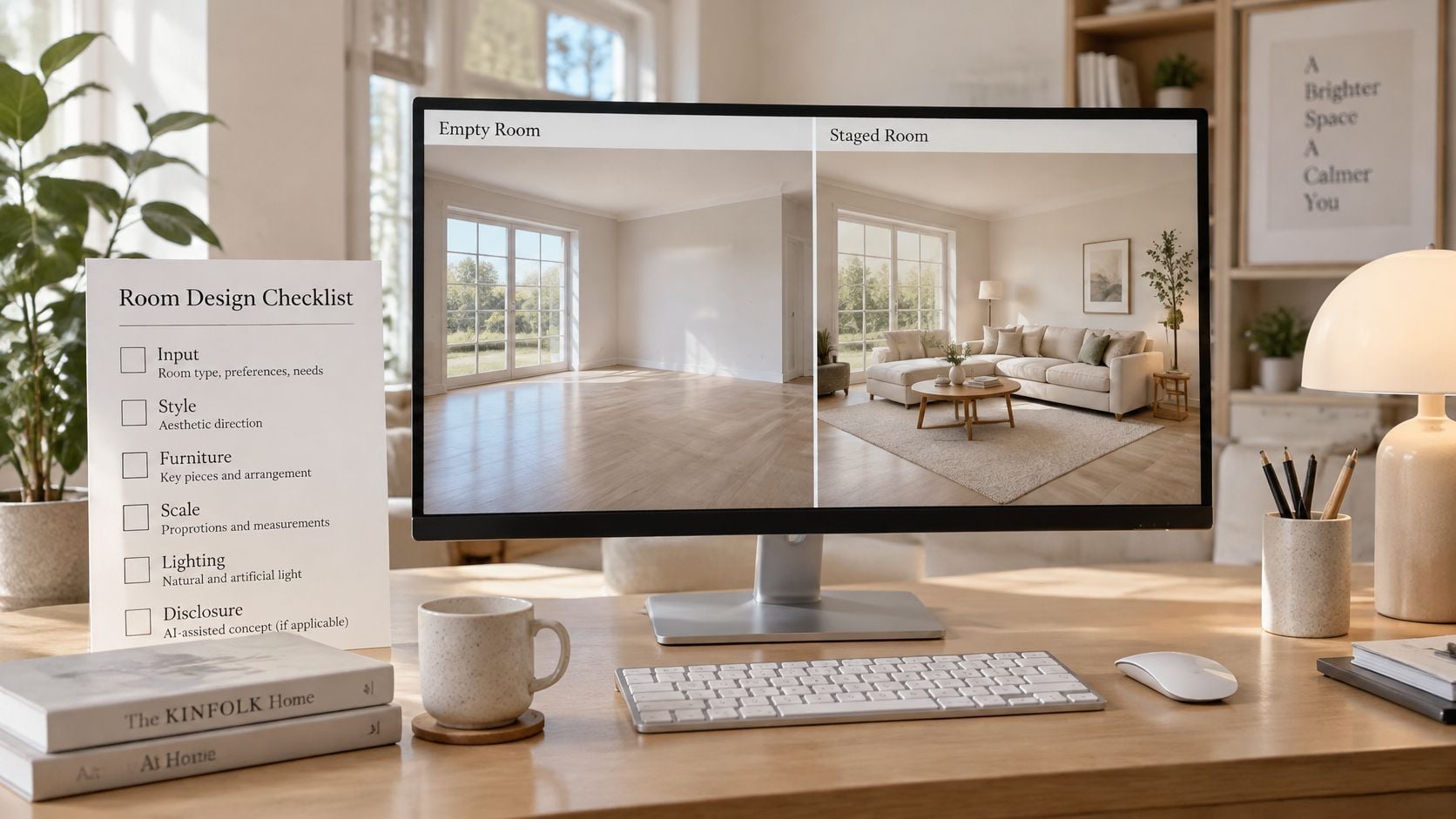
Before publishing, confirm three things:
- Scope: the change touches only movable personal property.
- Integrity: no permanent feature and no visible defect has been altered or hidden.
- Evidence: the original is ready to show wherever the staged image appears.
If all three hold, publish the labelled image with the original. If any one fails, regenerate from a different photograph or run the unstaged original instead. Regenerating costs minutes. Rebuilding trust after a buyer arrives to find a fireplace that doesn't exist costs the listing.
A staged photo shows one possible use for a real room, published as a visualization with a label and an original beside it.
Nim is an AI image and video creation app, and its virtual staging template takes a room photograph and returns a furnished concept you can review, label and publish as marketing rather than as a record of the room. If a vacant listing is sitting on the market with bare walls in every frame, shoot one clean, well-framed photo of the main room and take it into Nim to see the furnished version before you decide whether it earns a place in the gallery.
- virtual staging
- AI staging
- real estate photos
- staged listing photos
- virtual staging disclosure